Rigol MHO2034 handleiding
Handleiding
Je bekijkt pagina 282 van 332
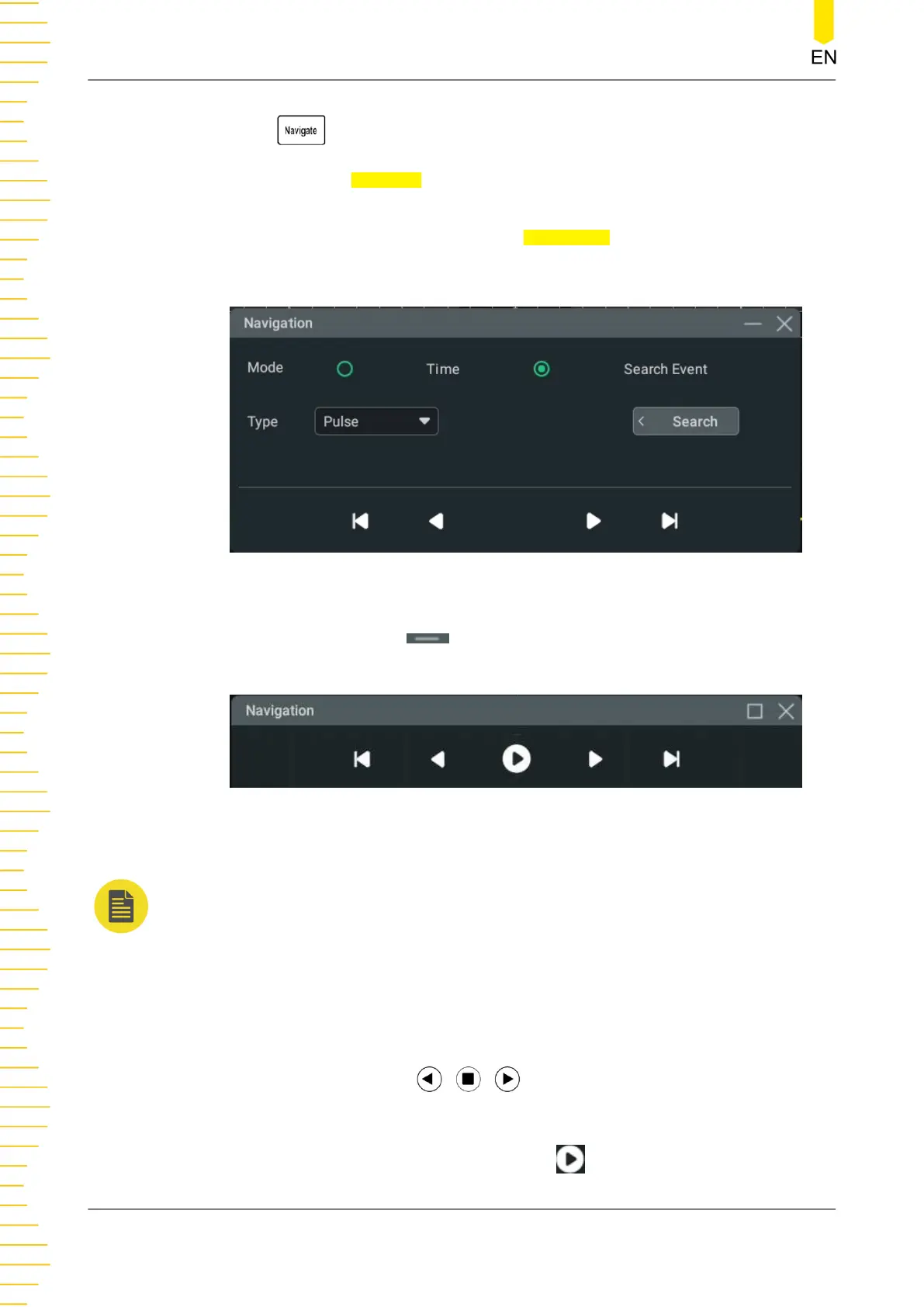
• Press on the front panel to enter the "Navigation" menu.
• Click or tap the Navigate icon on the toolbar at the upper-right part of the
screen to enter the Navigation menu.
• In the Search interface, click or tap the
Navigation button to enter the
Navigation setting menu.
Figure 22.3 Navigation Menu
Clicking or tapping the icon can minimize the Navigation window, making the
interface simple and clear, as shown in the figure below.
Figure 22.4 Minimized Navigation Window (Time Navigation)
NOTE
The navigation function is only available when the operating status of the oscilloscope is STOP.
Time Navigation
After stopping data acquisition, use the navigation control buttons in the Navigation
interface to play forward and backward the captured waveforms. You can also use the
navigation combination keys
on the horizontal control area on the
front panel to control the waveforms.
• After selecting time navigation, click or tap to start to play the waveforms.
Search and Navigation Function
MHO2000 User Guide
264
Copyright ©RIGOL TECHNOLOGIES CO., LTD. All rights reserved.
Bekijk gratis de handleiding van Rigol MHO2034, stel vragen en lees de antwoorden op veelvoorkomende problemen, of gebruik onze assistent om sneller informatie in de handleiding te vinden of uitleg te krijgen over specifieke functies.
Productinformatie
| Merk | Rigol |
| Model | MHO2034 |
| Categorie | Niet gecategoriseerd |
| Taal | Nederlands |
| Grootte | 47982 MB |