Rigol MHO2034 handleiding
Handleiding
Je bekijkt pagina 281 van 332
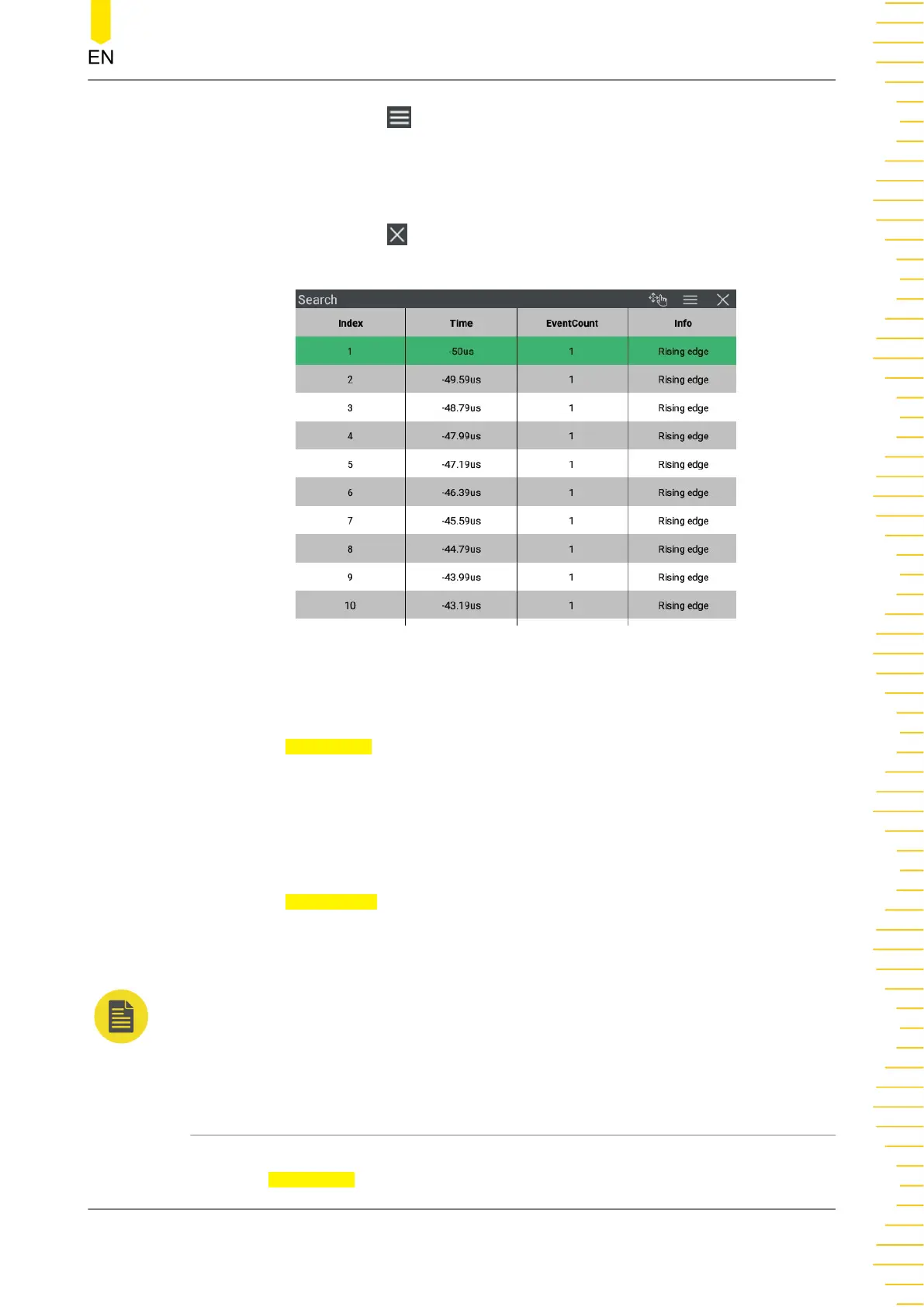
• Click or tap the icon at the upper-right corner of the mark table to open the
Search menu.
• Clicking on the mark table title bar indicated in gray and long holding the mouse
to drag the mark table to adjust its position on the screen.
• Click or tap the icon at the upper-right corner of the table to close the mark
table.
Figure 22.2 Mark Table
Navigation
Click or tap
Navigation to go to the navigation interface. You can also refer to
Navigation Function
to navigate by search event.
Save the Search Event
You can save the event mark data to the internal memory or external USB storage
device in "*.csv" format.
Click or tap
Save Events to enter the event saving interface. Please refer to
descriptions in
To Save a File
to save the event mark data to the internal or external
memory.
NOTE
This series oscilloscope only supports the flash memory USB storage device of FAT32 format.
22.2 Navigation Function
The navigation function includes the time navigation and search event navigation. To
enter the Navigation interface, perform any of the following operations:
Search and Navigation Function
Copyright ©RIGOL TECHNOLOGIES CO., LTD. All rights reserved. MHO2000 User Guide
263
Bekijk gratis de handleiding van Rigol MHO2034, stel vragen en lees de antwoorden op veelvoorkomende problemen, of gebruik onze assistent om sneller informatie in de handleiding te vinden of uitleg te krijgen over specifieke functies.
Productinformatie
| Merk | Rigol |
| Model | MHO2034 |
| Categorie | Niet gecategoriseerd |
| Taal | Nederlands |
| Grootte | 47982 MB |