Rigol MHO2034 handleiding
Handleiding
Je bekijkt pagina 283 van 332
• During the play, click or tap to play backward, then stops automatically until
it plays back to the start; click or tap to play forward, then stops
automatically until it reaches the end.
• When it stopped playing, click/tap or to move backward or forward the
waveforms.
• Click or tap to go to the start segment of the waveforms to be played. Click
or tap
to go to the last segment of the waveforms to be played.
Click or tap the drop-down button of Speed to select the play speed of the
waveforms.
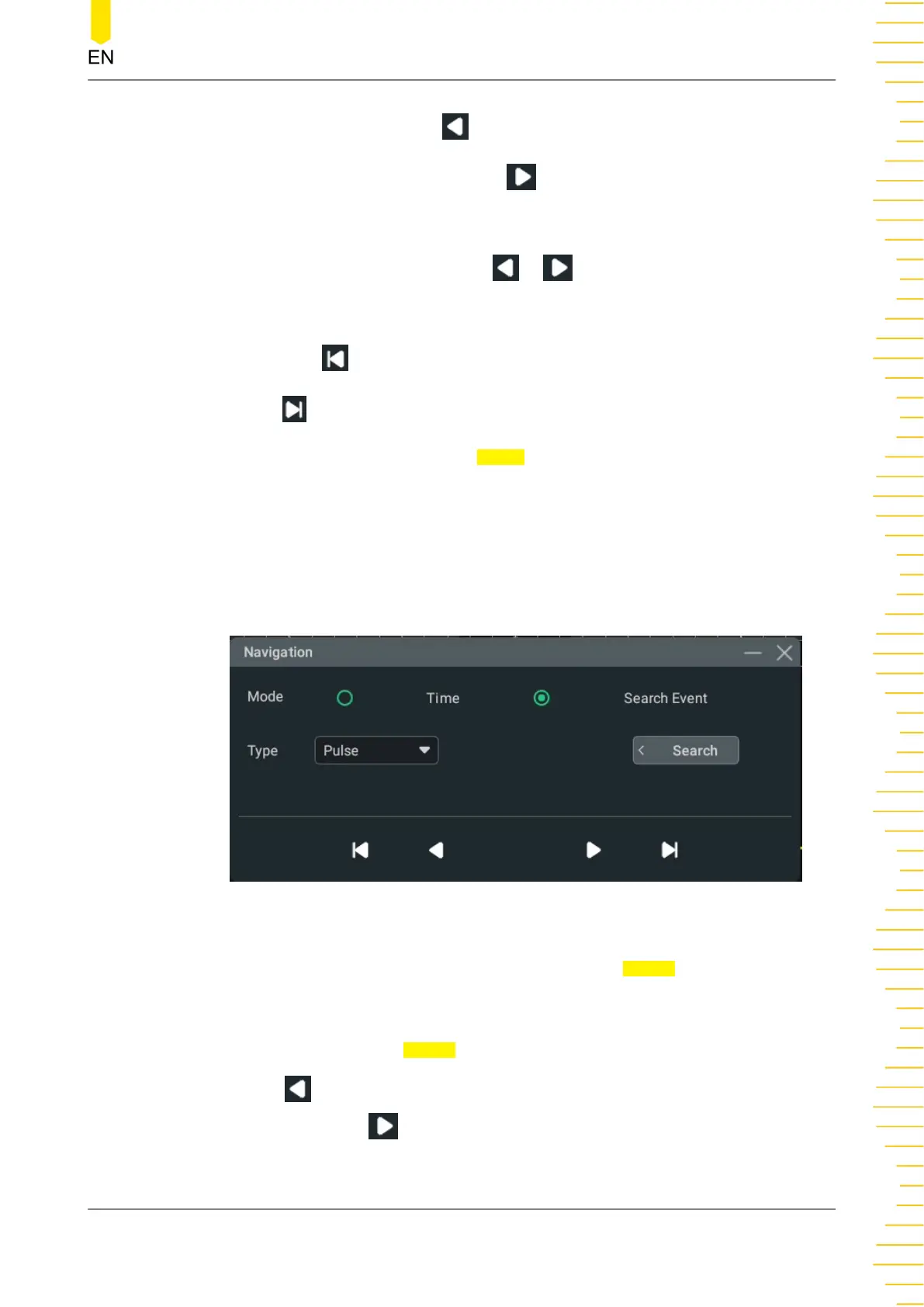
Search Event Navigation
When you enable the navigation function and complete the event search, you can use
the navigation combination keys to quickly navigate the specific event in the event
mark table.
Figure 22.5 Search Event Navigation Interface
After selecting the "Search Event" navigation, click or tap Search to set the search
conditions.
The search event type can be set to "Edge" or "Pulse", which shall be consistent with
the search type specified in
Search menu.
Click or tap to navigate to the previous event (the serial number in the mark table
decreases); click or tap
to navigate to the next event (the serial number in the
Search and Navigation Function
Copyright ©RIGOL TECHNOLOGIES CO., LTD. All rights reserved. MHO2000 User Guide
265
Bekijk gratis de handleiding van Rigol MHO2034, stel vragen en lees de antwoorden op veelvoorkomende problemen, of gebruik onze assistent om sneller informatie in de handleiding te vinden of uitleg te krijgen over specifieke functies.
Productinformatie
| Merk | Rigol |
| Model | MHO2034 |
| Categorie | Niet gecategoriseerd |
| Taal | Nederlands |
| Grootte | 47982 MB |