Haier THASN276TM6-S handleiding
Handleiding
Je bekijkt pagina 21 van 180
21
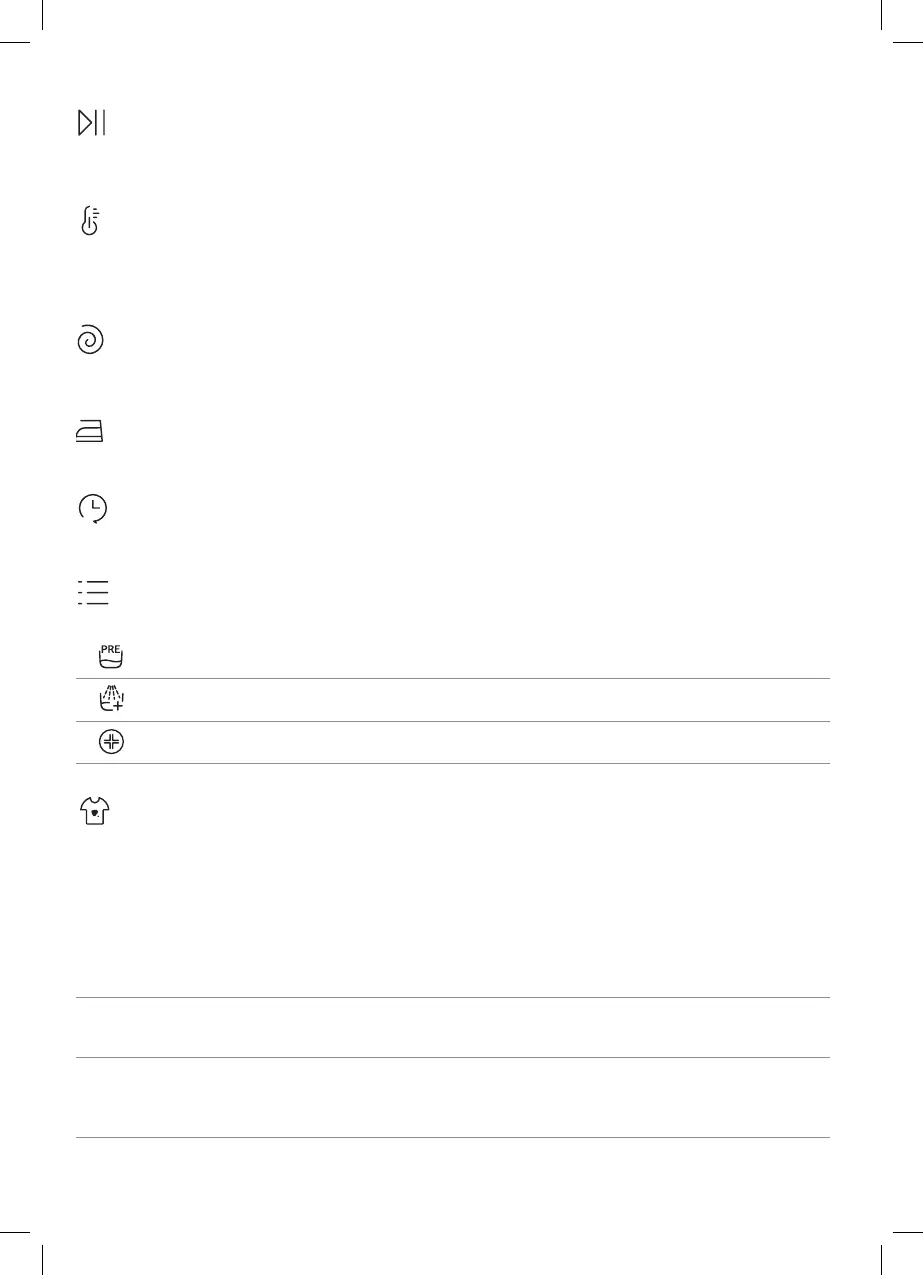
2.1 - Buttons
Play/Pause (A)
Close the door BEFORE selecting the button PLAY/PAUSE. To start the selected cycle with the preset parameters,
press PLAY/PAUSE. When the programme is running, the display will show the time to elapse.
Temperature button (B)
This button allows you to change the temperature of the wash cycles. It is not possible to raise the temperature
over the maximum allowed for the programme, in order to protect the fabrics. If you want carry out a cold wash all
the indicators must be o.
Spin speed button (C)
By pressing this button, it is possible to reduce the maximum speed, and if you wish, the spin cycle can be cancelled.
Easy iron button (D) (Available on some programmes only)
This function allows you to minimize creases as much as possible, eliminating the intermediate spins or reducing
the intensity of the last one.
Delay start button (E)
This button allows you to pre-programme the wash cycle to delay the start of the cycle for up to 24 hours.
Options button (F)
This button allows you to choose between dierent options (depending on the selected programme):
Prewash (F) - This option allows you to make a prewash and it is particularly useful for heavily soiled loads
(can be used only on some programmes). When activated, the indicator icon (E) lights up
Extra rinse (F) - This option allows you to add one rinse at the end of the washing cycle and is useful for
people with delicate and sensitive skin. When activated, the indicator icon (F) lights up
Hygiene + (F) - Activated when you set 60°C of temperature. This option allows deep cleaning of your
clothes by maintaining the same temperature for the whole wash..
Stain level (G)
This option allows you to choose between 3 levels of wash intensity modifying the length of the programme, depending
on how much the fabrics are soiled (can only be used on some programmes as shown in the table of programmes).
Steam level (G) (only available on certain models)
After selecting the EASY IRON PLUS programme, you can use this button to choose between three steam treatments
of dierent intensities, designed for dry or wet garments and depending on the type of fabric:
- COTTON (default selection)
This programme is used for cotton garments. On wet fabrics (e.g., after washing), it is suitable for relaxing creases
after spinning; on dry fabrics it is instead designed to achieve the ideal humidity level for easier ironing.
- SYNTHETIC (press button once)
This programme is used for synthetic garments. On wet fabrics (e.g., after washing), it is suitable for relaxing creases
after spinning; on dry fabrics it is instead designed to achieve the ideal humidity level for easier ironing.
- DELICATES (press button twice)
With the help of steam, the cycle refreshes and relaxes creases in garments after use. The programme consists
of an initial phase in which the steam acts and a nal phase in which the excess humidity is removed for immediate
use. The cycle is suitable for dry fabrics.
QG_TopLoader_Haier_70027464.indb 21QG_TopLoader_Haier_70027464.indb 21 19/06/2024 13:29:3119/06/2024 13:29:31
Bekijk gratis de handleiding van Haier THASN276TM6-S, stel vragen en lees de antwoorden op veelvoorkomende problemen, of gebruik onze assistent om sneller informatie in de handleiding te vinden of uitleg te krijgen over specifieke functies.
Productinformatie
| Merk | Haier |
| Model | THASN276TM6-S |
| Categorie | Wasmachine |
| Taal | Nederlands |
| Grootte | 37076 MB |