
Handleiding
Je bekijkt pagina 43 van 76
3
43
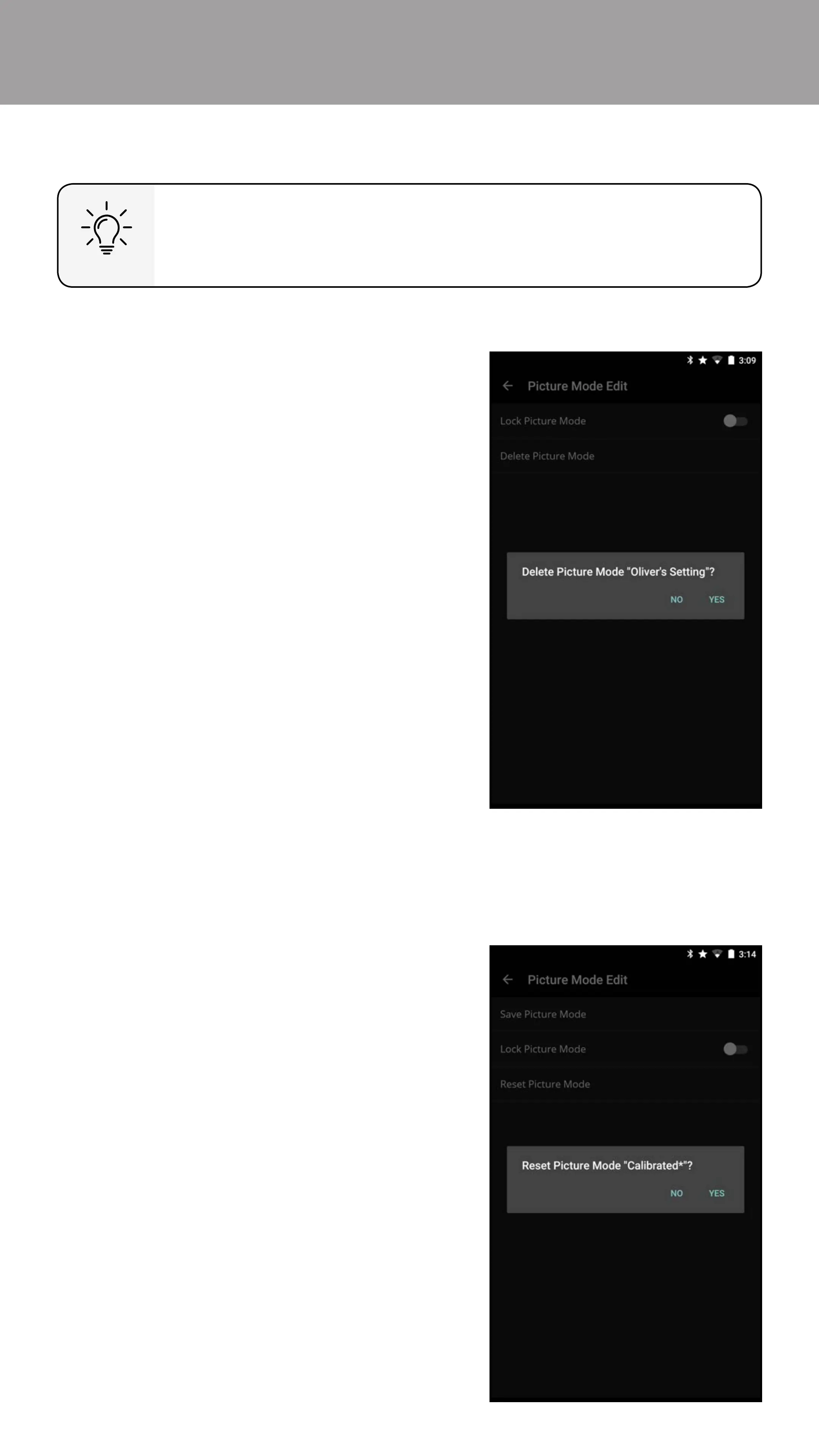
Deleting a Custom Picture Mode
Custom picture modes that are no longer needed can be deleted.
To delete custom picture modes:
1. From the Picture Mode Edit menu,
Tap Delete Picture Mode. A
dialogue window is displayed.
2. Tap on Yes to delete the custom
picture mode.
Inputs assigned to a deleted custom picture mode become
assigned to the Calibrated picture mode.
Resetting a Picture Mode
Reset the picture mode settings (for a preset picture mode) to the factory
default values.
To reset a customized preset picture mode:
1. From the Picture Mode Edit
menu, Tap Reset Picture Mode.
A dialogue window is displayed.
2. Tap on Yes to reset the preset
picture mode to the factory
default values.
Bekijk gratis de handleiding van Vizio E32-D1, stel vragen en lees de antwoorden op veelvoorkomende problemen, of gebruik onze assistent om sneller informatie in de handleiding te vinden of uitleg te krijgen over specifieke functies.
Productinformatie
| Merk | Vizio |
| Model | E32-D1 |
| Categorie | Televisie |
| Taal | Nederlands |
| Grootte | 77325 MB |
Caratteristiche Prodotto
| Kleur van het product | Zwart |
| Gewicht verpakking | 6300 g |
| Breedte verpakking | 830.07 mm |
| Diepte verpakking | 151.89 mm |
| Hoogte verpakking | 540 mm |


