
Handleiding
Je bekijkt pagina 42 van 76
3
42
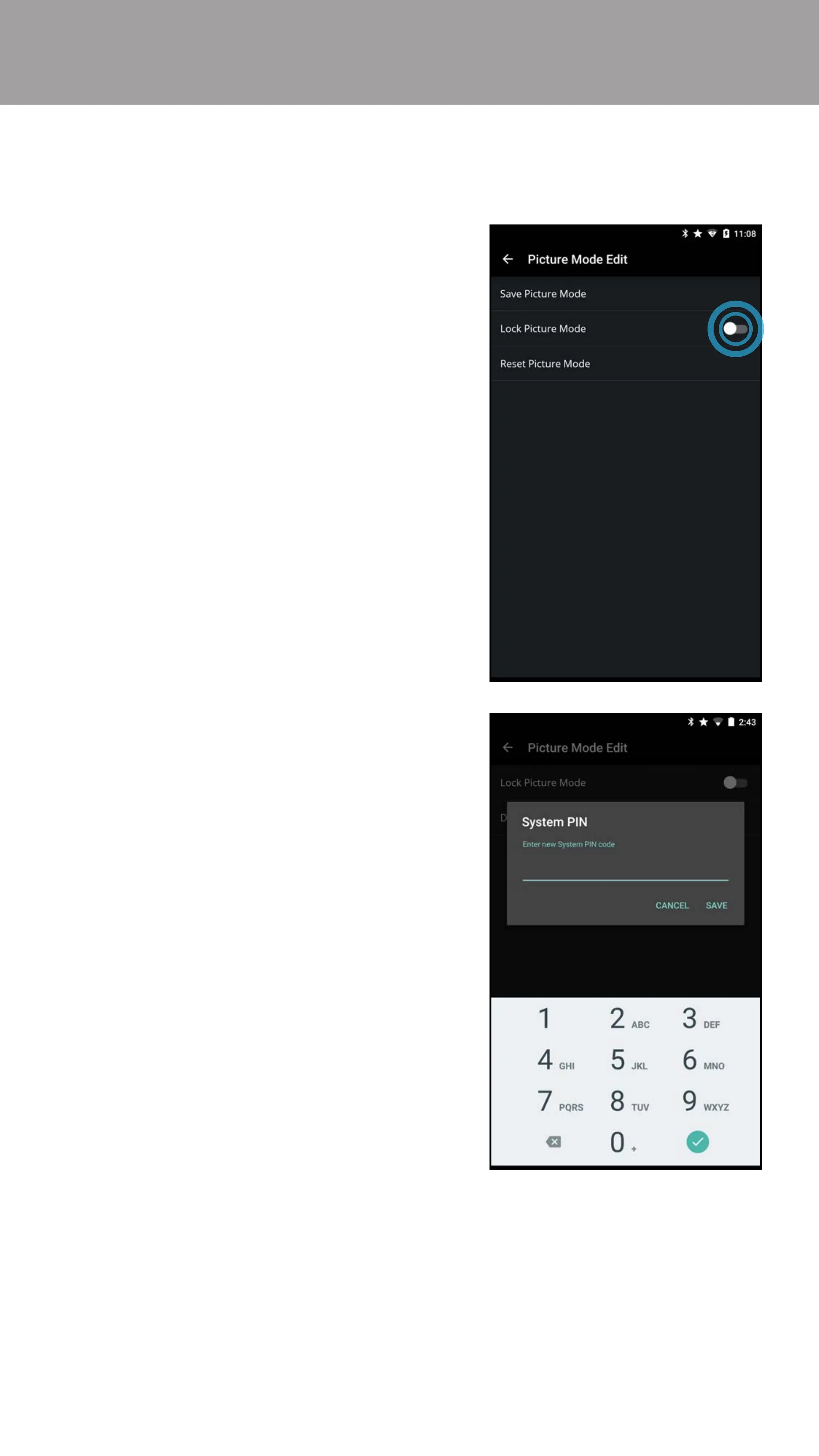
Locking/Unlocking a Custom Picture Mode
Custom picture modes can be locked/unlocked with a unique PIN to prevent
accidental changes to their settings.
To lock all custom picture modes:
1. From the Picture Mode Edit menu,
swipe the Lock Picture Mode
switch to the right to lock a picture
mode. (Swipe left to unlock)
2. Use the on-screen number pad to
enter a unique 4-digit PIN.
3. Tap Save when you are done.
Note: Turn the TV o and on
for feature to go into eect.
To unlock all custom picture modes:
1. From the Picture Mode Edit menu,
swipe the Lock Picture Mode
switch to the right to lock a picture
mode. (Swipe left to unlock)
2. Use the on-screen number pad to
enter your 4-digit PIN.
3. Make any desired changes to the
picture modes.
4. Re-lock the picture modes, if
desired. You must create a new
4-digit PIN.
Bekijk gratis de handleiding van Vizio E32-D1, stel vragen en lees de antwoorden op veelvoorkomende problemen, of gebruik onze assistent om sneller informatie in de handleiding te vinden of uitleg te krijgen over specifieke functies.
Productinformatie
| Merk | Vizio |
| Model | E32-D1 |
| Categorie | Televisie |
| Taal | Nederlands |
| Grootte | 77325 MB |
Caratteristiche Prodotto
| Kleur van het product | Zwart |
| Gewicht verpakking | 6300 g |
| Breedte verpakking | 830.07 mm |
| Diepte verpakking | 151.89 mm |
| Hoogte verpakking | 540 mm |


