Rigol MHO2034 handleiding
Handleiding
Je bekijkt pagina 289 van 332
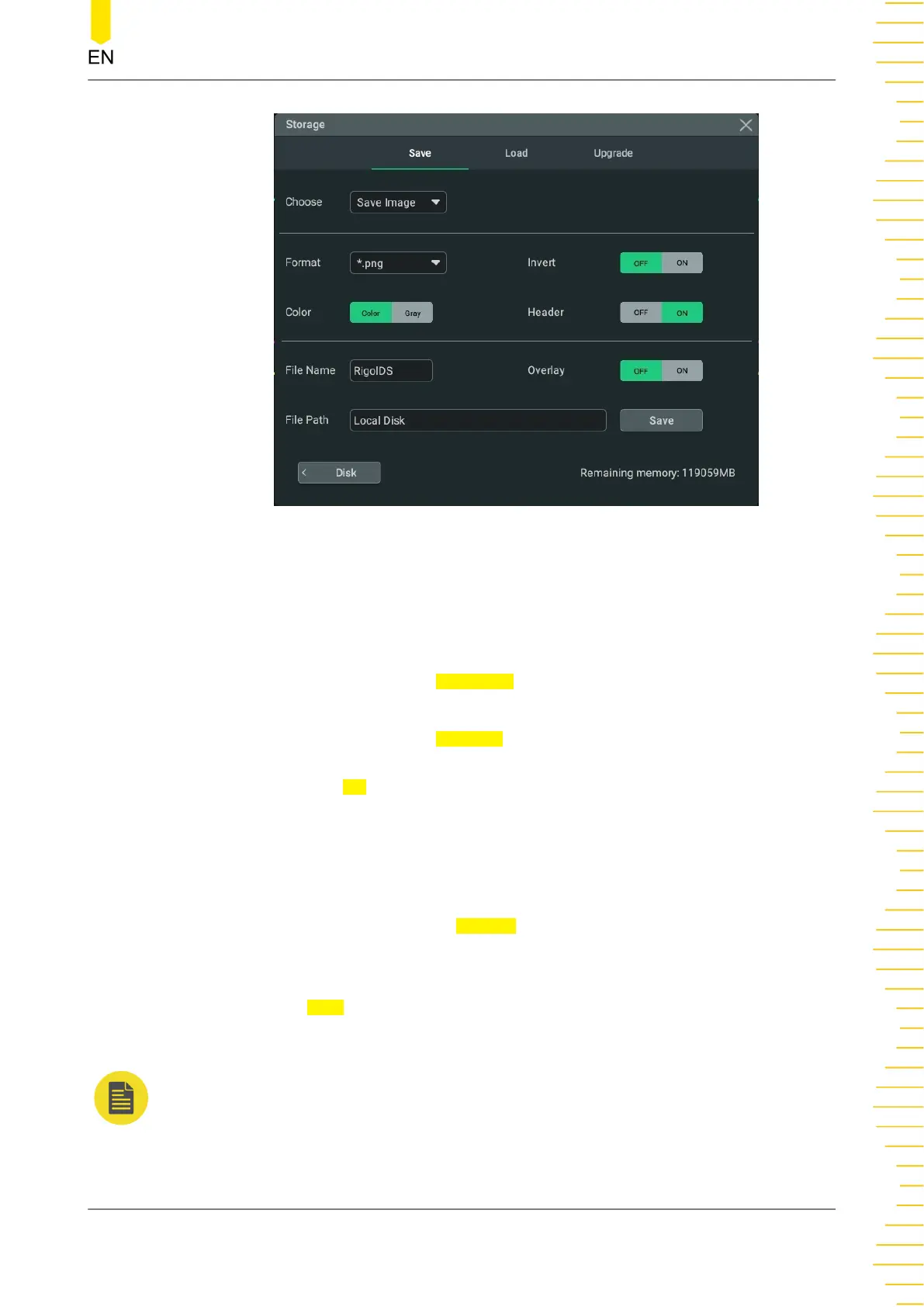
Figure 24.1 Storage Menu
This oscilloscope allows you to save the image, waveforms, and setup files in various
format. After completing the parameter settings, save the file according to the
following steps.
1. Click or tap the input field of
File Name, then input the filename with the pop-up
virtual keypad.
2. Click or tap the input field of File Path, then the disk management interface is
displayed. In the disk management interface, select the destination storage path,
then click or tap
OK to set the storage path for the saved file. For the disk
management operation, refer to descriptions in
Disk Management
.
When no USB storage device is inserted, by default, the storage path is "Local
Disk". When a USB storage device is detected, "D:" automatically appears in the file
path.
3. Click or tap the ON/OFF tab for
Overlay to enable or disable the file overwriting.
When enabled, the existing file in the specified file path will be overwritten by the
newly saved file that has the same filename as the existing one.
4. Click or tap
Save to save the file based on the current settings. Then the storage
menu is closed.
NOTE
The filename can contain letters, numbers, and other non-Chinese characters. The length of
the filename shall not exceed 16 characters. Neither the file name nor file path shall contain
any special characters such as "#" and ",".
To Store and Load
Copyright ©RIGOL TECHNOLOGIES CO., LTD. All rights reserved. MHO2000 User Guide
271
Bekijk gratis de handleiding van Rigol MHO2034, stel vragen en lees de antwoorden op veelvoorkomende problemen, of gebruik onze assistent om sneller informatie in de handleiding te vinden of uitleg te krijgen over specifieke functies.
Productinformatie
| Merk | Rigol |
| Model | MHO2034 |
| Categorie | Niet gecategoriseerd |
| Taal | Nederlands |
| Grootte | 47982 MB |