Rigol MHO2034 handleiding
Handleiding
Je bekijkt pagina 285 van 332
23
Display Control
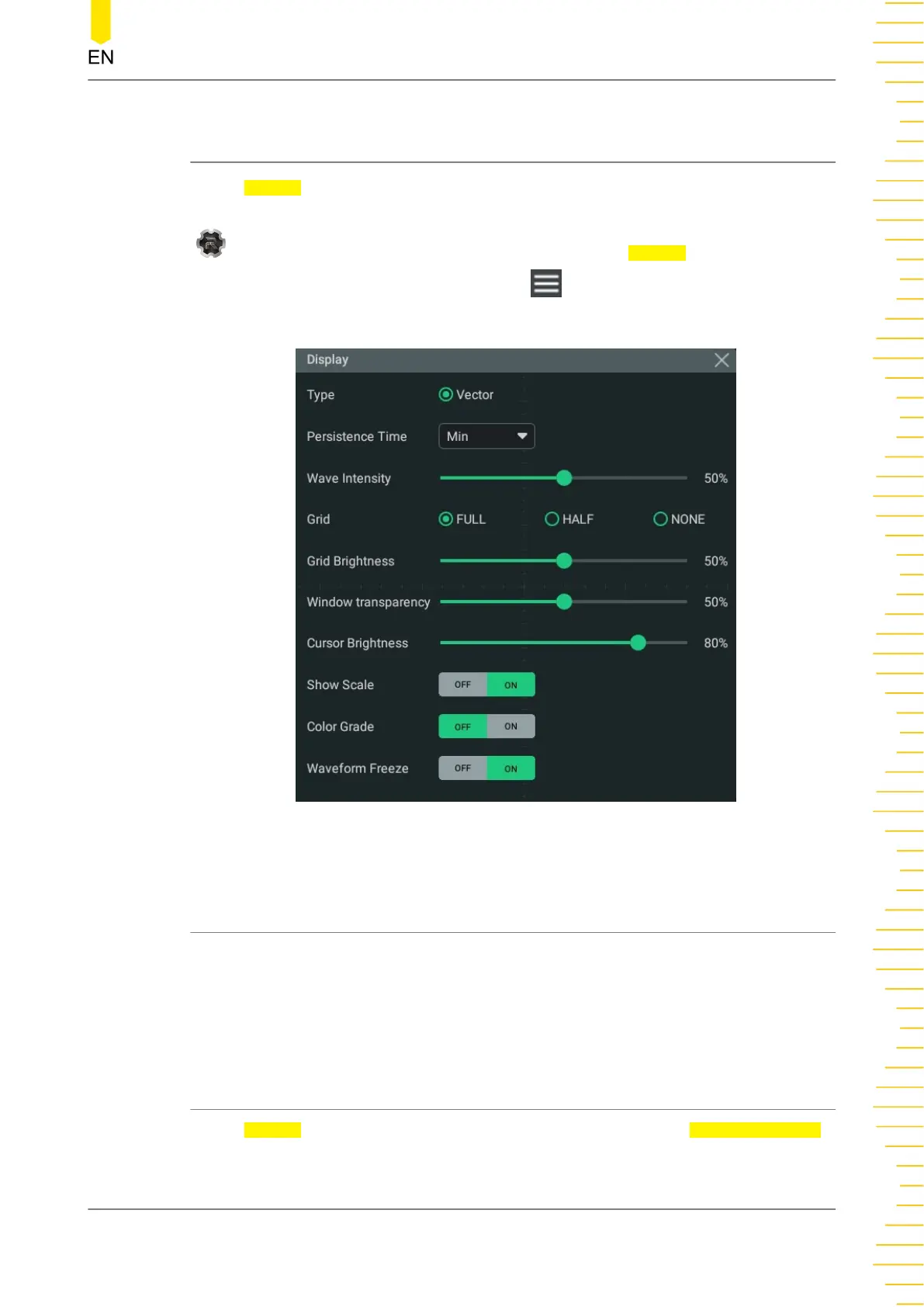
In the Display setting menu, you can set the type, persistence time, waveform
intensity, grid type, grid brightness, and etc. Click or tap the function navigation icon
at the lower-left corner of the screen, and then select Display to enter the
"Display" menu. You can also click or tap the icon at the upper-right of the
Waveform View to enter the "Display" menu.
Figure 23.1 Display Setting Menu
23.1 Display Type
This series oscilloscope provides the "Vector" display mode in which the sample
points are connected by lines and displayed. In most cases, this mode can provide the
most vivid waveform for you to view the steep edge of the waveform (such as square
waveform).
23.2 Persistence Time
In the Display setting menu, click or tap the drop-down button of Persistence Time
to select the persistence time from the drop-down list. The available values are Min,
variable persistence (100 ms, 200 ms, 500 ms, 1 s, 2 s, 5 s, 10 s), and Infinite.
Display Control
Copyright ©RIGOL TECHNOLOGIES CO., LTD. All rights reserved. MHO2000 User Guide
267
Bekijk gratis de handleiding van Rigol MHO2034, stel vragen en lees de antwoorden op veelvoorkomende problemen, of gebruik onze assistent om sneller informatie in de handleiding te vinden of uitleg te krijgen over specifieke functies.
Productinformatie
| Merk | Rigol |
| Model | MHO2034 |
| Categorie | Niet gecategoriseerd |
| Taal | Nederlands |
| Grootte | 47982 MB |