Rigol MHO2034 handleiding
Handleiding
Je bekijkt pagina 269 van 332
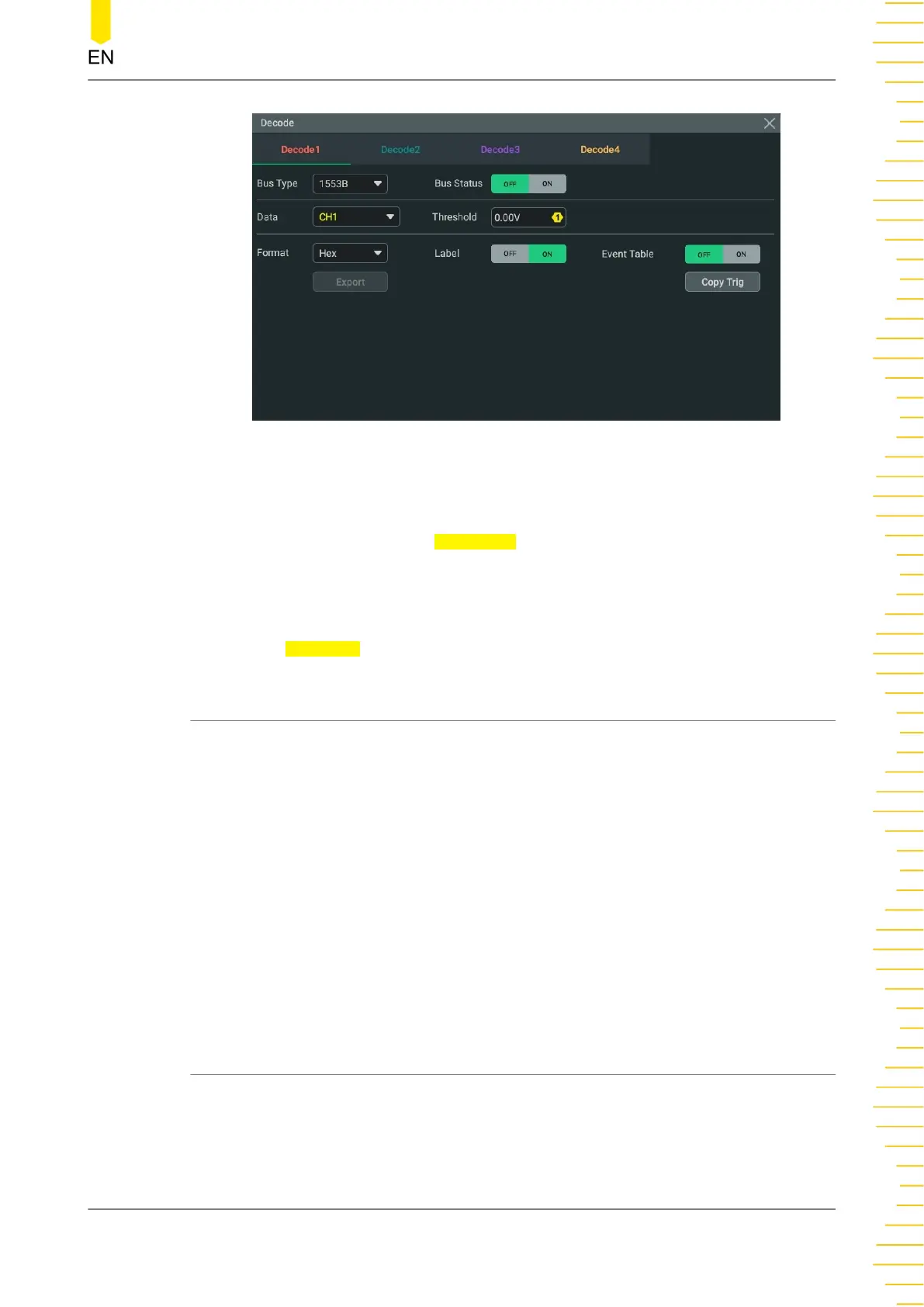
Figure 19.23 1553B Decoding Menu
Bus Status
Click or tap the ON/OFF tab for
Bus Status to enable/disable the bus decoding.
Quickly Apply Trigger Settings to Decoding
Copy trig indicates applying the trigger settings to the specified decoding setting.
Click or tap
Copy Trig to apply the trigger settings to the specified decoding setting.
19.9.1 To Set the Data Channel Source and the Threshold
Select the Data Channel
You can select the analog channel or the digital channel as the source for the data
source.
Set the Threshold
When an analog channel is selected as the source, you can set the threshold for the
specified channel with the pop-up numeric keypad. You can also use the specified
multifunction knob to set the threshold.
When you modify the threshold of the channel, a dotted line displaying the current
threshold level is displayed on the screen. It disappears in about 2 s after you stop
modifying the threshold.
19.9.2 Event Table
When the event table is enabled, the event table window of the specified decoding is
displayed on the screen. The decoding information is shown in the event table.
Protocol Decoding
Copyright ©RIGOL TECHNOLOGIES CO., LTD. All rights reserved. MHO2000 User Guide
251
Bekijk gratis de handleiding van Rigol MHO2034, stel vragen en lees de antwoorden op veelvoorkomende problemen, of gebruik onze assistent om sneller informatie in de handleiding te vinden of uitleg te krijgen over specifieke functies.
Productinformatie
| Merk | Rigol |
| Model | MHO2034 |
| Categorie | Niet gecategoriseerd |
| Taal | Nederlands |
| Grootte | 47982 MB |