Midea MF200W120WB handleiding
Handleiding
Je bekijkt pagina 39 van 41
38
6 SMART FUNCTION
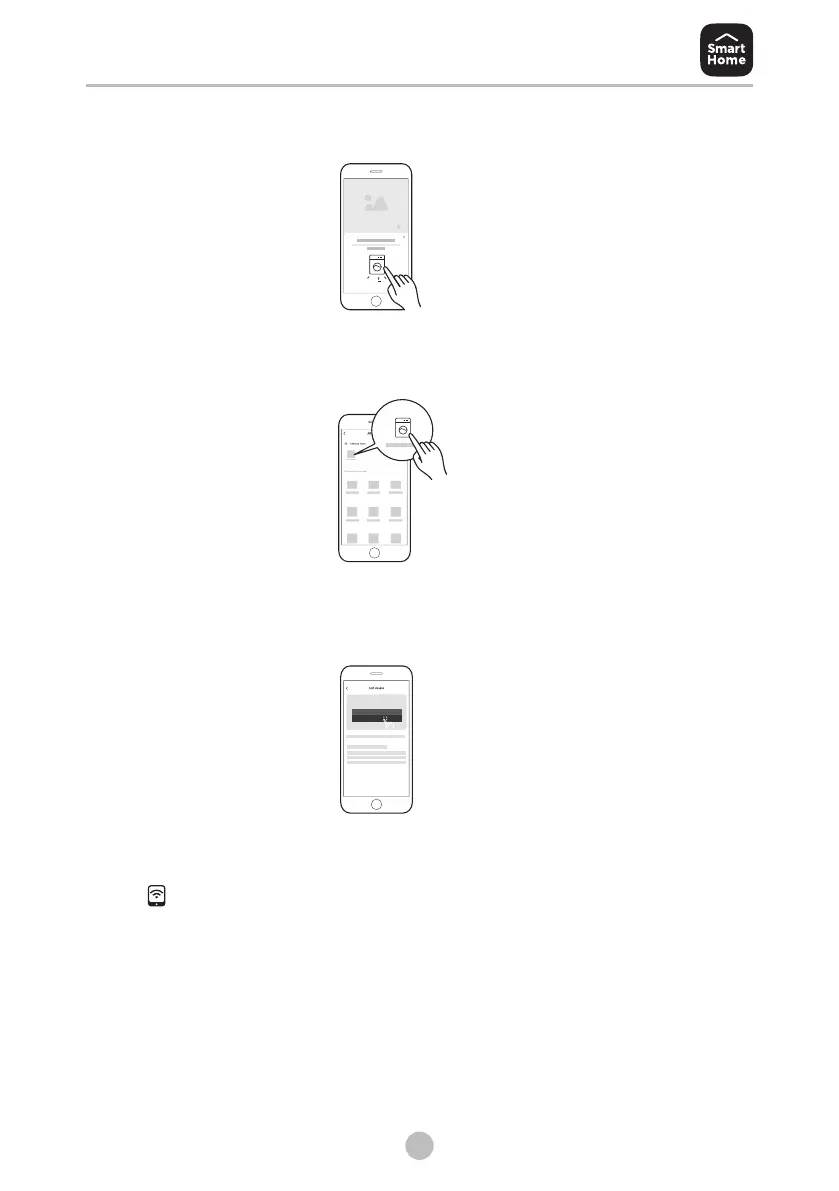
4:If a message of "Smart devices discovered nearby" appears, click to add.
5:If no message appears, select "+" on the page and select your device in
the list of nearby devices available. If your device is not listed, please add
your device manually by the device category and device model.
8: 88
6:Connect your device to wireless network according to the instructions on
app, if the connection fails, please follow the instructions provided by the
app to continue with the operation.
7. Start the remote control
Rotate the knob randomly to indicate one of the programs, and press
[ ] continuously until the remote control icon light up in the knob
display, which means it has entered the remote control state and you can
start to control remotely.
Bekijk gratis de handleiding van Midea MF200W120WB, stel vragen en lees de antwoorden op veelvoorkomende problemen, of gebruik onze assistent om sneller informatie in de handleiding te vinden of uitleg te krijgen over specifieke functies.
Productinformatie
| Merk | Midea |
| Model | MF200W120WB |
| Categorie | Wasmachine |
| Taal | Nederlands |
| Grootte | 3354 MB |