
Grundig GW9I91041A handleiding
Handleiding
Je bekijkt pagina 34 van 48
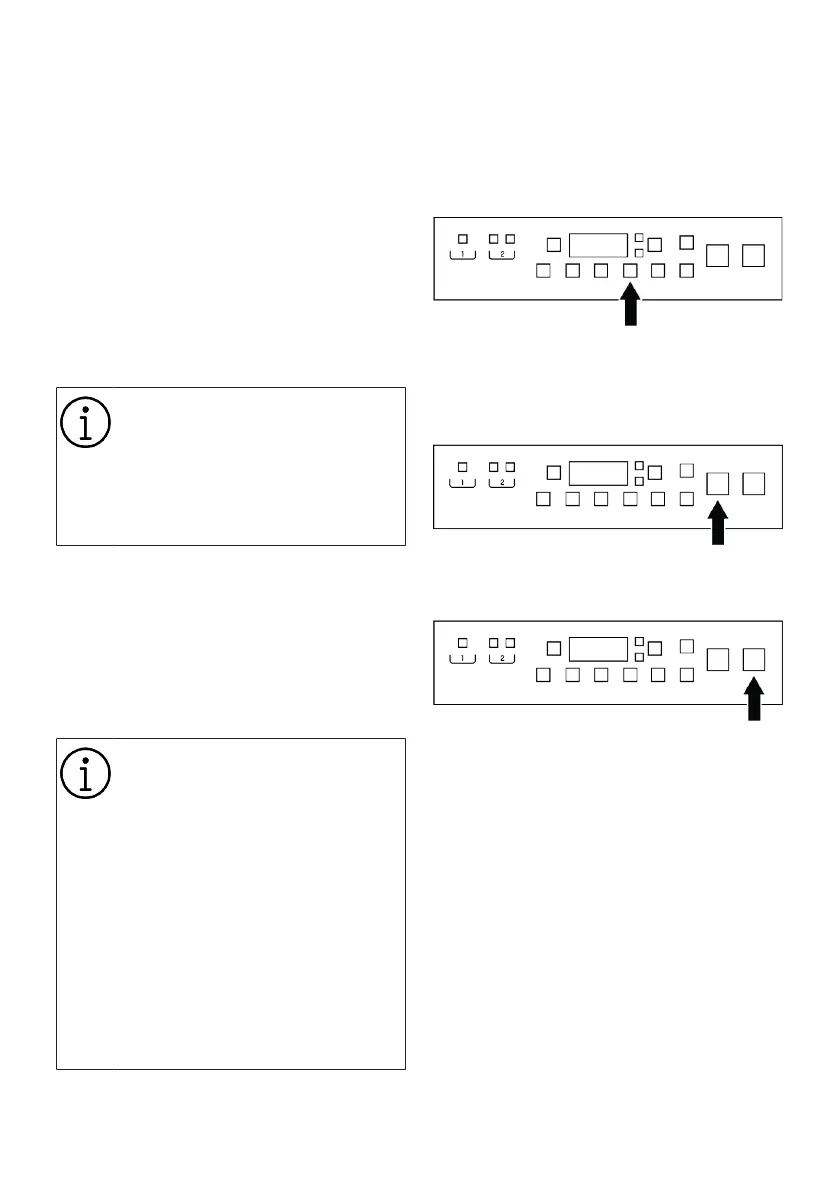
EN / 34
To activate wireless connection:
Press and hold Remote Control button for 3
seconds. After countdown “3-2-1” on the
display ends, “On” symbol appears. When
this notification is displayed stop pressing
the remote control button. The wireless
connection icon blinks when the product is
connecting the internet. If connection is
successful, icon will remain on.
To deactivate wireless connection:
Press and hold Remote Control button for 3
seconds. Countdown “3-2-1” will be dis-
played, and then “Off” symbol will appear
on the display.
To be able to enable wireless con-
nection, machine setup should be
completed through HomeWhiz ap-
plication. After setup, wireless con-
nection will be enabled automatic-
ally if you press ”Remote Control”
button.
6.10 End Time
Time display
When the end time function is selected, the
time until the start of the program is shown
like 24h, 23h etc. for delays between 24
and 20 hours; for shorter delays, it is shown
as hours and minutes as is 19:30.
Programme duration may differ
from the values in section "Pro-
gramme and consumption table"
depending on the water pressure,
water hardness and temperature,
ambient temperature, amount and
the type of laundry, auxiliary func-
tions selected and the changes at
the mains voltage.
After a certain period of time after
the end time function is activated,
the machine goes into standby
mode and some LEDs on the
screen turn off. If there is any user
input, the LEDs will turn on again.
With the End Time function, the start-up of
the programme may be delayed up to 24
hours. After pressing End Time Setting but-
ton, the programme's estimated ending
time is displayed. If the End Time is set,
End Time Setting indicator is illuminated
fully.
In order for the End Time function to be ac-
tivated and the programme to be com-
pleted at the end of the specified time, you
must press Start/Pause button after adjust-
ing the time.
If you want to cancel the End Time func-
tion, turn off and on the product by press-
ing the On/Off button.
1. Open the loading door, place the laundry
and put detergent, etc.
2. Select the washing programme, temper-
ature, spin speed and, if required, the
auxiliary functions.
3. After pressing the End Time Adjustment
button, use the right and left arrows (< /
>) on the information screen to set an
end time. End Time Setting indicator illu-
minates fully.
4. Press Start/Pause button. Time count-
down starts.
Bekijk gratis de handleiding van Grundig GW9I91041A, stel vragen en lees de antwoorden op veelvoorkomende problemen, of gebruik onze assistent om sneller informatie in de handleiding te vinden of uitleg te krijgen over specifieke functies.
Productinformatie
| Merk | Grundig |
| Model | GW9I91041A |
| Categorie | Wasmachine |
| Taal | Nederlands |
| Grootte | 4348 MB |





