
Grundig GW7P510447W handleiding
Handleiding
Je bekijkt pagina 29 van 56
EN / 29
** When you select the drying function with
the Shirts programme, do not load your ma-
chine with more than laundry than recom-
mended below: Otherwise wrinkles or hu-
midity problems can occur on your shirts.
Maximum recommended shirt number:
If the product depth is 50 cm, 4 shirts
If the product depth is 54 - 60 cm, 5 shirts
You can find the depth information
of your product in the Technical
Specification table in your user
manual.
•
Mini / Mini 14‘
Use this program to wash your cotton
clothes with very little dirt and spotless in a
short time. With the quick wash function
selected, the program time can be reduced
to up to 14 minutes. If the quick wash func-
tion is selected, a maximum of 2 (two) kg
of laundry must be washed.
• Dark Care/Jeans
Use this program to preserve the color of
your dark clothes and jeans. This program
provides high washing performance thanks
to special drum movement, even at low
temperature. It is recommended to use li-
quid detergent or wool shampoo for dark
colors. Wool, etc. do not wash your delicate
clothes in this program.
• Mix
You can wash your cotton and synthetic
clothes on this program without separating
them.
• Underwear
You can use this program to wash delicate
handwashing or women's underwear. A
small amount of laundry should be washed
by putting it in the laundry net. The buckles,
buttons should be buttoned, zippers should
be closed.
• Outdoor/Sports
Use this program to wash outdoor/sports
clothing containing a cotton/synthetic mix-
ture and waterproof covers such as Gore-
tex. This program allows you to wash your
clothes gently thanks to special rotational
movements.
• Downloaded Program
This is a special program that allows you to
download different programs whenever you
want. Initially, there is a program that you
will see with the HomeWhiz app by default.
However, using HomeWhiz, you can select
a program from the predefined program
setting, then change it and use it.
If you want to use the HomeWhiz
feature and the Remote Control
function, you must select the Pro-
gram Download feature. You can
find detailed information in the
HomeWhiz feature and Remote
Control function section
6.6 Temperature Selection
Whenever a new programme is selected,
the recommended temperature for the pro-
gramme appears on the temperature indic-
ator. It is possible that the recommended
temperature value is not the maximum
temperature that can be selected for the
current programme.
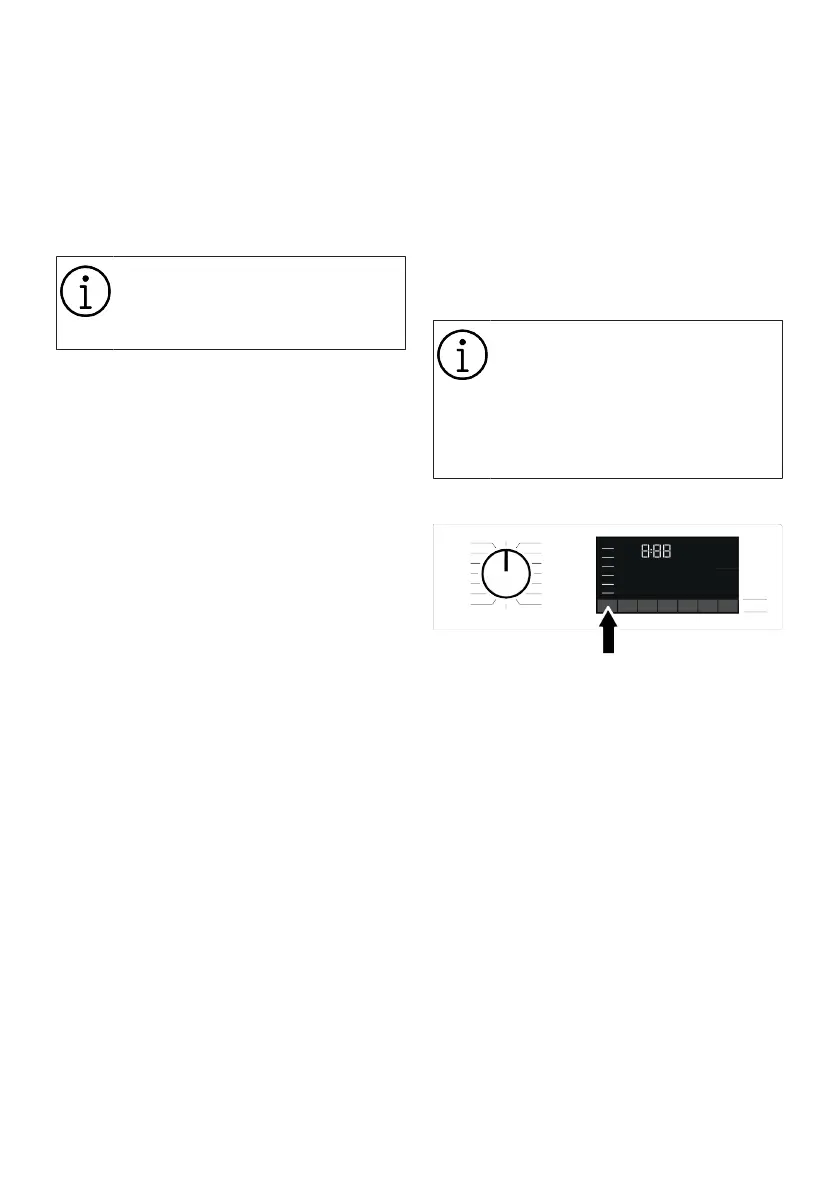
Press the Temperature Adjustment button
to change the temperature. Temperature
decreases gradually.
Bekijk gratis de handleiding van Grundig GW7P510447W, stel vragen en lees de antwoorden op veelvoorkomende problemen, of gebruik onze assistent om sneller informatie in de handleiding te vinden of uitleg te krijgen over specifieke functies.
Productinformatie
| Merk | Grundig |
| Model | GW7P510447W |
| Categorie | Wasmachine |
| Taal | Nederlands |
| Grootte | 4749 MB |





