
Handleiding
Je bekijkt pagina 57 van 76
VIZIO VOJ320F1A User Manual
Version 8/25/2008 57
www.VIZIO.com
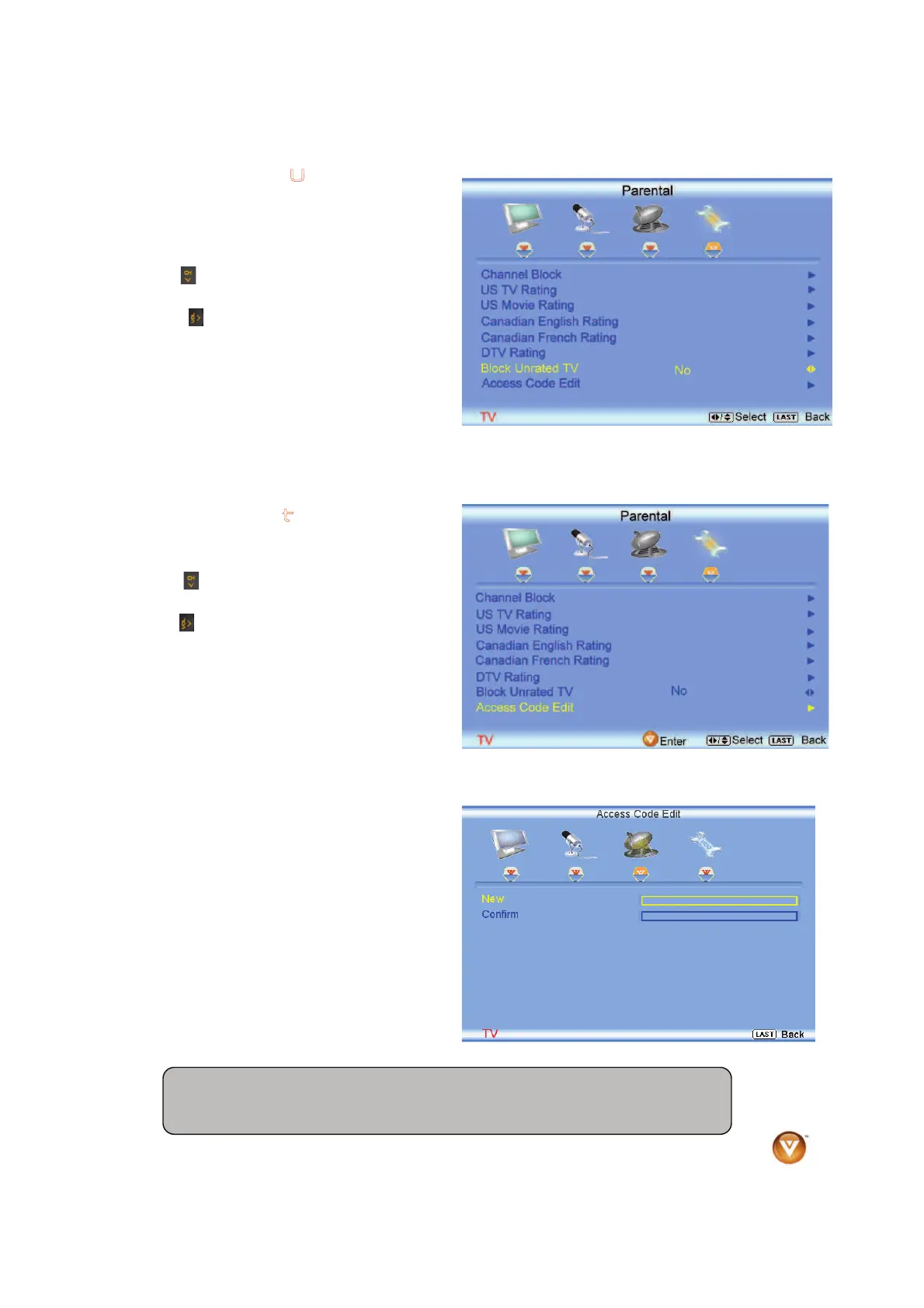
4.5.14 Blocked Unrated
P
rogramming
Follow the procedure in the previous section 4.5.7
to display the Parental Control menu and then
press the
button to highlight the Block Unrated
TV selection.
Press the
button to turn-on or turn-off the
blocking of programming that does not have a
rating.
Once the adjustments are completed press the
LAST button repeatedly to exit the OSD
completely.
4.5.15 Change the
P
assword
Press the
button to highlight the Access Code
Edit selection.
Press the
button and the new Password panel
will be displayed.
Enter the new, 4-digit password using the number
buttons on the remote. Enter it a second time to
confirm you entered it correctly.
Once the adjustments are completed press the
LAST button repeatedly to exit the OSD
completely.
Note: Make sure you write down and store the new password in a secure place.
The Reset All Settings feature (see page 58) does NOT reset the password.
Bekijk gratis de handleiding van Vizio VOJ320F1A, stel vragen en lees de antwoorden op veelvoorkomende problemen, of gebruik onze assistent om sneller informatie in de handleiding te vinden of uitleg te krijgen over specifieke functies.
Productinformatie
| Merk | Vizio |
| Model | VOJ320F1A |
| Categorie | Televisie |
| Taal | Nederlands |
| Grootte | 18694 MB |


