
Handleiding
Je bekijkt pagina 52 van 76
VIZIO VOJ320F1A User Manual
Version 8/25/2008 52
www.VIZIO.com
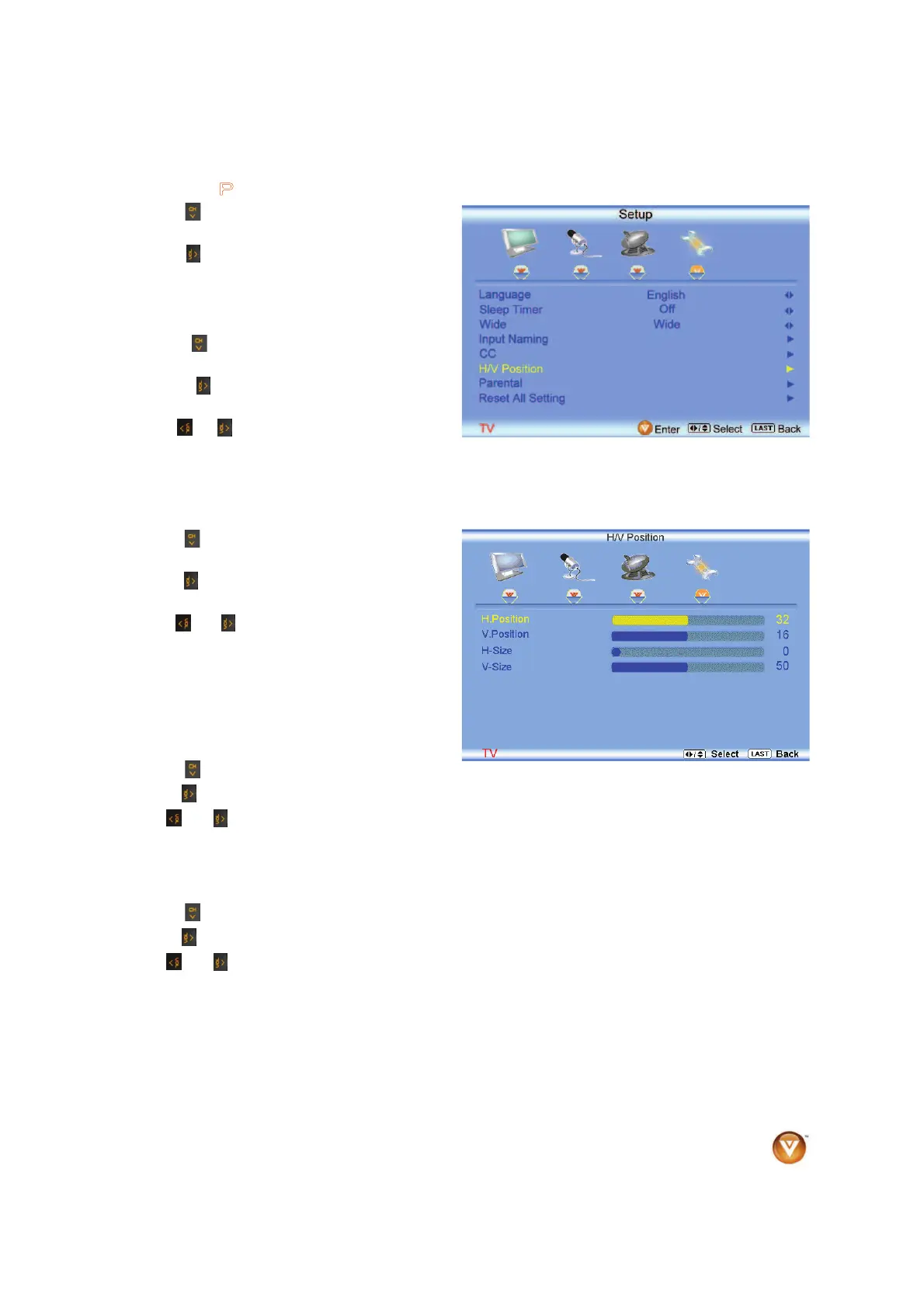
4.5.6 H/V Position
Press the button to highlight the H/V Position
selection.
Press the
button. A separate menu will appear
with the following H/V Position settings
H. Position
Press the button to highlight the Horizontal
Shift selection.
Press the
button to start adjusting the
horizontal position of the picture.
Use the
or button to adjust the horizontal
position.
Once the adjustments are completed press the LAST button repeatedly to exit the OSD completely.
V. Position
Press the
button to highlight the Vertical Shift
selection.
Press the
button to start adjusting the vertical
position of the picture.
Use the
or button to adjust the vertical
position.
Once the adjustments are completed press the
LAST button repeatedly to exit the OSD
completely.
H-SIZE
Press the
button to highlight the H-Size selection.
Press the
button to start adjusting the horizontal size of the picture.
Use the
or button to adjust the horizontal size.
Once the adjustments are completed press the LAST button repeatedly to exit the OSD completely.
V-SIZE
Press the
button to highlight the V-Size selection.
Press the
button to start adjusting the vertical size of the picture.
Use the
or button to adjust the vertical size.
Once the adjustments are completed press the LAST button repeatedly to exit the OSD completely.
Bekijk gratis de handleiding van Vizio VOJ320F1A, stel vragen en lees de antwoorden op veelvoorkomende problemen, of gebruik onze assistent om sneller informatie in de handleiding te vinden of uitleg te krijgen over specifieke functies.
Productinformatie
| Merk | Vizio |
| Model | VOJ320F1A |
| Categorie | Televisie |
| Taal | Nederlands |
| Grootte | 18694 MB |


