
Handleiding
Je bekijkt pagina 39 van 76
VIZIO VOJ320F1A User Manual
Version 8/25/2008 39
www.VIZIO.com
Chapter 4 Advanced Adjustment of HDTV
4
.1 Using the On Screen Display (OSD)
The remote control or the control buttons on the right hand side of the TV can control all the function
settings. The On Screen Display (OSD) allows you to adjust the save contrast, brightness and other
settings. The TV will save changes made to the settings, even if the TV is turned off.
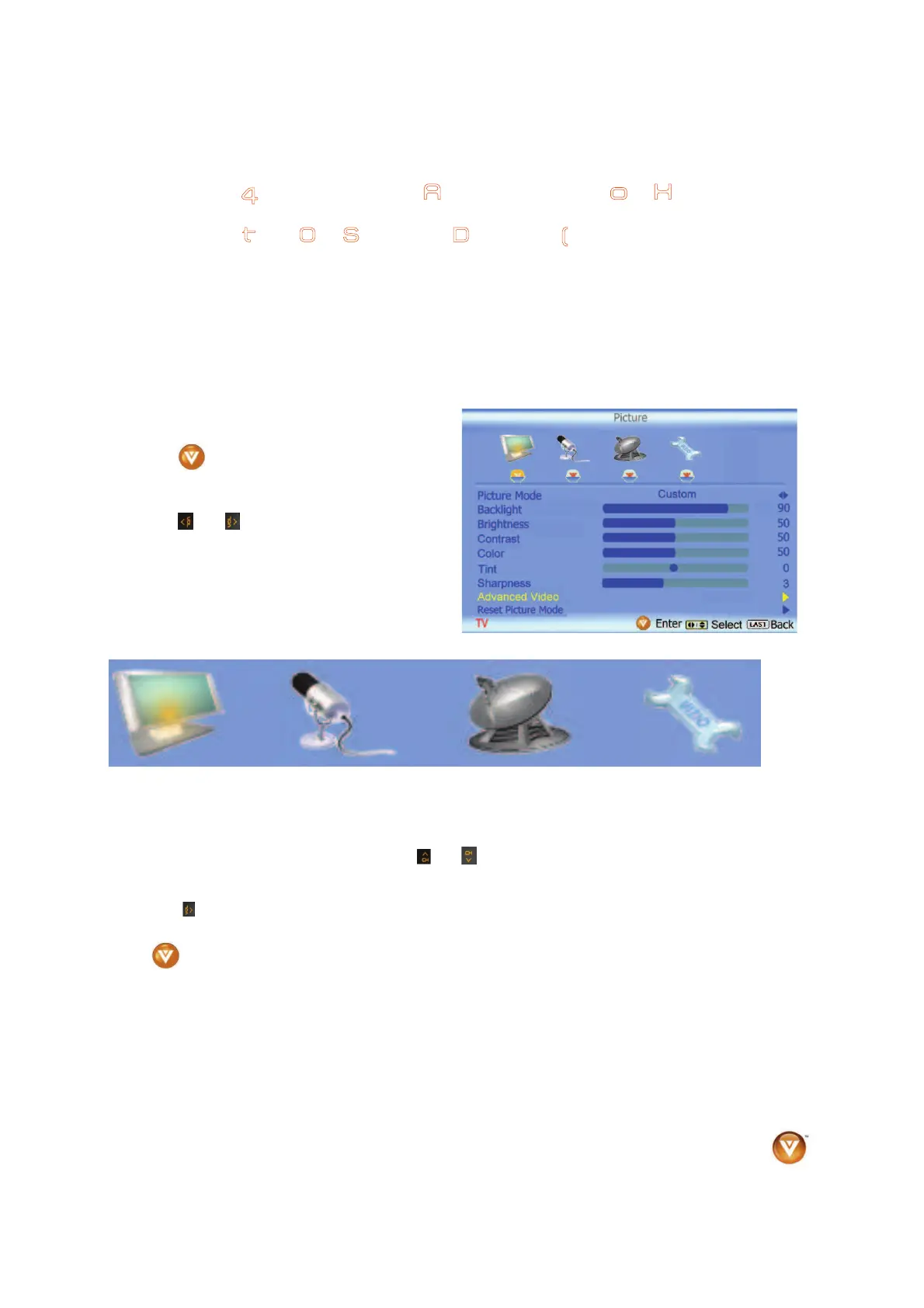
The OSD consists of several menu options: Picture Adjust, Audio Adjust, Setup and TV Tuner Setup.
The main menu options may vary depending on your selected input source.
Note: Some of the main menu options may have additional submenus, i.e. the TV Rating submenu for
Parental Controls.
Press the
button on the remote control or the
side of the TV and the Picture Adjust menu will be
shown on the screen.
Press the
or button on the remote control
or the VOL + or VOL – button on the side of the
HDTV to select one of the other menu options.
Picture Adjust Audio Adjust TV Tuner Setup Setup
Once the menu option is displayed, press the
or button on the remote control or the CH + or CH –
button on the side of the TV to select one of the items to adjust.
Press the
button on the remote control or the VOL – button on the side of the HDTV to begin
adjustment of the item.
Press
when finished.
Press the LAST key once to return to the previous screen or repeatedly to return to your program if task
has been completed.
Bekijk gratis de handleiding van Vizio VOJ320F1A, stel vragen en lees de antwoorden op veelvoorkomende problemen, of gebruik onze assistent om sneller informatie in de handleiding te vinden of uitleg te krijgen over specifieke functies.
Productinformatie
| Merk | Vizio |
| Model | VOJ320F1A |
| Categorie | Televisie |
| Taal | Nederlands |
| Grootte | 18694 MB |


