
Handleiding
Je bekijkt pagina 35 van 76
VIZIO VOJ320F1A User Manual
Version 8/25/2008 35
www.VIZIO.com
d. Press the button to select it.
e. Press either
or button to change
setting to Normal, and then press the LAST
key again to go back to previous screen.
f. Press either
or button to select
the Picture Mode option.
g. Press either
or button to change the
Picture Mode option to Standard.
h. Press the LAST key to exit the on screen
display Menu.
Note: If Procedure 4 had been done, you would
like to do the following to ensure that the correct
program times are shown when pressing the
Guide key:
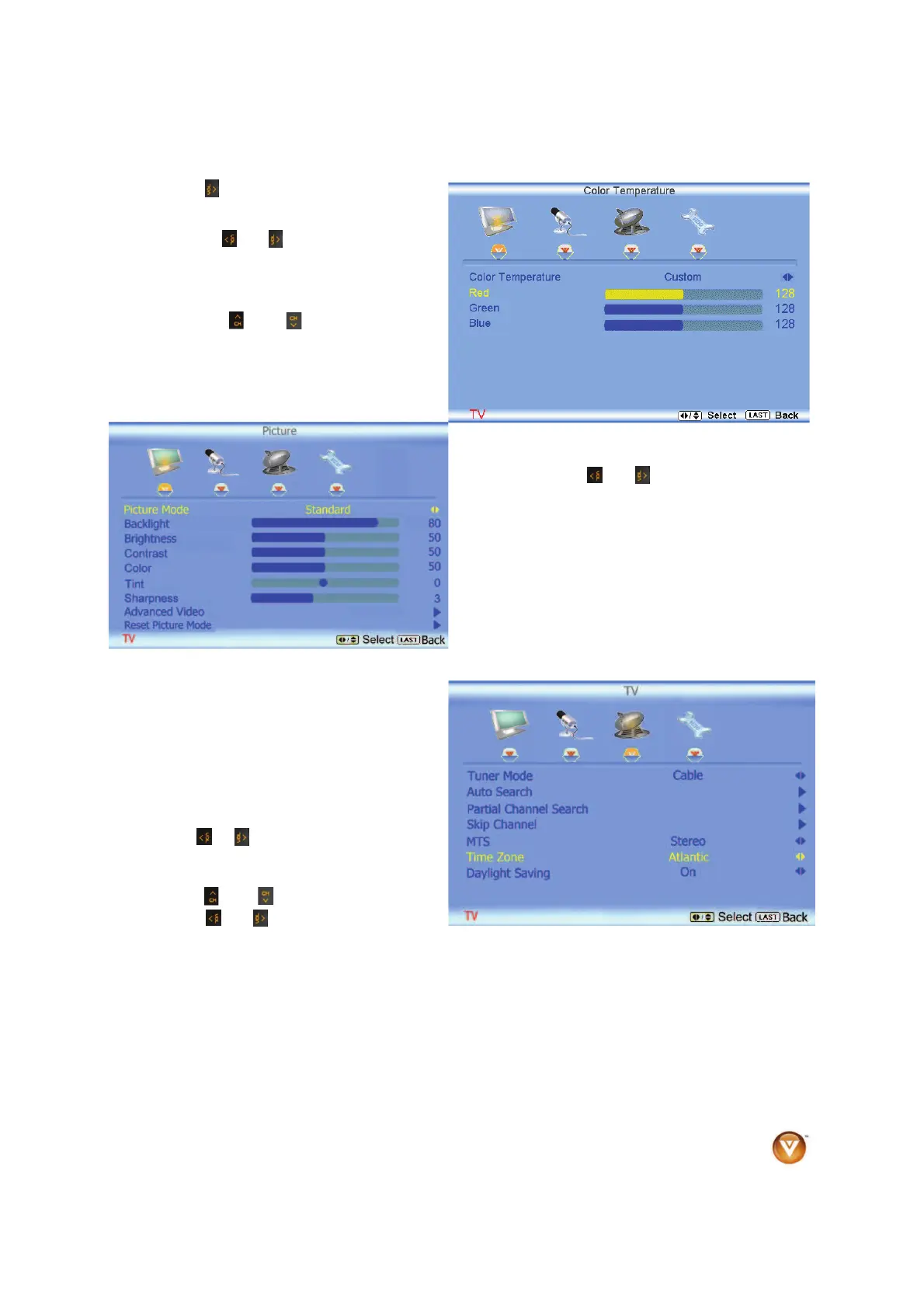
Press the Menu key, this will bring up the picture
mode menu.
Press either
or button scroll across to the
icon showing the little satellite dish or antenna.
The next screen will appear showing Time Zone.
Press either or button to select it.
Press either
or button to choose the
proper Time Zone of your area.
Press the LAST key once to return to the previous screen or repeatedly to return to your program if task
has been completed.
Your new TV set is now ready to automatically reproduce the best picture quality out of the input signal
which is been fed into it. Enjoy your TV watching!!
Bekijk gratis de handleiding van Vizio VOJ320F1A, stel vragen en lees de antwoorden op veelvoorkomende problemen, of gebruik onze assistent om sneller informatie in de handleiding te vinden of uitleg te krijgen over specifieke functies.
Productinformatie
| Merk | Vizio |
| Model | VOJ320F1A |
| Categorie | Televisie |
| Taal | Nederlands |
| Grootte | 18694 MB |


