
Handleiding
Je bekijkt pagina 33 van 76
VIZIO VOJ320F1A User Manual
Version 8/25/2008 33
www.VIZIO.com
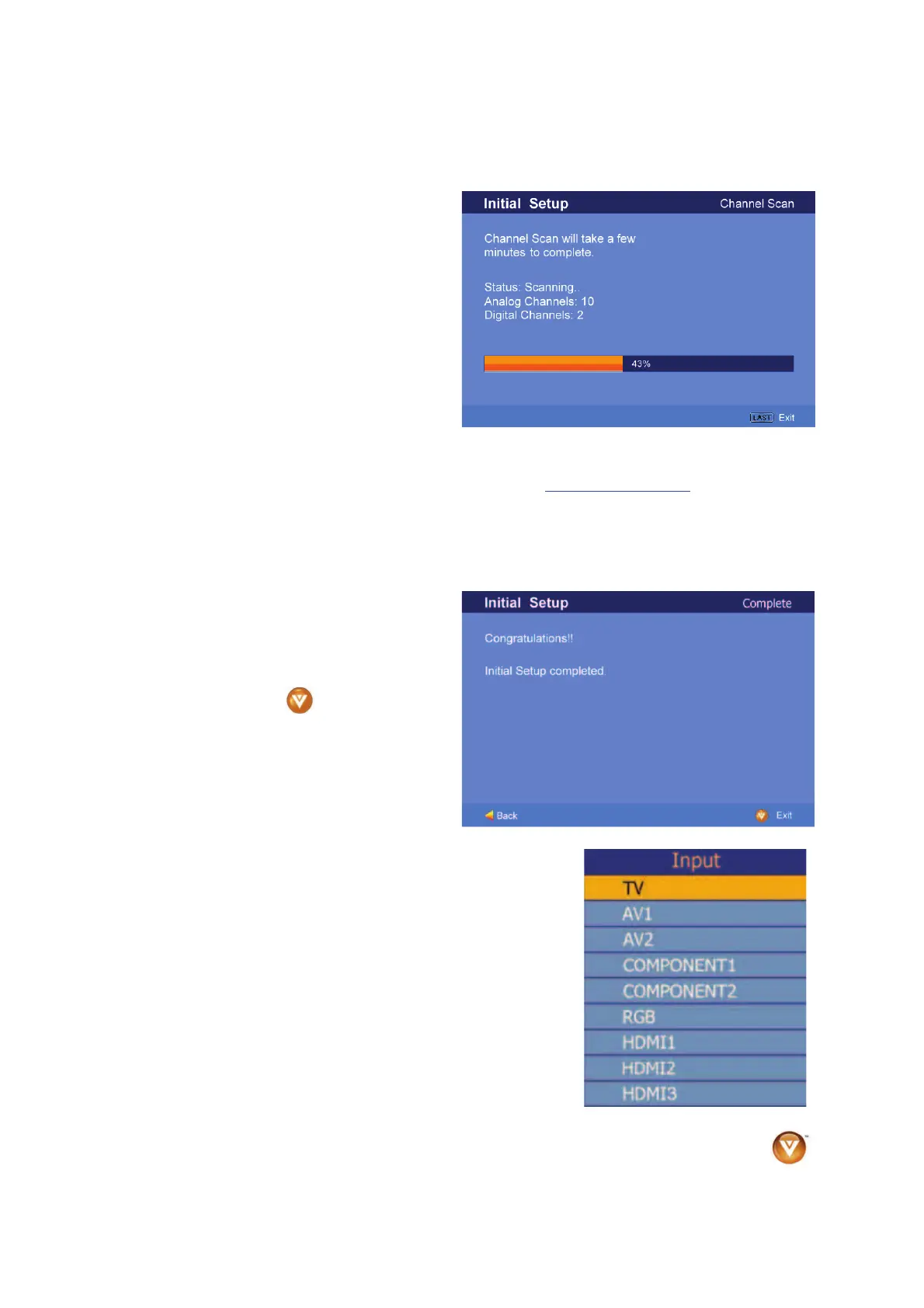
c. The screen will now change to
show the progress of the search
for Analog (NTSC) and Digital
(ATSC) channels.
Note: DTV digital broadcast is not available in all areas. Refer to www.antennaweb.org to get information
about availability in your area, type of antenna and in which direction to point your antenna. The channel
availability through cable depends upon which channels your cable operator supplies in Clear QAM;
consult your cable operator for more information.
d. When finished, the Complete
screen will be displayed to inform
you that the HDTV has completed
the Initial Setup.
Press the button on the
remote control to exit and begin
watching TV.
5. Select Input Source
Select the Input Source for the HDTV by pressing the INPUT
button on the side of the TV or using the Input button on the
remote control. Pressing this button will cycle you through the
following options: TV, AV1/S-VIDEO, AV2, Component1,
Component2, RGB, HDMI1, HDMI2, and HDMI3.
Now follow the procedure below to display channels from a
different signal (External TV Tuner, VCR, Cable Box or Satellite
Receiver) source, using different inputs at the back of you TV set.
Bekijk gratis de handleiding van Vizio VOJ320F1A, stel vragen en lees de antwoorden op veelvoorkomende problemen, of gebruik onze assistent om sneller informatie in de handleiding te vinden of uitleg te krijgen over specifieke functies.
Productinformatie
| Merk | Vizio |
| Model | VOJ320F1A |
| Categorie | Televisie |
| Taal | Nederlands |
| Grootte | 18694 MB |


