
Handleiding
Je bekijkt pagina 15 van 57
VIZIO VL320M/VL370M User Manual
Version 3/6/2009 15
www.VIZIO.com
Chapter 2 Connecting Equipment
W
hich Video Connection Should I Use?
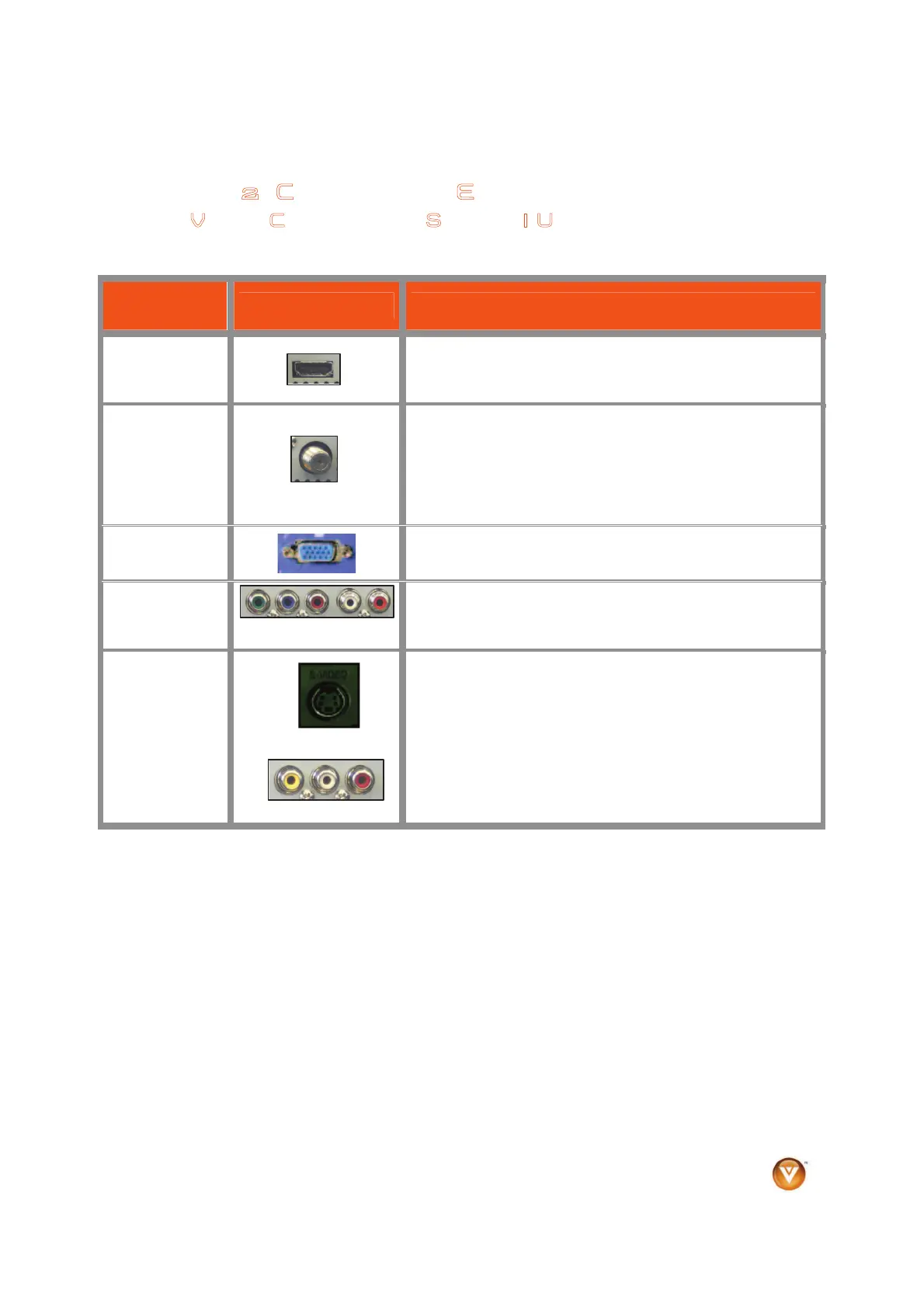
The VIZIO HDTV has six different ways to connect your video equipment from a basic connection to the
most advanced for digital displays.
Connection
Quality (type)
Connector Description
Best
(digital)
HDMI provides an interface between any audio/video
source, such as a set-top box, DVD player, or A/V receiver
and a digital television (DTV), over a single cable.
Best
(digital)
- - - - - - - - - - -
Good
(analog)
Connect a digital or analog antenna cable or coaxial cable
to watch TV programming.
Best
(analog)
RGB PC (VGA) – This is most commonly used for PC input.
Better
(analog)
Component - Component video provides a sharper image
than composite video and S-video because the three video
signals are transmitted via three separate channels.
Good
(analog)
S-Video (AV1) - Combining the three video signals into two
channels, S-Video provides a sharper image than
Composite video, but is not as good as Component video.
Composite (AV1 & 2) - All three video signals are combined
into one channel, thus making the image less sharp than
Component or S-Video.
Note: For more info refer to the Quick Start Guide
Bekijk gratis de handleiding van Vizio VL370M, stel vragen en lees de antwoorden op veelvoorkomende problemen, of gebruik onze assistent om sneller informatie in de handleiding te vinden of uitleg te krijgen over specifieke functies.
Productinformatie
| Merk | Vizio |
| Model | VL370M |
| Categorie | Televisie |
| Taal | Nederlands |
| Grootte | 10506 MB |


