
Handleiding
Je bekijkt pagina 12 van 57
VIZIO VL320M/VL370M User Manual
12
www.VIZIO.com
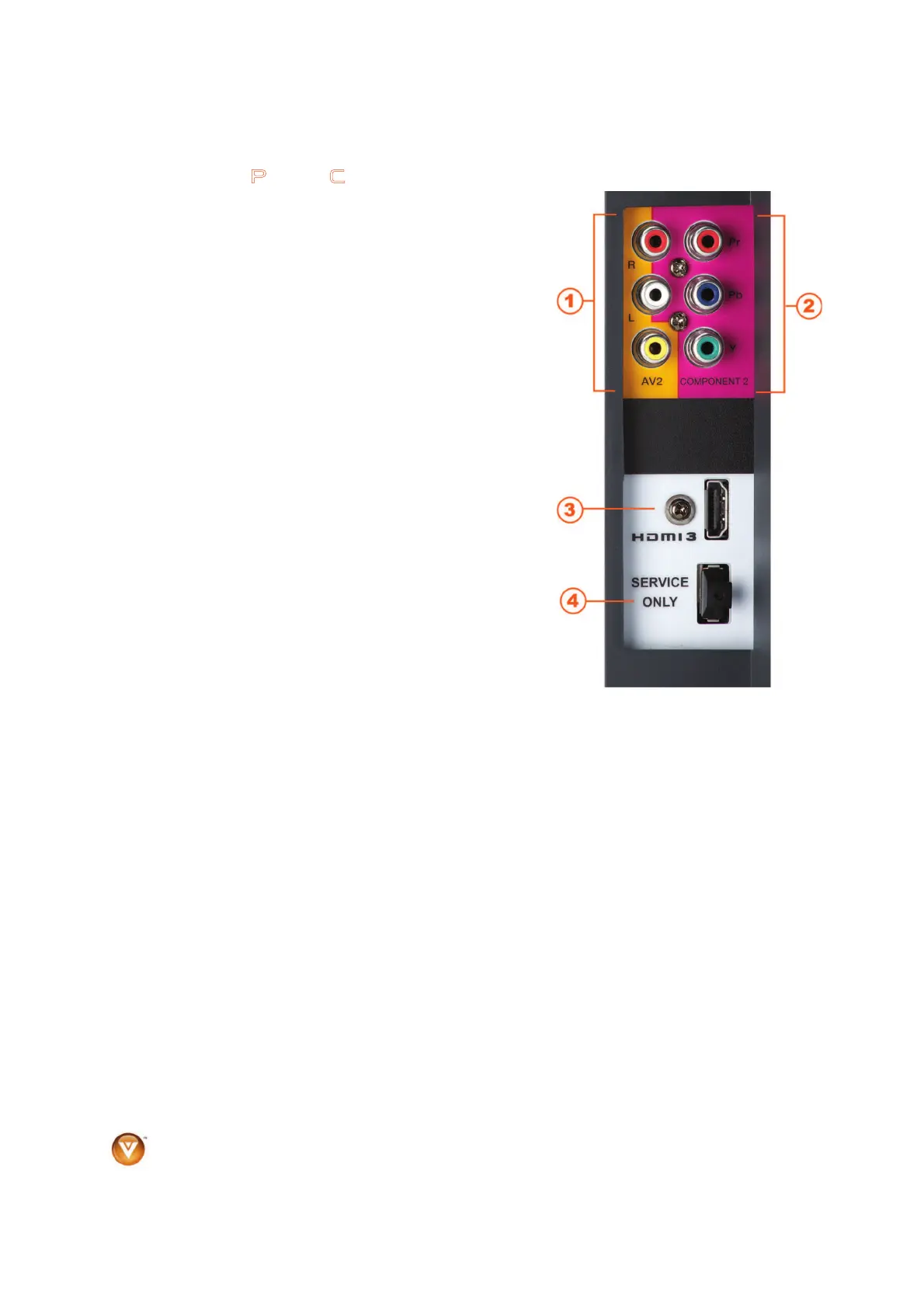
Right-Side Panel Connection
1. AV2 – Connect the secondary source for composite
video devices, such as a VCR or video game. Use the
white and red connectors to connect the external audio
from the same source, and then use the yellow
connector to connect the external video from the same
source.
Note: The red and white audio connectors are shared
between AV2 and COMPONENT2.
2. COMPONENT2 (YPb/CbPr/Cr with Audio L/R) -
Connect the secondary source for component video
devices such as a DVD Player or set top box here.
Note: The red and white audio connectors are shared
between AV2 and COMPONENT2.
3. HDMI 3 - Connect another digital video device such as
a DVD multimedia player or set top box through this all
digital connector.
4. Service – Only for use by a professional service
technician.
Certified HDMI and HDMI-DVI cables are available for purchase from www.VIZIO.com or by calling 888-
VIZIOCE (888-849-4623)
Bekijk gratis de handleiding van Vizio VL370M, stel vragen en lees de antwoorden op veelvoorkomende problemen, of gebruik onze assistent om sneller informatie in de handleiding te vinden of uitleg te krijgen over specifieke functies.
Productinformatie
| Merk | Vizio |
| Model | VL370M |
| Categorie | Televisie |
| Taal | Nederlands |
| Grootte | 10506 MB |


