
Handleiding
Je bekijkt pagina 54 van 72
VIZIO VF552XVT HDTV User Manual
54
www.VIZIO.com
Help Menu
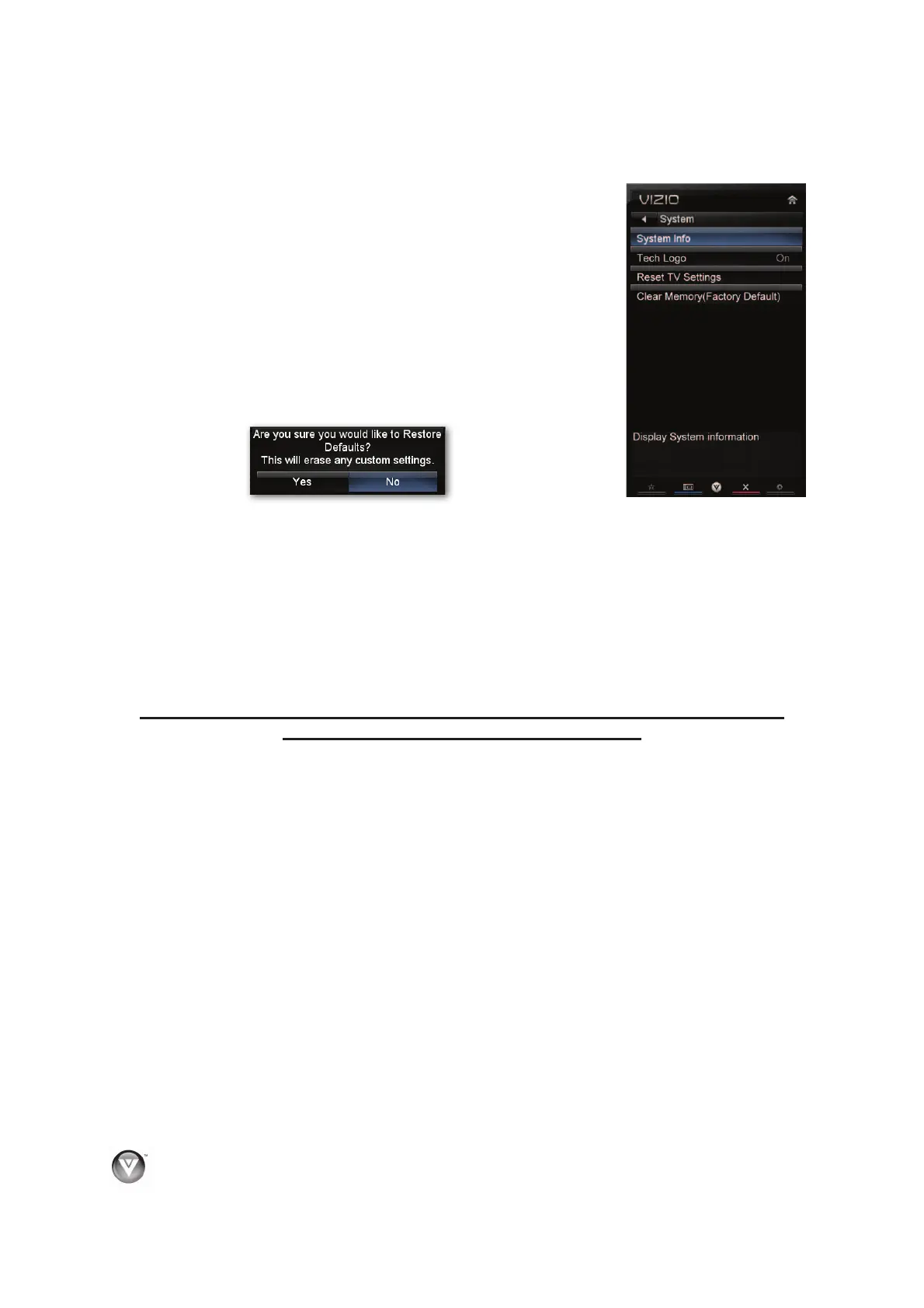
System Info
Display information about your TV, such as the model name and current
software version.
Tech Logo
Select to turn the logo bar on the bottom of the TV On or Off.
Reset TV Settings/Presets
Return all Picture and Audio settings to factory default. A screen will come
up to confirm your selection or to cancel it. Press Ż or Ź to make the
selection, and then press OK to accept it.
Clear Memory (Factory Default)
Return all settings to factory default, including your App settings, user names, and passwords. VIZIO
recommends doing this in the unlikely event that you will need to return your TV.
1. Enter your 4-digit password to access the Parental menu. The default password is 0000. A
screen will come up to confirm your selection or to cancel it.
2. Press Ż or Ź to make the selection, and then press OK to accept it. Your memory will be
cleared and your system will restart.
3. Complete the initial Setup App to setup your TV.
PLEASE USE THE CLEAR MEMORY FEATURE TO ERASE ALL PERSONAL
SETTINGS BEFORE RETURNING THE TV.
Bekijk gratis de handleiding van Vizio VF552XVT, stel vragen en lees de antwoorden op veelvoorkomende problemen, of gebruik onze assistent om sneller informatie in de handleiding te vinden of uitleg te krijgen over specifieke functies.
Productinformatie
| Merk | Vizio |
| Model | VF552XVT |
| Categorie | Televisie |
| Taal | Nederlands |
| Grootte | 15226 MB |
Caratteristiche Prodotto
| Kleur van het product | Zwart |
| Gebruikershandleiding | Ja |
| LED-indicatoren | Ja |
| Bluetooth | Nee |
| Beeldschermdiagonaal | 55 " |


