
Handleiding
Je bekijkt pagina 52 van 72
VIZIO VF552XVT HDTV User Manual
52
www.VIZIO.com
Network Menu
When you first turned on your HDTV you set up your network connection using the Setup App. If you did
not do this or if your setup has changed, you can do this from the Network
menu.
The Ethernet function on your HDTV is used to access the Internet. Your HDTV also has 802.11n dual-
band wireless, so you can connect your TV to the Internet through your wireless home network. A wired
connection may deliver a more consistent connection depending on the conditions in your home
environment. When you enter the Network Menu you will see your current connection method.
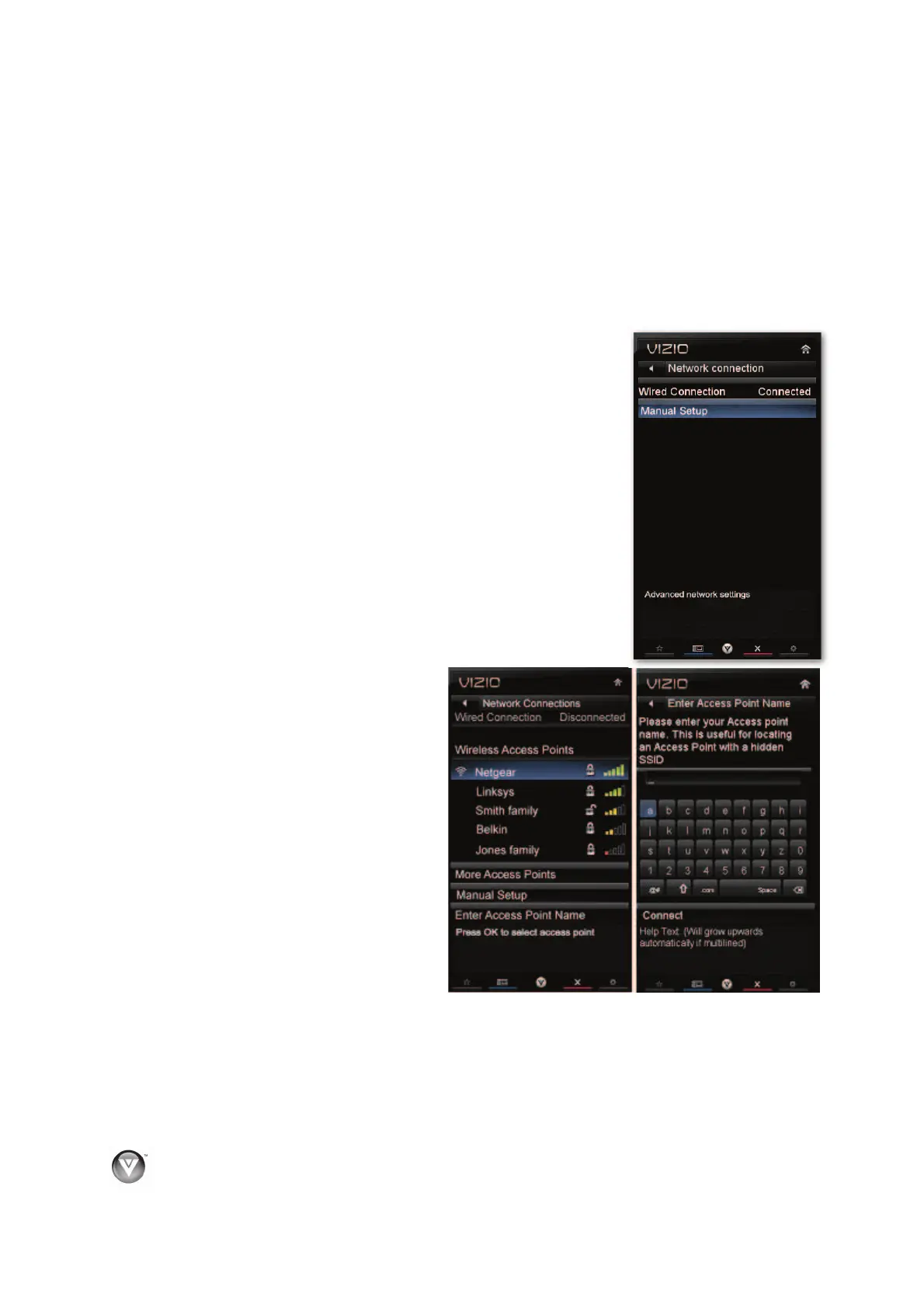
Wired Connection
View that your wired connection is set to Connected. This is not an option
that you can adjust. It is for information only.
Manual Setup
Select to view and/or manually change your network settings.
Change Settings
Select to manually change your network settings such as the IP
Address, the Subnet Mask, the Default Gateway, the Preferred
DNS Server, and the Alternate DNS Server.
Warning: unless you are an advanced user and are comfortable with wired
and wireless networks, do not adjust these settings.
Test Connection
Select this option to test your network connection.
Wireless Connection
Wireless Access Points
If there is no wired connection, the
wireless menu will be displayed and you
will see a list of available wireless
networks. You will also see that your
Wired Connection is set to
Disconnected.
1. Press
ź to select your wireless
network, and then press OK. If you
do not see your wireless network in
the list, select More Access Points
and then press OK.
2. If the network is password protected,
enter the secure access code you
created when setting up your
wireless router. Slide the remote
control open and begin typing in the
code. You can also select Show Keyboard and use the on-screen keyboard instead of the
remote control. When you are finished entering the code, select Connect.
Note:
If you have forgotten your secure access code, please refer to the user manual for your
wireless router or contract the manufacturer or either your router or your Internet Service Provider if
they provided the router for you.
Bekijk gratis de handleiding van Vizio VF552XVT, stel vragen en lees de antwoorden op veelvoorkomende problemen, of gebruik onze assistent om sneller informatie in de handleiding te vinden of uitleg te krijgen over specifieke functies.
Productinformatie
| Merk | Vizio |
| Model | VF552XVT |
| Categorie | Televisie |
| Taal | Nederlands |
| Grootte | 15226 MB |
Caratteristiche Prodotto
| Kleur van het product | Zwart |
| Gebruikershandleiding | Ja |
| LED-indicatoren | Ja |
| Bluetooth | Nee |
| Beeldschermdiagonaal | 55 " |


