
Handleiding
Je bekijkt pagina 47 van 72
VIZIO VF552XVT HDTV User Manual
Version 9/18/2009 47
www.VIZIO.com
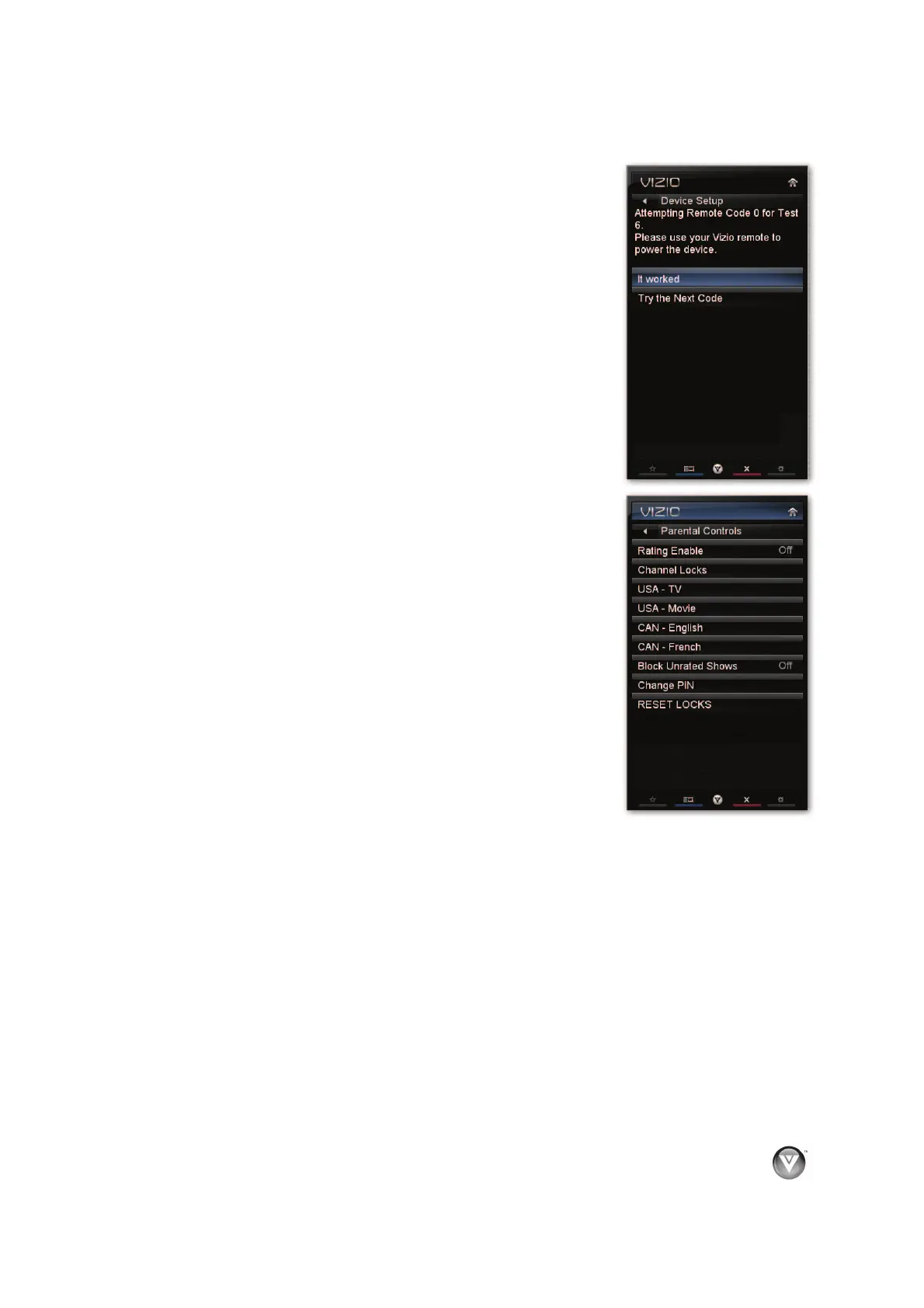
Confirm Remote Connection
Automatically program the VIZIO remote control to allow it to
control your device.
1. Turn the device on.
2. Point the VIZIO remote directly at the device.
3. Press OK to select Confirm Remote Connection. The
TV will attempt to communicate with the device.
4. Point the VIZIO remote at the device and the press the
Input power button. The device should turn off. If it does,
select It worked and press OK. If it does not power off,
select Try the Next Code. Repeat until you find a code
that works.
Parental Controls
If you want to restrict certain channel and program viewing, you can do
this by turning on the Parental Control. Selected programs, movies and
channels can then be made available only after an authorized password
has been entered and accepted by the TV.
To select the options in the Parental sub-menu, press OK and then enter a
password. The default password set in the factory is 0 0 0 0.
Note: The Parental menu does not appear when the input mode is set to
HDMI.
A new menu will be displayed showing the following Parental settings:
Rating Enable
Select from ON or OFF. If set to OFF, you will not be able to set
the USA-TV, USA-Movie, CAN-English, or CAN-French Ratings.
Channel Locks
Block individual channels from being displayed.
Bekijk gratis de handleiding van Vizio VF552XVT, stel vragen en lees de antwoorden op veelvoorkomende problemen, of gebruik onze assistent om sneller informatie in de handleiding te vinden of uitleg te krijgen over specifieke functies.
Productinformatie
| Merk | Vizio |
| Model | VF552XVT |
| Categorie | Televisie |
| Taal | Nederlands |
| Grootte | 15226 MB |
Caratteristiche Prodotto
| Kleur van het product | Zwart |
| Gebruikershandleiding | Ja |
| LED-indicatoren | Ja |
| Bluetooth | Nee |
| Beeldschermdiagonaal | 55 " |


