
Handleiding
Je bekijkt pagina 51 van 69
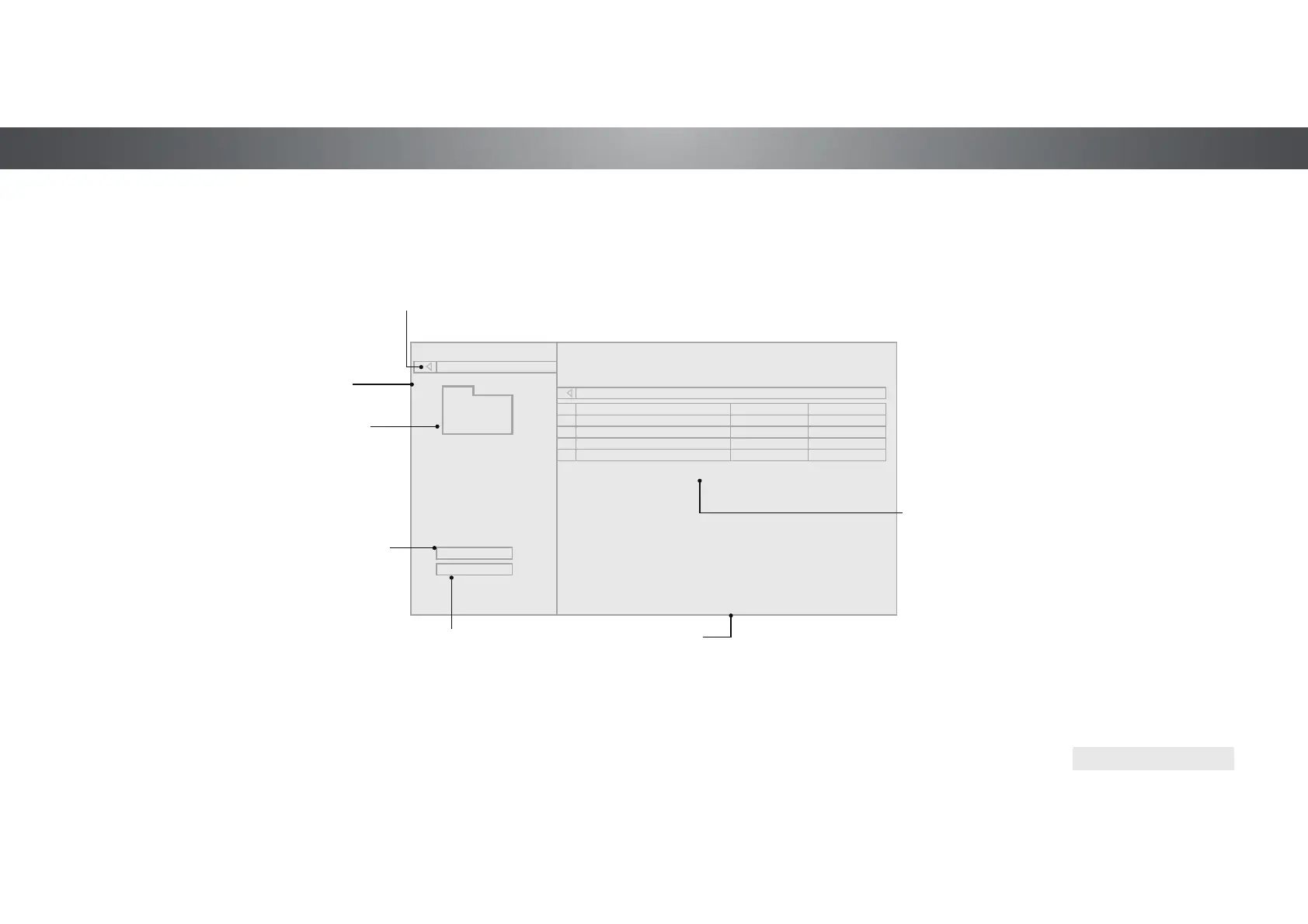
5
Date New-Old
View:
Sort:
Video
MyFlashDrive\Video\root\My Videos
USB1: MyFlashDrive
My Videos
Page 1 of 1
VIZIO
Page Information
If your USB thumb drive has more
files than can be displayed on a
single screen, the page information
is displayed here.
Connected
Sources
Displays
connected USB
devices.
Current Folder
View All or
View Folders
VIDEO PLAYER
Folders
File Date Duration#
Family Vacation - California
- 00:23:431
26th Birthday Party
- 00:38:182
Summer 2012
- 00:41:083
Greatest Trip Ever
- 00:05:324
Folder Contents/
Playlist
This area displays
the contents of the
currently selected
folder. You can
browse among files
using the Arrow and
OK buttons on the
remote.
Back Button
Highlight this button
and press OK to return
to the previous screen.
Sort by Date
or File Name
51
Bekijk gratis de handleiding van Vizio P602UI-B3, stel vragen en lees de antwoorden op veelvoorkomende problemen, of gebruik onze assistent om sneller informatie in de handleiding te vinden of uitleg te krijgen over specifieke functies.
Productinformatie
| Merk | Vizio |
| Model | P602UI-B3 |
| Categorie | Televisie |
| Taal | Nederlands |
| Grootte | 15978 MB |
Caratteristiche Prodotto
| Kleur van het product | Zwart |
| Jaarlijks energieverbruik | 459 kWu |
| Gewicht verpakking | 31110 g |
| Breedte verpakking | 56.97 mm |
| Diepte verpakking | 7.87 mm |


