
Handleiding
Je bekijkt pagina 22 van 69
3
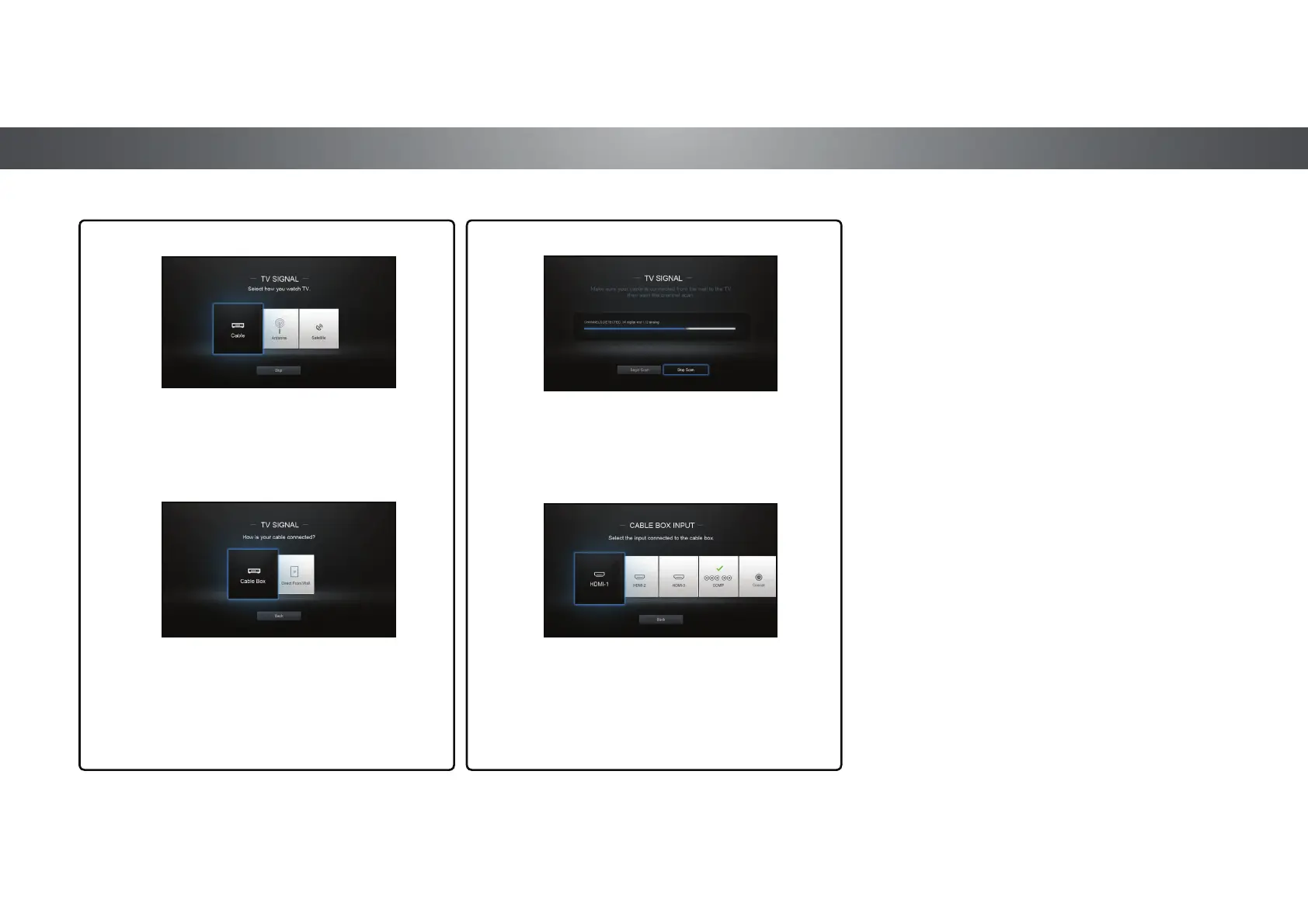
If the TV Signal channel scan screen appears,
the TV will need to scan for channels, which
takes several minutes.
Use the arrow buttons on the remote to highlight
Begin Scan and press OK.
10
Otherwise, use the Arrow and OK buttons
on the remote to select the input your TV
source is connected to.
When you are finished, the message
“Your VIZIO TV is set up.” will appear.
The First-Time Setup is complete.
Use the Arrow buttons on the remote to highlight
your TV source and press OK.
9
If you have cable TV, select whether you
have a cable box or if you connect the TV
directly to a cable from the wall.
Note: Number of ports may differ by TV.
22
Bekijk gratis de handleiding van Vizio P602UI-B3, stel vragen en lees de antwoorden op veelvoorkomende problemen, of gebruik onze assistent om sneller informatie in de handleiding te vinden of uitleg te krijgen over specifieke functies.
Productinformatie
| Merk | Vizio |
| Model | P602UI-B3 |
| Categorie | Televisie |
| Taal | Nederlands |
| Grootte | 15978 MB |
Caratteristiche Prodotto
| Kleur van het product | Zwart |
| Jaarlijks energieverbruik | 459 kWu |
| Gewicht verpakking | 31110 g |
| Breedte verpakking | 56.97 mm |
| Diepte verpakking | 7.87 mm |


