
Handleiding
Je bekijkt pagina 21 van 69
3
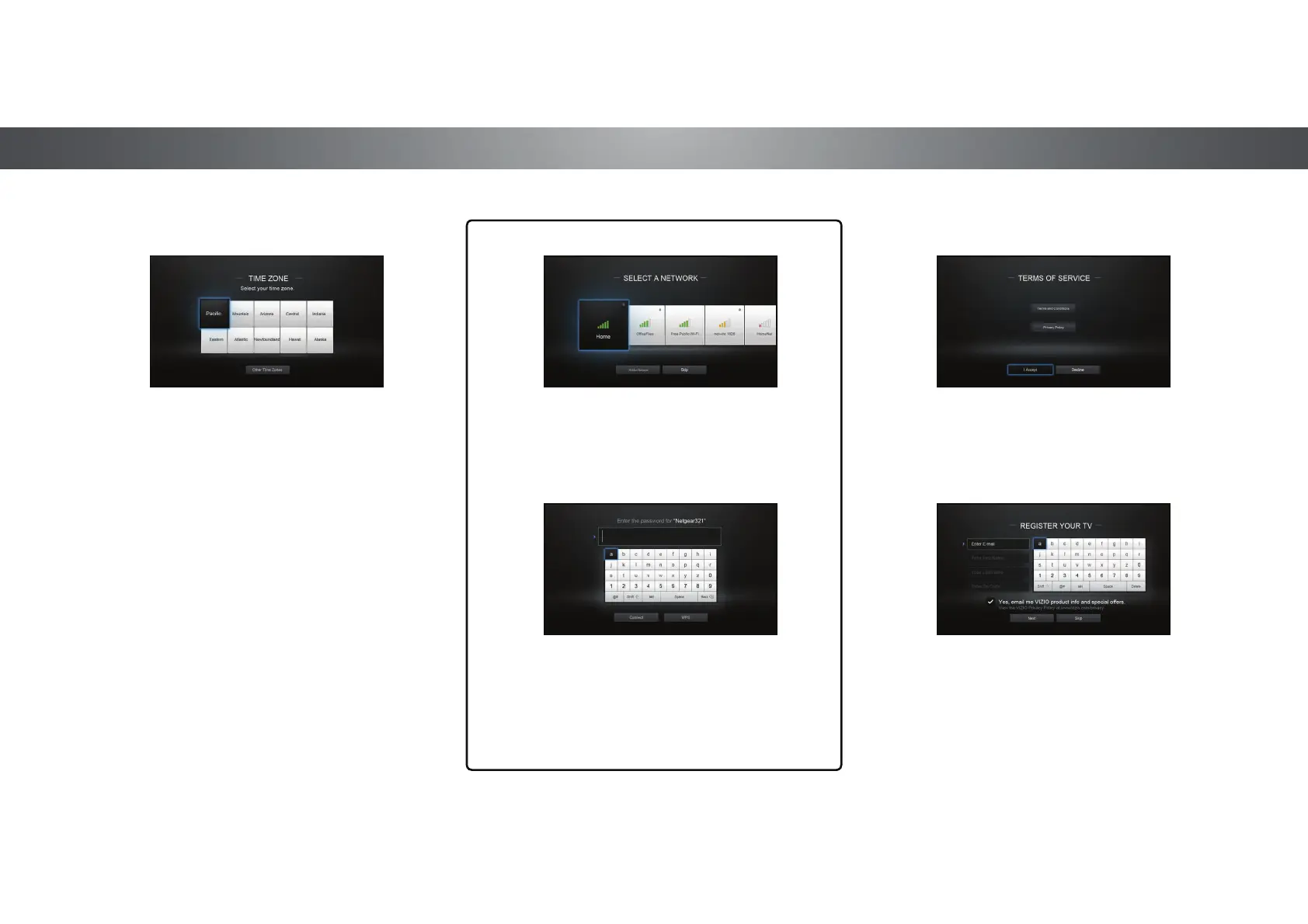
Select the name of your wireless network from
the list of available networks and press OK.
6
Enter the network password using the keyboard on
the remote, then highlight Connect and press OK.
Use the Arrow and OK buttons on the remote to
review the Terms Of Service and Privacy Policy.
When you are finished, highlight I Accept
and press OK.
7
8
Enter your E-mail Address, First Name, Last
Name, and Zip Code using the keyboard
on the remote.
Highlight Next and press OK.
5
Select your time zone and press OK.
21
Bekijk gratis de handleiding van Vizio P602UI-B3, stel vragen en lees de antwoorden op veelvoorkomende problemen, of gebruik onze assistent om sneller informatie in de handleiding te vinden of uitleg te krijgen over specifieke functies.
Productinformatie
| Merk | Vizio |
| Model | P602UI-B3 |
| Categorie | Televisie |
| Taal | Nederlands |
| Grootte | 15978 MB |
Caratteristiche Prodotto
| Kleur van het product | Zwart |
| Jaarlijks energieverbruik | 459 kWu |
| Gewicht verpakking | 31110 g |
| Breedte verpakking | 56.97 mm |
| Diepte verpakking | 7.87 mm |


