
Handleiding
Je bekijkt pagina 30 van 81
3
30
Note: The images shown here are for illustrative purposes only and may be subject to change. The actual on-screen image and text may vary, depending on the model.
COLLECTIONS
Add movies, and TV shows to your Collections, to build personally categorized
lists of content.
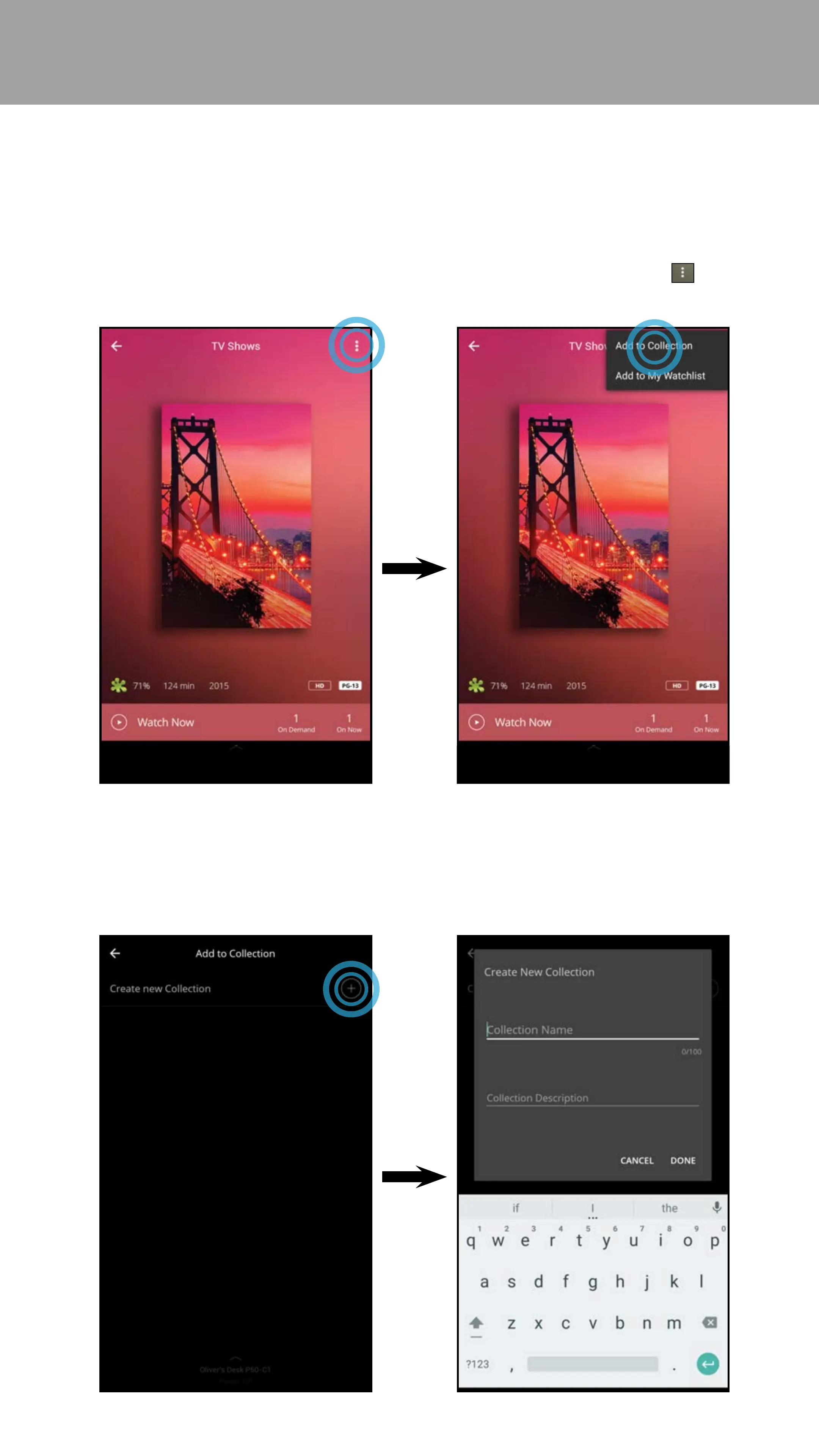
To add content to a Collections list:
1. Choose a title you want to add to a collection and tap on the button
and select Add to Collection.
2. The Add to Collection menu appears. Here you can choose which collection
you want to add the title to. Tap Create new Collection to create a new
Collection list. Create a name and add a description and tap DONE. Repeat
these steps to add additional titles to the collection.
Bekijk gratis de handleiding van Vizio M70-D3, stel vragen en lees de antwoorden op veelvoorkomende problemen, of gebruik onze assistent om sneller informatie in de handleiding te vinden of uitleg te krijgen over specifieke functies.
Productinformatie
| Merk | Vizio |
| Model | M70-D3 |
| Categorie | Televisie |
| Taal | Nederlands |
| Grootte | 76417 MB |
Caratteristiche Prodotto
| Kleur van het product | Zwart |
| Gewicht verpakking | 37001.34 g |
| Breedte verpakking | 1663.95 mm |
| Diepte verpakking | 218.95 mm |
| Hoogte verpakking | 1020.1 mm |


