
Handleiding
Je bekijkt pagina 25 van 81
3
25
Note: The images shown here are for illustrative purposes only and may be subject to change. The actual on-screen image and text may vary, depending on the model.
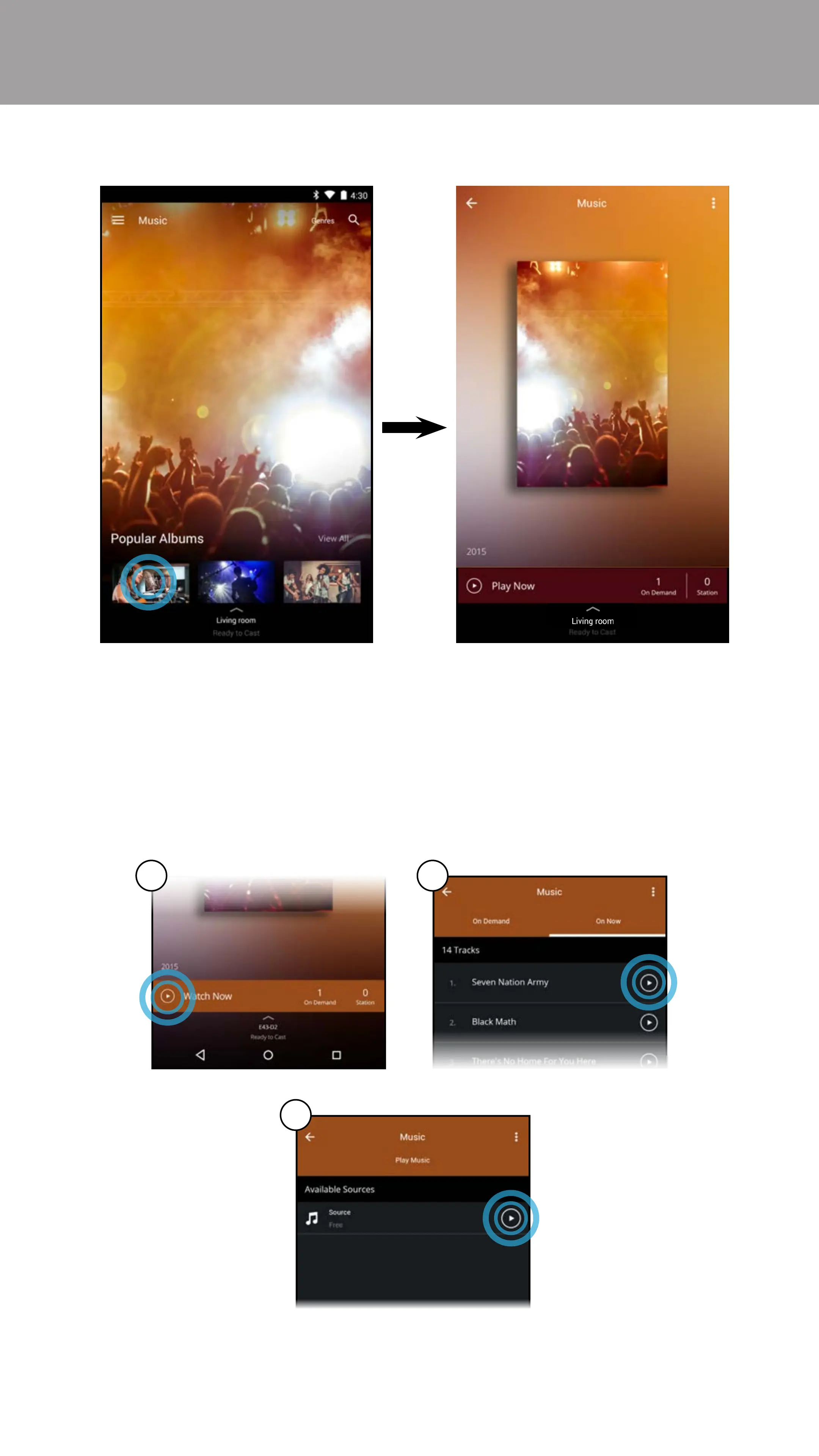
3. Tap on the content you want to listen to.
4. A) Tap on the play button.
B) Select On Demand or On Now (Online feed
*
) and tap the play button.
C) For On Demand: Select a source and tap the play button.
Your content begins playing on your SmartCast device. The Device
Menu is displayed − allowing you to control your device settings
and content.
A B
C
* Separate user account may be required to access content.
Bekijk gratis de handleiding van Vizio M65-D0, stel vragen en lees de antwoorden op veelvoorkomende problemen, of gebruik onze assistent om sneller informatie in de handleiding te vinden of uitleg te krijgen over specifieke functies.
Productinformatie
| Merk | Vizio |
| Model | M65-D0 |
| Categorie | Televisie |
| Taal | Nederlands |
| Grootte | 76417 MB |
Caratteristiche Prodotto
| Kleur van het product | Zwart |
| Gewicht verpakking | 32799.26 g |
| Breedte verpakking | 1709.93 mm |
| Diepte verpakking | 163.1 mm |
| Hoogte verpakking | 1018 mm |


