
Handleiding
Je bekijkt pagina 50 van 72
5
44
Turning the VIZIO Logo On or Off
The VIZIO logo on the front of your TV is set to light up when the TV
is on. You can change this setting if you prefer the logo to be off.
When the TV is off, the VIZIO logo will be a dim color.
This is not affected by the VIZIO Logo menu.
To turn the VIZIO light on or off:
1. Press the MENU button on the remote. The on-screen menu is
displayed.
2. Use the Arrow buttons on the remote to highlight the
Settings icon and press OK. The Settings menu is displayed.
3. Highlight VIZIO Logo and press OK.
4. Use the Up/Down Arrow buttons to select On or Off, then
press OK.
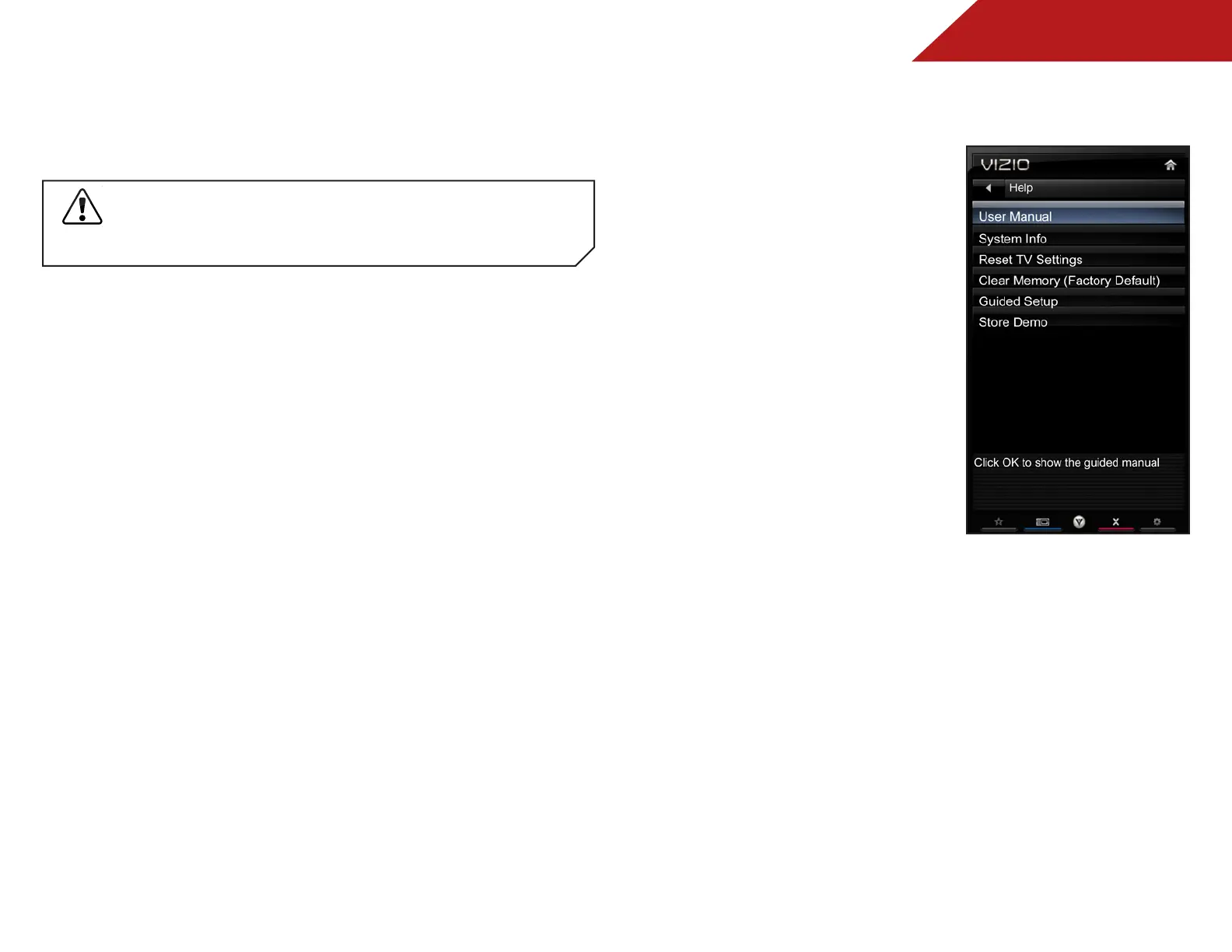
USiNg the help MeNU
You can use the TV’s Help menu to:
• Read the user manual
• Display system information
• Reset the TV settings
• Restore the TV to its factory
default settings
• Get guided setup help for
the tuner and network
• Start the Store Demo Mode
Bekijk gratis de handleiding van Vizio M550VSE, stel vragen en lees de antwoorden op veelvoorkomende problemen, of gebruik onze assistent om sneller informatie in de handleiding te vinden of uitleg te krijgen over specifieke functies.
Productinformatie
| Merk | Vizio |
| Model | M550VSE |
| Categorie | Televisie |
| Taal | Nederlands |
| Grootte | 11563 MB |


