
Handleiding
Je bekijkt pagina 48 van 67
5
41
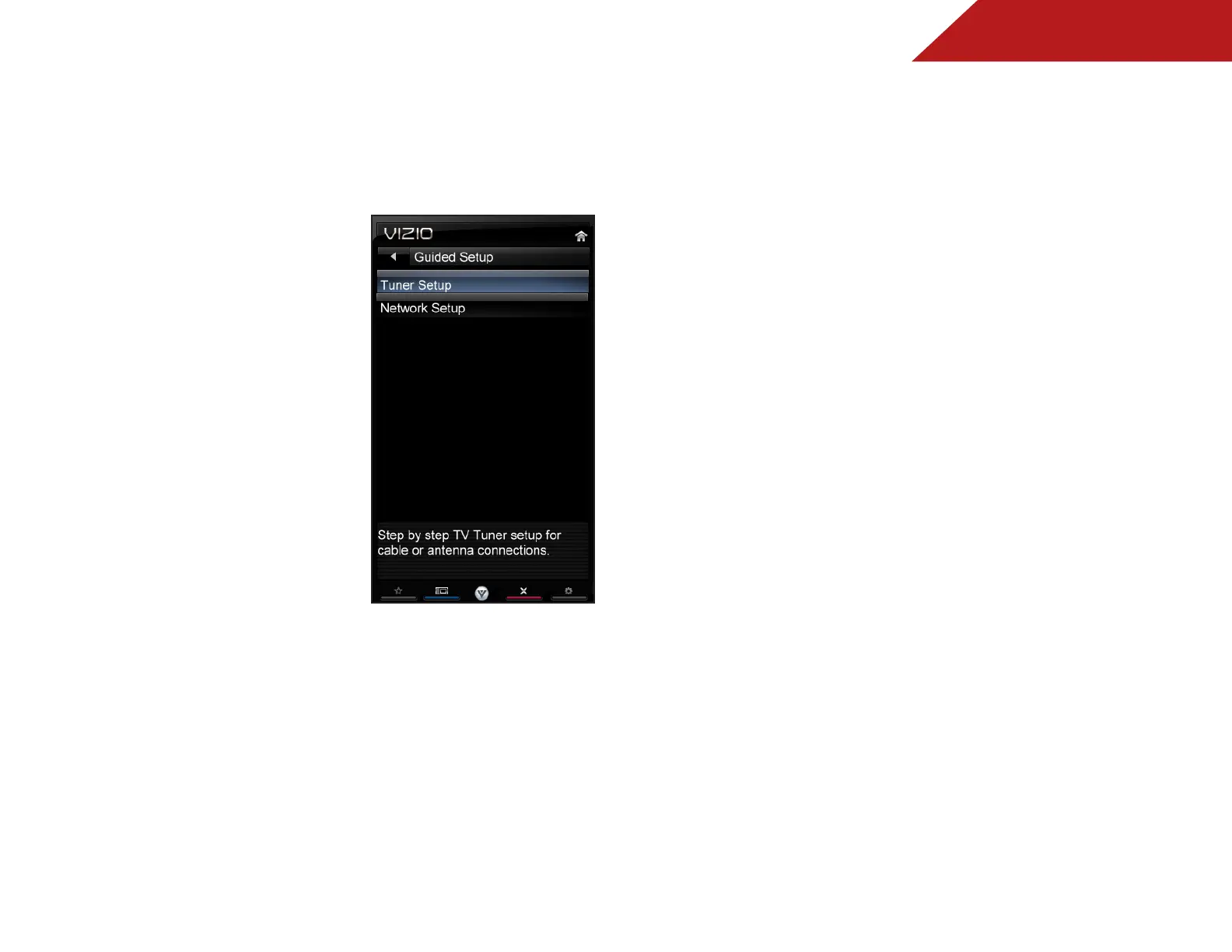
Using Guided Setup
The TV’s Setup App can be used to easily set up the TV tuner or
to connect the TV with your network.
To access guided setup:
1. Press the MENU button on the
remote. The on-screen menu is
displayed.
2. Use the Arrow buttons on the
remote to highlight the Help
icon and press OK. The Help
menu is displayed.
3. Highlight Guided Setup and
press OK.
4. Highlight the guided setup you
want to access and press OK:
• Tuner Setup - Set up the TV
tuner.
• Network Setup - Connect the
TV to your network.
5. Follow the on-screen
instructions. When finished,
press the EXIT button on the
remote.
Bekijk gratis de handleiding van Vizio M470SL, stel vragen en lees de antwoorden op veelvoorkomende problemen, of gebruik onze assistent om sneller informatie in de handleiding te vinden of uitleg te krijgen over specifieke functies.
Productinformatie
| Merk | Vizio |
| Model | M470SL |
| Categorie | Televisie |
| Taal | Nederlands |
| Grootte | 11487 MB |
Caratteristiche Prodotto
| Kleur van het product | Zwart |
| Gewicht verpakking | 16012 g |
| Breedte verpakking | 1290 mm |
| Diepte verpakking | 117 mm |
| Hoogte verpakking | 785 mm |


