
Handleiding
Je bekijkt pagina 21 van 67
2
14
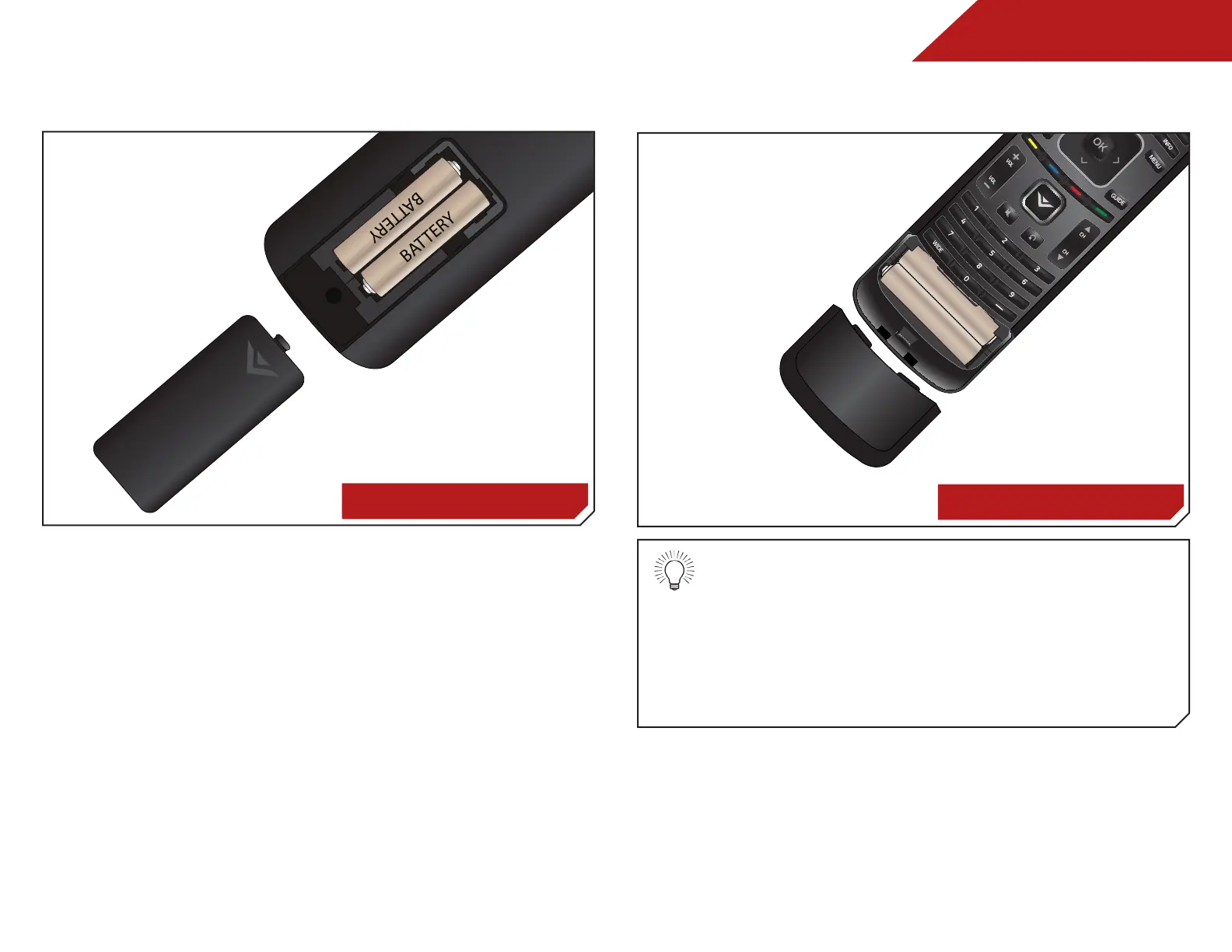
Replacing the Batteries
M320SL, M370SL
1. Remove the battery cover.
2. Insert two batteries into the remote control. Make sure that
the (+) and (-) symbols on the batteries match the (+) and
(-) symbols inside the battery compartment.
3. Replace the battery cover.
AAA BATTERY
AAA BATTERY
AAA BATTERY
AAA BATTERY
M420SL, M470SL, M550SL
• Use only good quality batteries.
• Inserting the batteries incorrectly may result in
cracking or leakage that may cause a fire or
result in injury.
• Dispose of old or dead batteries in accordance
with local hazardous waste regulations.
• Keep batteries away from children and pets.
Bekijk gratis de handleiding van Vizio M470SL, stel vragen en lees de antwoorden op veelvoorkomende problemen, of gebruik onze assistent om sneller informatie in de handleiding te vinden of uitleg te krijgen over specifieke functies.
Productinformatie
| Merk | Vizio |
| Model | M470SL |
| Categorie | Televisie |
| Taal | Nederlands |
| Grootte | 11487 MB |
Caratteristiche Prodotto
| Kleur van het product | Zwart |
| Gewicht verpakking | 16012 g |
| Breedte verpakking | 1290 mm |
| Diepte verpakking | 117 mm |
| Hoogte verpakking | 785 mm |


