
Handleiding
Je bekijkt pagina 31 van 74
VIZIO M421NV User Manual
30
www.VIZIO.com
Accessing Multimedia Content
1. Insert a USB device with digital content such as photos, music, and movies into the USB port on
the side of your HDTV. If a USB device is already connected, press MEDIA on the remote control.
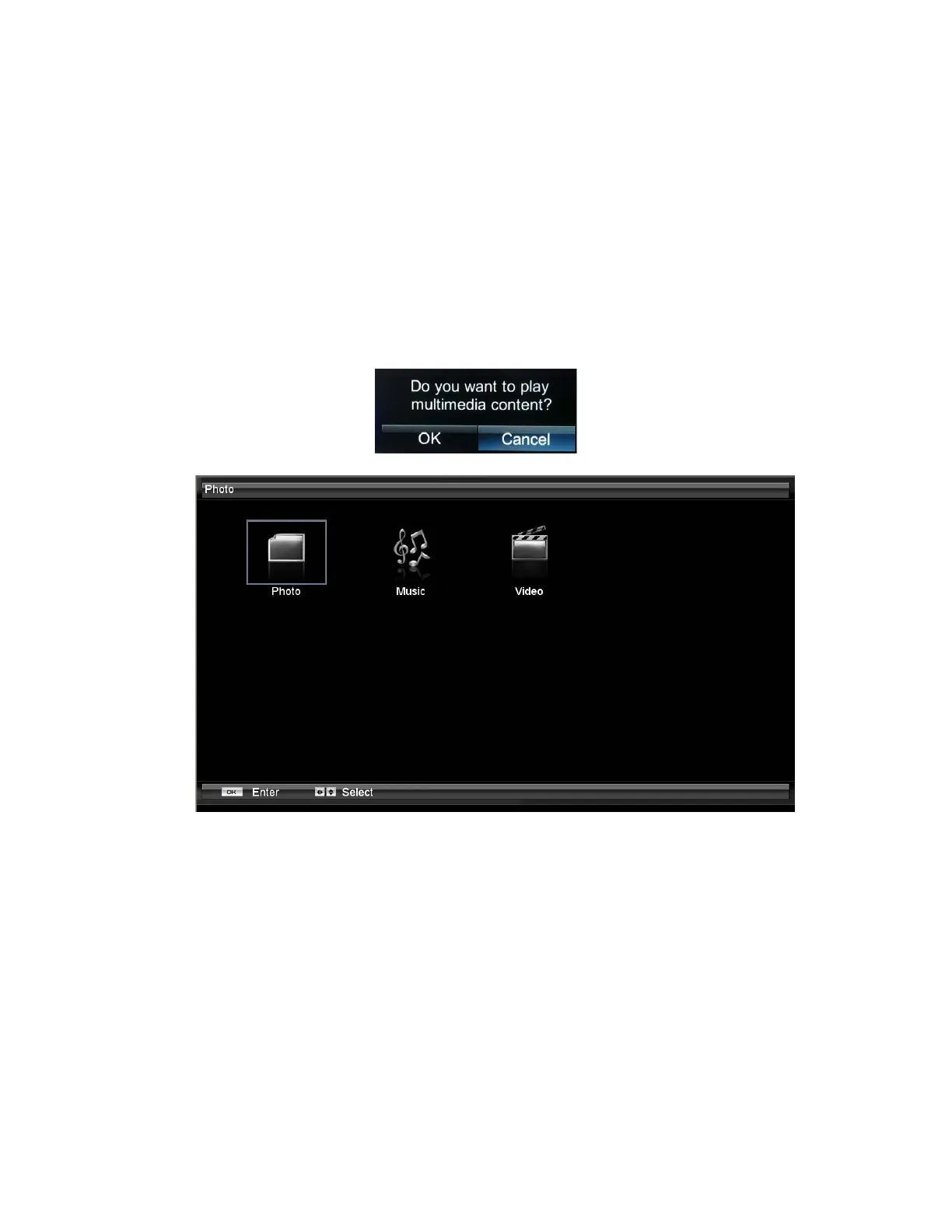
A message will appear asking if you want to play multimedia content.
2. Press ◄ to highlight OK, and then press OK to select it. The Multimedia folder will be displayed.
3. Press ◄ or ► to highlight Photo, Music, or Video and the press OK to select it. A menu will be
displayed showing the folders and files that are on your USB device.
4. Press ◄ or ► to highlight the folder or file you want to play, and then press OK to select it. The
file will play. See Adjusting Photo Settings on page 31, Adjusting Music Settings on page 32, and
Adjusting Video Settings on page 33 to adjust various settings.
5. When finished, press EXIT once to return to the previous screen or repeatedly to return to the top
level of the USB device. Press MEDIA to return to the previous TV input, or press an Input button
to return to a desired input.
Bekijk gratis de handleiding van Vizio M421NV, stel vragen en lees de antwoorden op veelvoorkomende problemen, of gebruik onze assistent om sneller informatie in de handleiding te vinden of uitleg te krijgen over specifieke functies.
Productinformatie
| Merk | Vizio |
| Model | M421NV |
| Categorie | Televisie |
| Taal | Nederlands |
| Grootte | 11263 MB |
Caratteristiche Prodotto
| Kleur van het product | Zwart |
| Gewicht verpakking | 22170 g |
| Breedte verpakking | 1150.6 mm |
| Diepte verpakking | 325.1 mm |
| Hoogte verpakking | 830.5 mm |


