
Handleiding
Je bekijkt pagina 19 van 74
VIZIO M421NV User Manual
18
www.VIZIO.com
MUTE—Press to turn the sound on and off.
LAST— Press to recall the previously viewed channel.
CH +/- —Press to change the channels up or down
HDMI—Press to select the HDMI input. Press repeatedly to cycle between both
HDMI inputs.
AV—Press to select the AV input.
TV—Press to select the TV input.
Number Button Pad—Press to select a channel or enter a password.
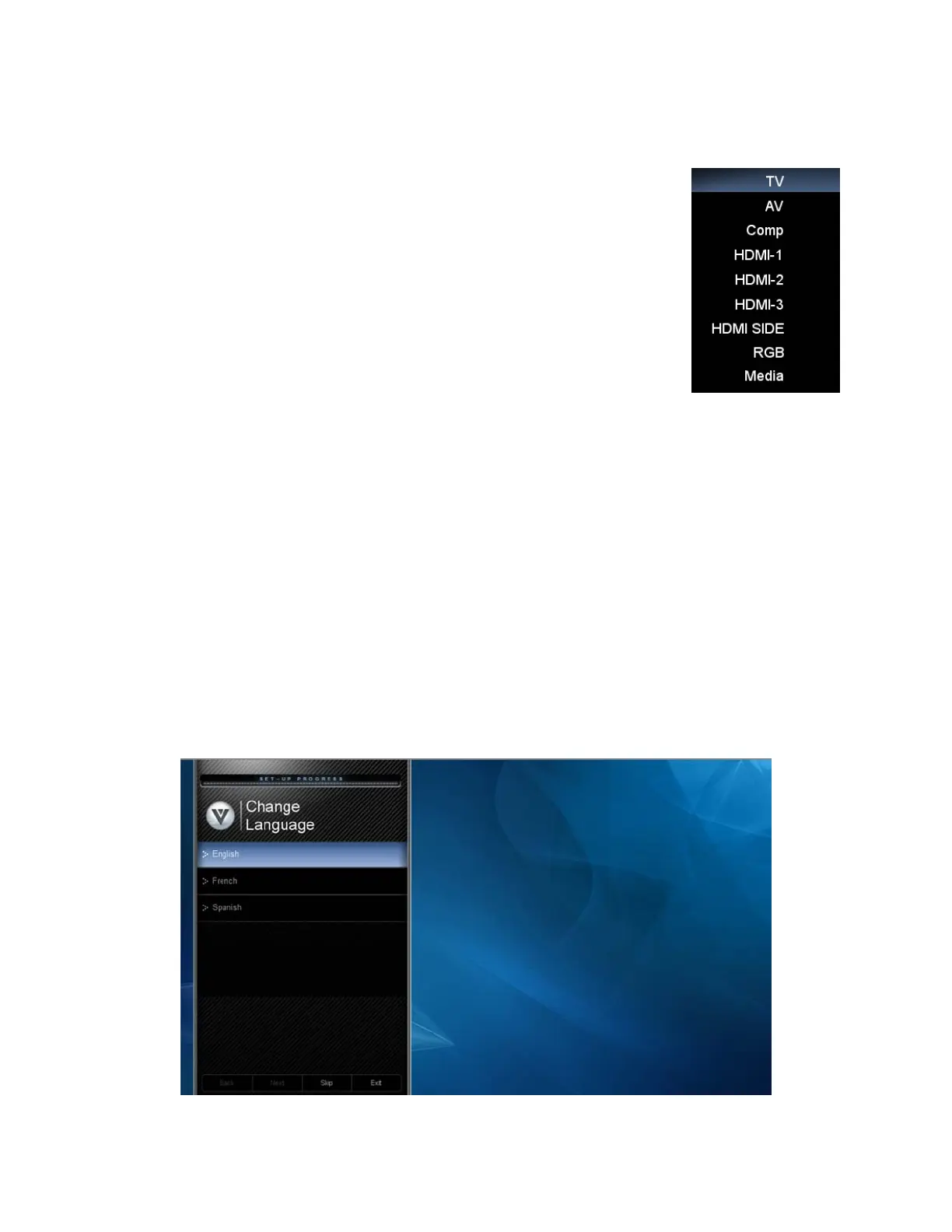
INPUT—Press to cycle through the various devices connected to your TV (called
Inputs). The inputs cycle in the following sequence: TV, AV, Comp, HDMI-1,
HDMI-2, HDMI-3, HDMI SIDE, RGB, and Media. After you have stepped through
the entire sequence, you will return to the beginning.
- (DASH)—Press to insert a dash between the main and sub-channels. For
example, channel 28-2 would be selected by the button sequence 2, 8, DASH, 2.
Chapter 4 Getting Started
Your HDTV has a built-in setup App that runs when you turn on your TV for the first time. Follow the on-
screen directions to easily setup your new HDTV.
1. Insert the batteries into the remote control.
2. Connect the power cord to the power cord connector on the back of your HDTV, and then plug
the power cord into an AC wall socket.
3. Connect your devices to your HDTV (see Chapter 2 for detailed steps).
4. Turn on your TV. The Setup App will automatically play and guide your thru the initial setup of
your HDTV. Use the Arrow and OK buttons to navigate through the setup App. During the setup
process you will:
• Choose your Menu language
• Set the TV to Home Mode for the best picture and most efficient energy usage.
• Set your Time Zone and Daylight Savings preferences
• Add your TV channels (unless you have a Cable/Satellite Set-Top Box)
Bekijk gratis de handleiding van Vizio M421NV, stel vragen en lees de antwoorden op veelvoorkomende problemen, of gebruik onze assistent om sneller informatie in de handleiding te vinden of uitleg te krijgen over specifieke functies.
Productinformatie
| Merk | Vizio |
| Model | M421NV |
| Categorie | Televisie |
| Taal | Nederlands |
| Grootte | 11263 MB |
Caratteristiche Prodotto
| Kleur van het product | Zwart |
| Gewicht verpakking | 22170 g |
| Breedte verpakking | 1150.6 mm |
| Diepte verpakking | 325.1 mm |
| Hoogte verpakking | 830.5 mm |


