
Handleiding
Je bekijkt pagina 14 van 74
VIZIO M421NV User Manual
Version 2/23/2010 13
www.VIZIO.com
Wall Mounting your HDTV
Your HDTV can be mounted on the wall for viewing. If you choose to mount your HDTV on the wall, follow
the instructions below.
1. Write down the serial number located on the back of your HDTV in the space provided on page 1 to
have it handy if you need to call for support.
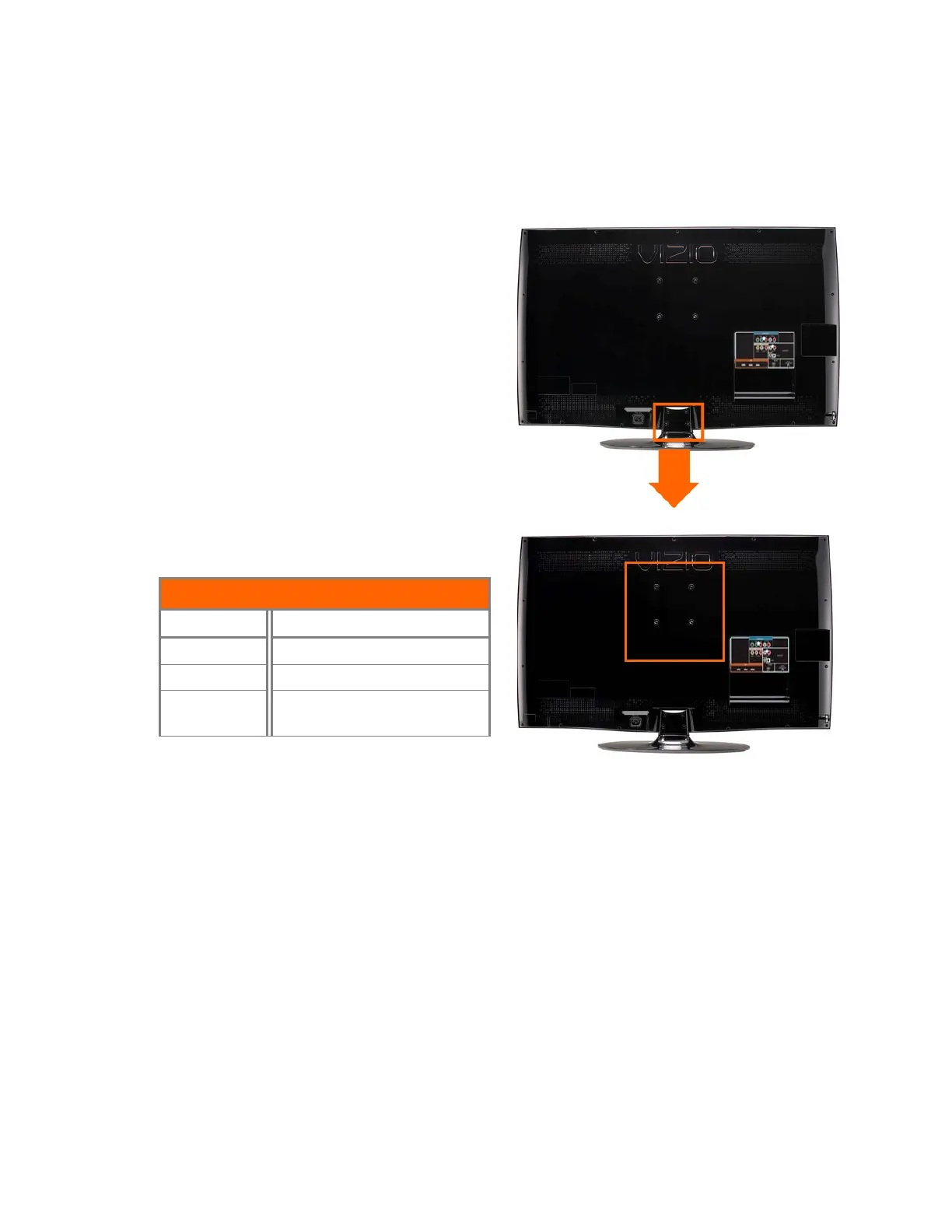
2. Remove the stand base and neck:
a. Disconnect the cables from your HDTV.
b. Place your HDTV face down on a soft,
flat surface to prevent damage to the
screen.
c. Remove the four (4) screws holding the
stand neck, and then remove the neck
and base.
Note: To remove the base from the neck, unscrew
thumbscrew on bottom.
3. Mount your HDTV on the wall:
a. Attach your HDTV to a wall mount (sold
separately) using the mounting holes in
the back panel of your HDTV.
b. Read the instructions that came with
your specific wall mount to properly
hang your HDTV.
Wall Mounting Specifications
Screw Size M6
Screw Length 20.0 mm
Screw Pitch 1.0 mm
Hole Pattern
VESA standard 200 x 200
mm spacing
Bekijk gratis de handleiding van Vizio M421NV, stel vragen en lees de antwoorden op veelvoorkomende problemen, of gebruik onze assistent om sneller informatie in de handleiding te vinden of uitleg te krijgen over specifieke functies.
Productinformatie
| Merk | Vizio |
| Model | M421NV |
| Categorie | Televisie |
| Taal | Nederlands |
| Grootte | 11263 MB |
Caratteristiche Prodotto
| Kleur van het product | Zwart |
| Gewicht verpakking | 22170 g |
| Breedte verpakking | 1150.6 mm |
| Diepte verpakking | 325.1 mm |
| Hoogte verpakking | 830.5 mm |


