
Handleiding
Je bekijkt pagina 13 van 74
VIZIO M421NV User Manual
12
www.VIZIO.com
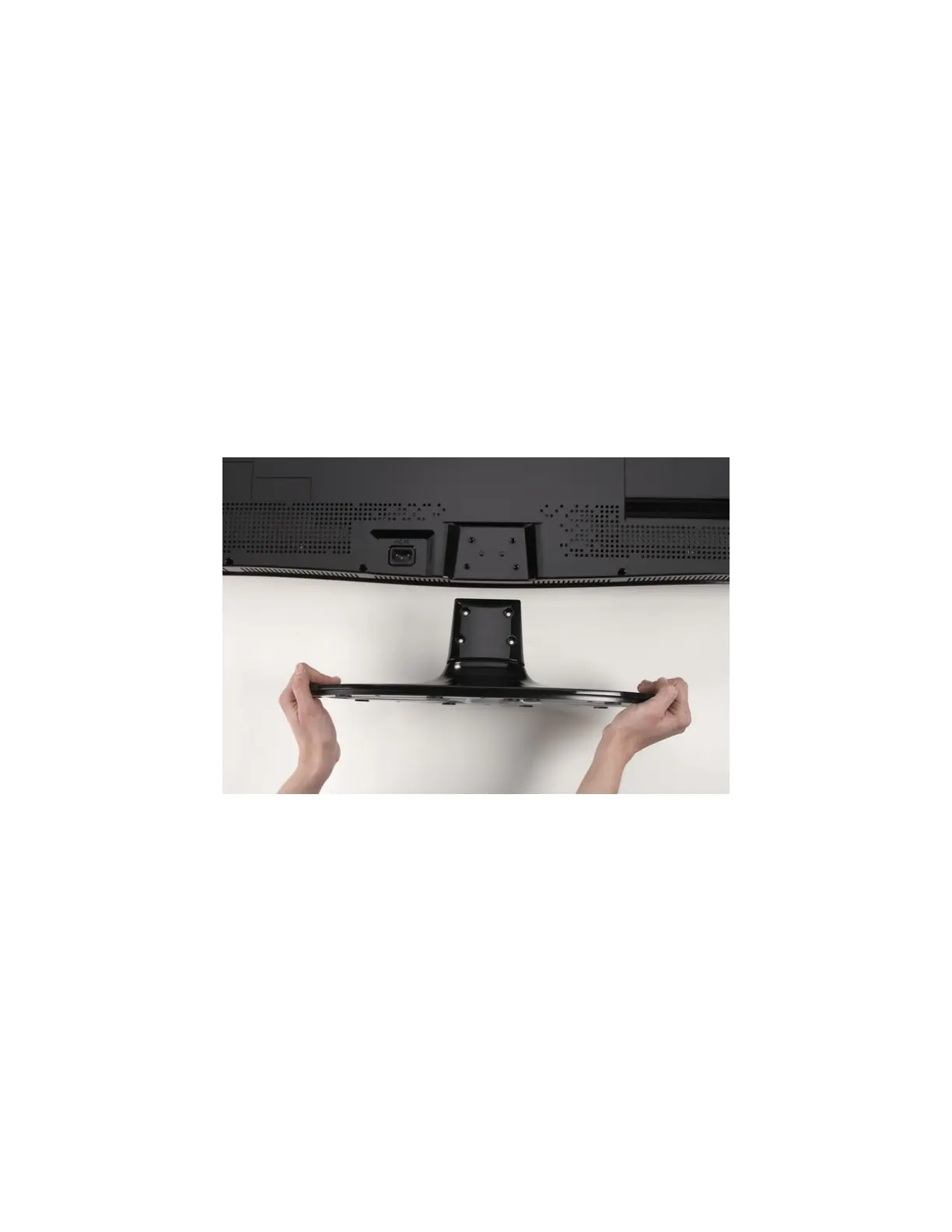
Attaching the TV Stand
Note: We strongly recommend that two people perform the setup and assembly due to the weight and
size of the TV.
Unpack the TV and stand base:
1. Remove the remote control, batteries, and power cord from the foam end caps.
2. Remove the two top foam end caps.
3. Remove the stand base from packaging.
4. Remove the TV from the box and lay it face down on a clean, padded, flat surface.
Note: Make sure that the surface is free of debris to prevent the TV screen from getting scratched.
Attach the TV stand base:
1. Align the stand base to the back of the TV.
2. Insert the four screws provided and tighten.
Bekijk gratis de handleiding van Vizio M421NV, stel vragen en lees de antwoorden op veelvoorkomende problemen, of gebruik onze assistent om sneller informatie in de handleiding te vinden of uitleg te krijgen over specifieke functies.
Productinformatie
| Merk | Vizio |
| Model | M421NV |
| Categorie | Televisie |
| Taal | Nederlands |
| Grootte | 11263 MB |
Caratteristiche Prodotto
| Kleur van het product | Zwart |
| Gewicht verpakking | 22170 g |
| Breedte verpakking | 1150.6 mm |
| Diepte verpakking | 325.1 mm |
| Hoogte verpakking | 830.5 mm |


