
Handleiding
Je bekijkt pagina 16 van 80
3
10
Connecting Your Devices
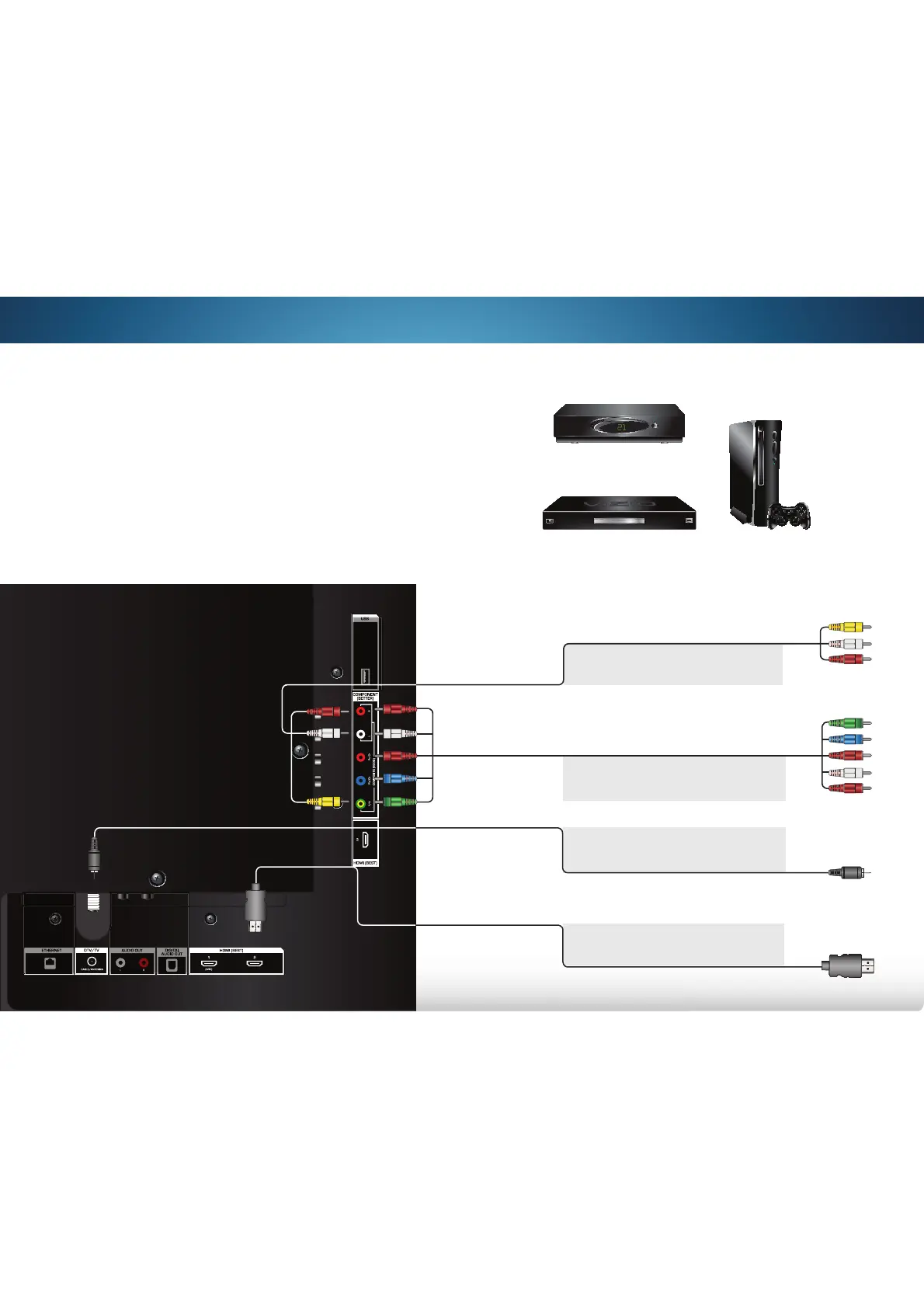
CONNECTING A DEVICE
Game Console
Cable/Satellite Box
DVD/Blu-ray Player
Your TV can be used to display output from most devices.
1. Verify that your device has a video port that matches an
available port on the TV (HDMI, Component, etc).
2. Turn the TV and your device off.
3. Connect the appropriate cable (not included) to the TV and
the device.
4. Turn the TV and your device on. Set the TV’s input to match
the connection you used (HDMI-1, HDMI-2, etc).
* Maximum Resolution
BETTER
COMPONENT CABLE
• ANALOG
• HD VIDEO (1080i)*
• STEREO AUDIO
BEST
HDMI CABLE
• DIGITAL
• HD VIDEO
(1080p)*
• HD AUDIO
GOOD
AV CABLE
• ANALOG
• VIDEO (480i)*
• STEREO AUDIO
BETTER
Coaxial CABLE
• ANALOG
• HD VIDEO (1080i)*
• STEREO AUDIO
Bekijk gratis de handleiding van Vizio M401i-A3, stel vragen en lees de antwoorden op veelvoorkomende problemen, of gebruik onze assistent om sneller informatie in de handleiding te vinden of uitleg te krijgen over specifieke functies.
Productinformatie
| Merk | Vizio |
| Model | M401i-A3 |
| Categorie | Televisie |
| Taal | Nederlands |
| Grootte | 13283 MB |
Caratteristiche Prodotto
| Kleur van het product | Zwart |
| Gewicht verpakking | 15800 g |
| Breedte verpakking | 1018 mm |
| Diepte verpakking | 199.9 mm |
| Hoogte verpakking | 659.9 mm |


