
Handleiding
Je bekijkt pagina 33 van 67
5
26
• Ambient Light Sensor - The ambient light sensor detects
the light levels in the room and automatically adjusts the
backlight for the best picture. Select Off, Low, Medium, or
High.
4. When you have finished adjusting the Advanced Picture
Settings, press the EXIT button on the remote.
Adjusting the Color Temperature
Adjusting the color temperature will change the “warmness” or
“coolness” of the white areas of the picture.
To adjust the color temperature:
1. From the Picture Settings Menu,
use the Arrow buttons to
highlight More, then press OK.
2. Use the Arrow buttons on
the remote to highlight Color
Temperature, then press OK.
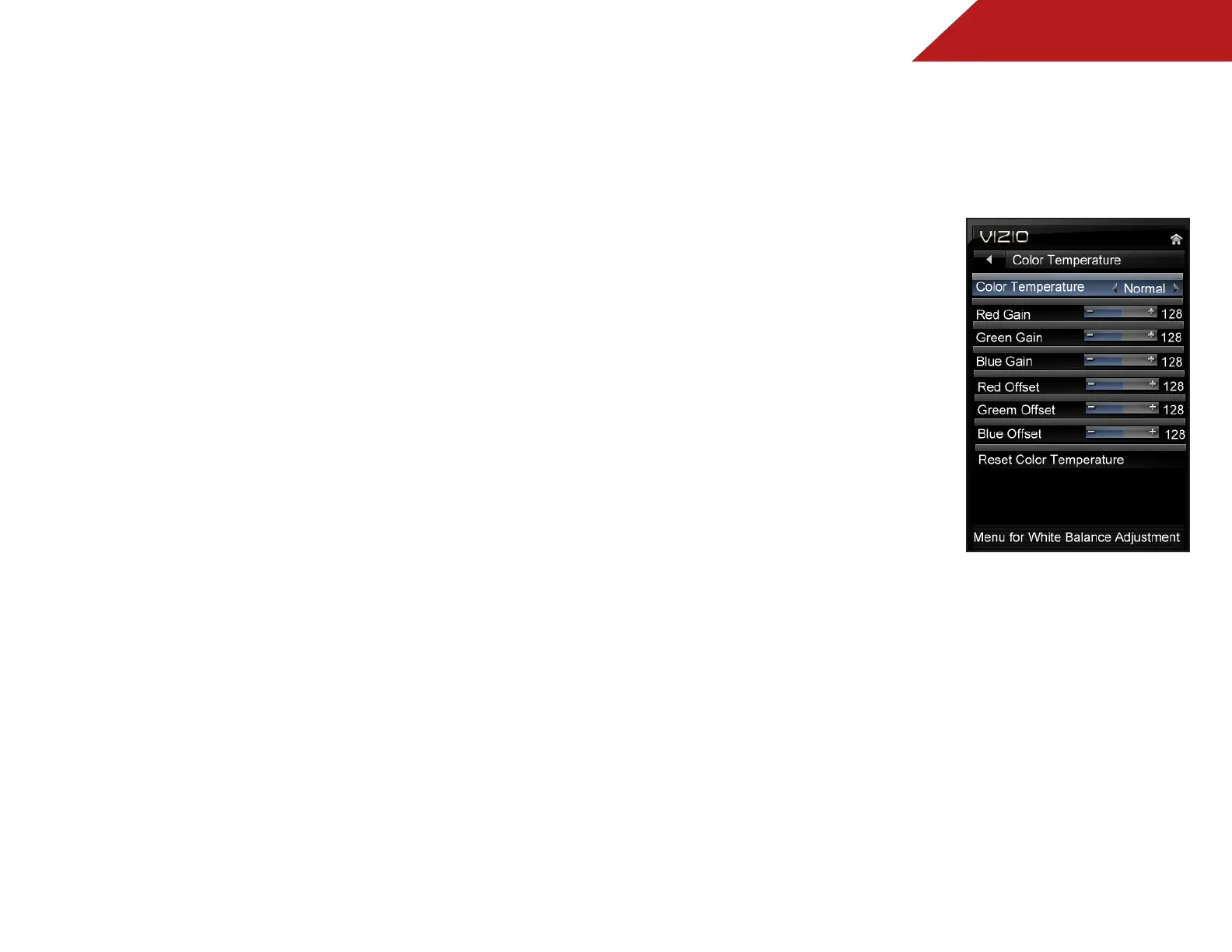
The Color Temperature menu is
displayed.
3. Use the Arrow buttons on
the remote to highlight Color
Temperature, then use the
Left/Right Arrow buttons to
change the color temperature
preset:
• Cool produces a blue-hued
picture.
• Computer optimizes the picture for use as a PC monitor.
• Normal is optimized for television viewing.
• Custom allows you to manually change each of the
color temperature settings:
Red/Green/Blue Gain - Adjusts the amount of each
color in the display.
Red/Green/Blue Offset - Adjusts the position of each
color in the display.
4. If you want to reset the color temperatures to the factory
default settings, highlight Reset Color Temperature and
press OK.
5. When you have finished adjusting the color temperature,
press the EXIT button on the remote.
Bekijk gratis de handleiding van Vizio M320SL, stel vragen en lees de antwoorden op veelvoorkomende problemen, of gebruik onze assistent om sneller informatie in de handleiding te vinden of uitleg te krijgen over specifieke functies.
Productinformatie
| Merk | Vizio |
| Model | M320SL |
| Categorie | Televisie |
| Taal | Nederlands |
| Grootte | 11487 MB |


