
Handleiding
Je bekijkt pagina 26 van 67
3
19
CONNECTING TO A WIRED NETWORK
CONNECTING TO yOUR NETwORk
Your TV is internet-ready. It can be connected to your home
network with a Wired or Wireless connection.
Connecting to a Wired Network (Best)
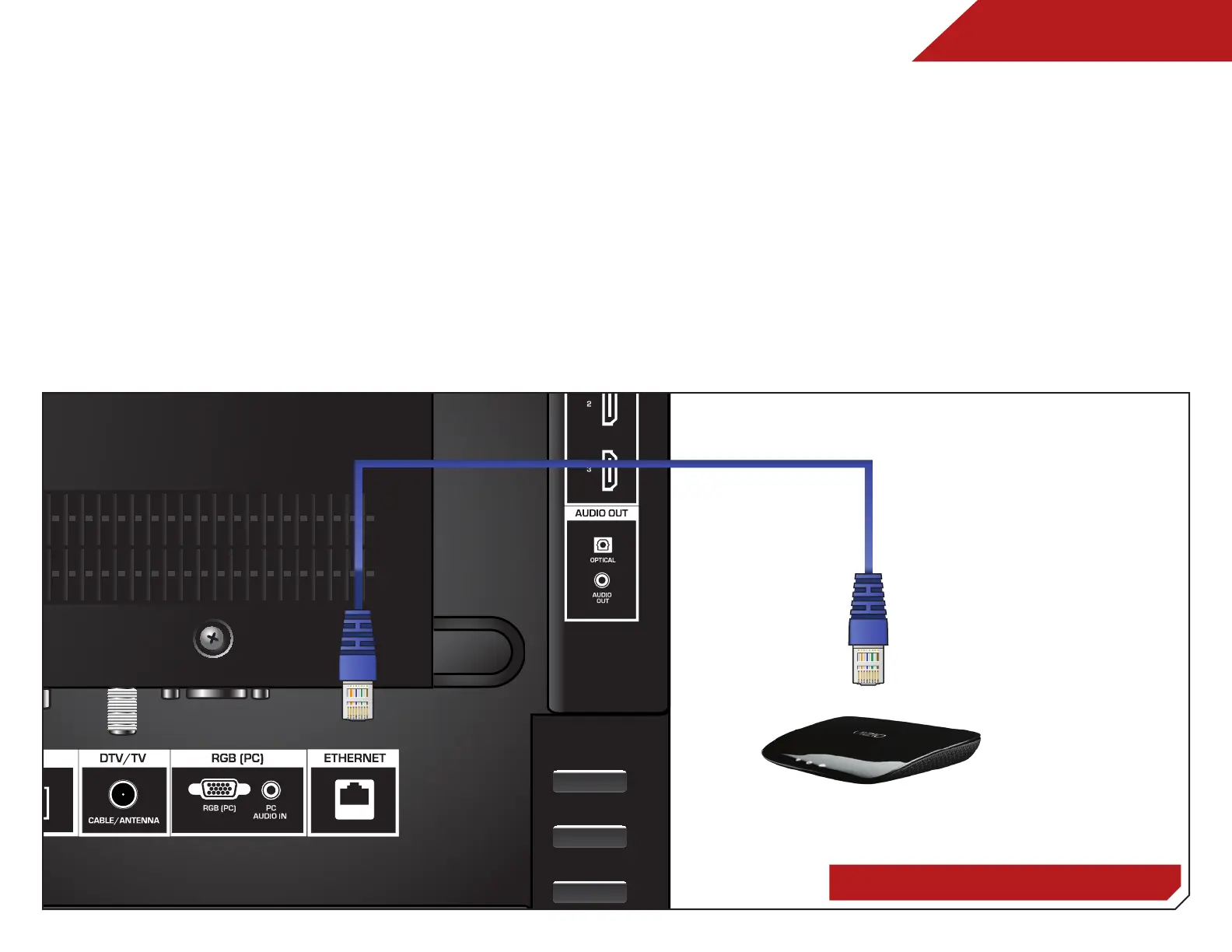
1. Connect an ethernet cable to your router and to the
ethernet port on the back of the TV. See below.
2. Use the Guided Network Setup to configure the TV.
Connecting to your network on page 19
.
Connecting to a Wireless Network
1. Ensure you have a router or modem broadcasting as
high-speed wireless signal (802.11n recommended).
2. Use the Guided Network Setup to configure the TV. See
Ethernet Cable
Router / Modem
Bekijk gratis de handleiding van Vizio M320SL, stel vragen en lees de antwoorden op veelvoorkomende problemen, of gebruik onze assistent om sneller informatie in de handleiding te vinden of uitleg te krijgen over specifieke functies.
Productinformatie
| Merk | Vizio |
| Model | M320SL |
| Categorie | Televisie |
| Taal | Nederlands |
| Grootte | 11487 MB |


