
Handleiding
Je bekijkt pagina 19 van 51
VIZIO VA SERIES User Manual
Version 3/11/2010 19
www.VIZIO.com
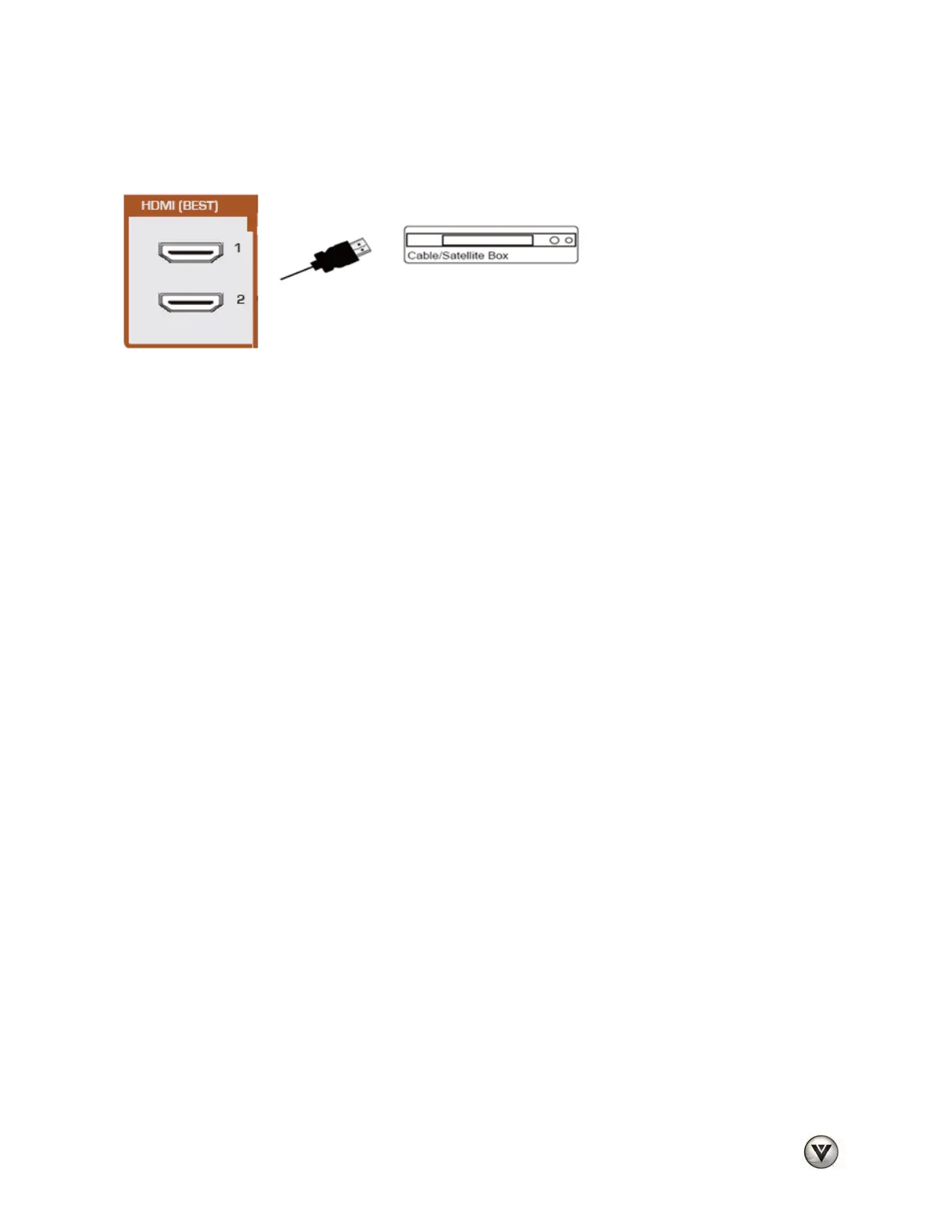
Connecting Your Cable or Satellite Box
Using HDMI (Best)
Cable and Satellite Boxes that have a HDMI digital interface should be connected using HDMI for optimal
results. To maintain image quality, use a VIZIO certified HDMI cable. This cable is available in 6, 15, and
30 foot lengths. See www.VIZIO.com or call 877-MYVIZIO (877-698-4946) for details.
1. Turn off your HDTV and Cable/Satellite Box.
2. Connect an HDMI cable to the HDMI output of your HDTV Set-Top Box and the other end to
either HDMI 1 or HDMI 2 input on your HDTV.
3. Turn on the power to your HDTV and your Cable/Satellite Box.
4. Select HDMI 1 or HDMI 2 using the INPUT button on the remote control, or directly by pressing
the HDMI button on the remote control.
Note:
• The HDMI input on your HDTV supports High-bandwidth Digital Content Protection (HDCP).
HDCP encrypts the transmission between the video source and the digital display for added
security and protection.
• Refer to your Cable/Satellite Set-Top Box user manual for more information about the video
output requirements of the product or consult your cable or satellite operator.
Bekijk gratis de handleiding van Vizio M220VA, stel vragen en lees de antwoorden op veelvoorkomende problemen, of gebruik onze assistent om sneller informatie in de handleiding te vinden of uitleg te krijgen over specifieke functies.
Productinformatie
| Merk | Vizio |
| Model | M220VA |
| Categorie | Televisie |
| Taal | Nederlands |
| Grootte | 8955 MB |


