
Handleiding
Je bekijkt pagina 12 van 51
VIZIO VA SERIES User Manual
12
www.VIZIO.com
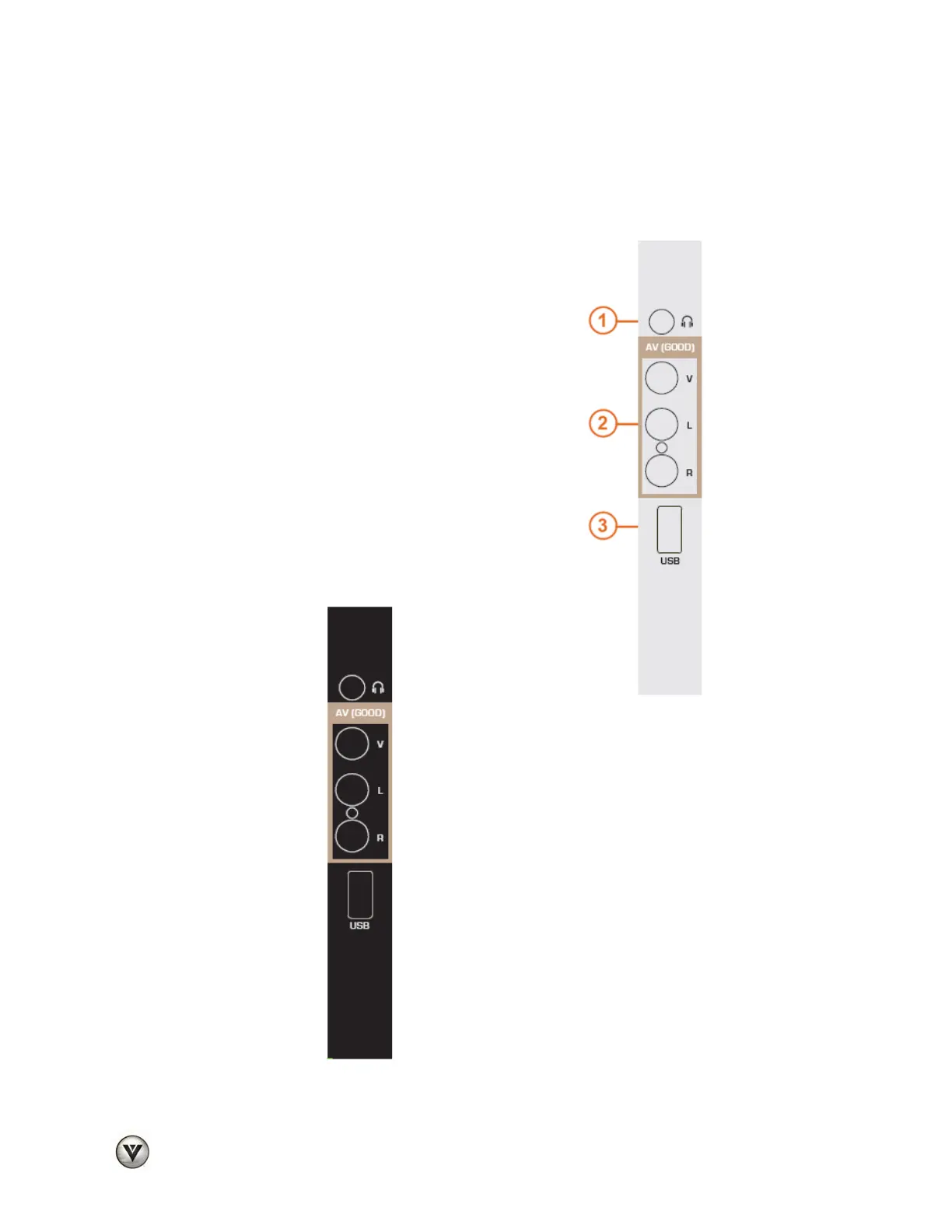
Side Panel Connections
1. HEADPHONES— Connect your personal
headphones here.
2. AV— Connect composite video devices, such as a
VCR or game console. Use the white and red
connectors to connect the external audio from the
same source.
3. USB PORT—Insert a FAT/FAT32 formatted USB
drive to view pictures. This port is also used for
service.
Below picture applies to black color models
Bekijk gratis de handleiding van Vizio M220VA, stel vragen en lees de antwoorden op veelvoorkomende problemen, of gebruik onze assistent om sneller informatie in de handleiding te vinden of uitleg te krijgen over specifieke functies.
Productinformatie
| Merk | Vizio |
| Model | M220VA |
| Categorie | Televisie |
| Taal | Nederlands |
| Grootte | 8955 MB |


