
Handleiding
Je bekijkt pagina 50 van 86
5
44
• %DFNJURXQG&RORU - Change the color of the background
directly behind the text.
• %DFNJURXQG2SDFLW\ - Change the transparency of the
background directly behind the text.
• :LQGRZ&RORU - Change the color of the closed captioning
box.
• :LQGRZ2SDFLW\ - Change the opacity of the closed
captioning box.
4. :KHQ\RXDUHVDWLVȴHGZLWKWKHDSSHDUDQFHRIWKHFORVHG
captions, press the EXIT button on the remote.
Typical choices include:
• Opaque background, transparent window—Only a strip of
background appears behind the text, expanding as the text
appears. This is the typical "As Broadcast" mode.
• Opaque background and window in the same color—When
WH[WDSSHDUVWKHHQWLUHOLQHȴOOVZLWKFRORUDWRQFH
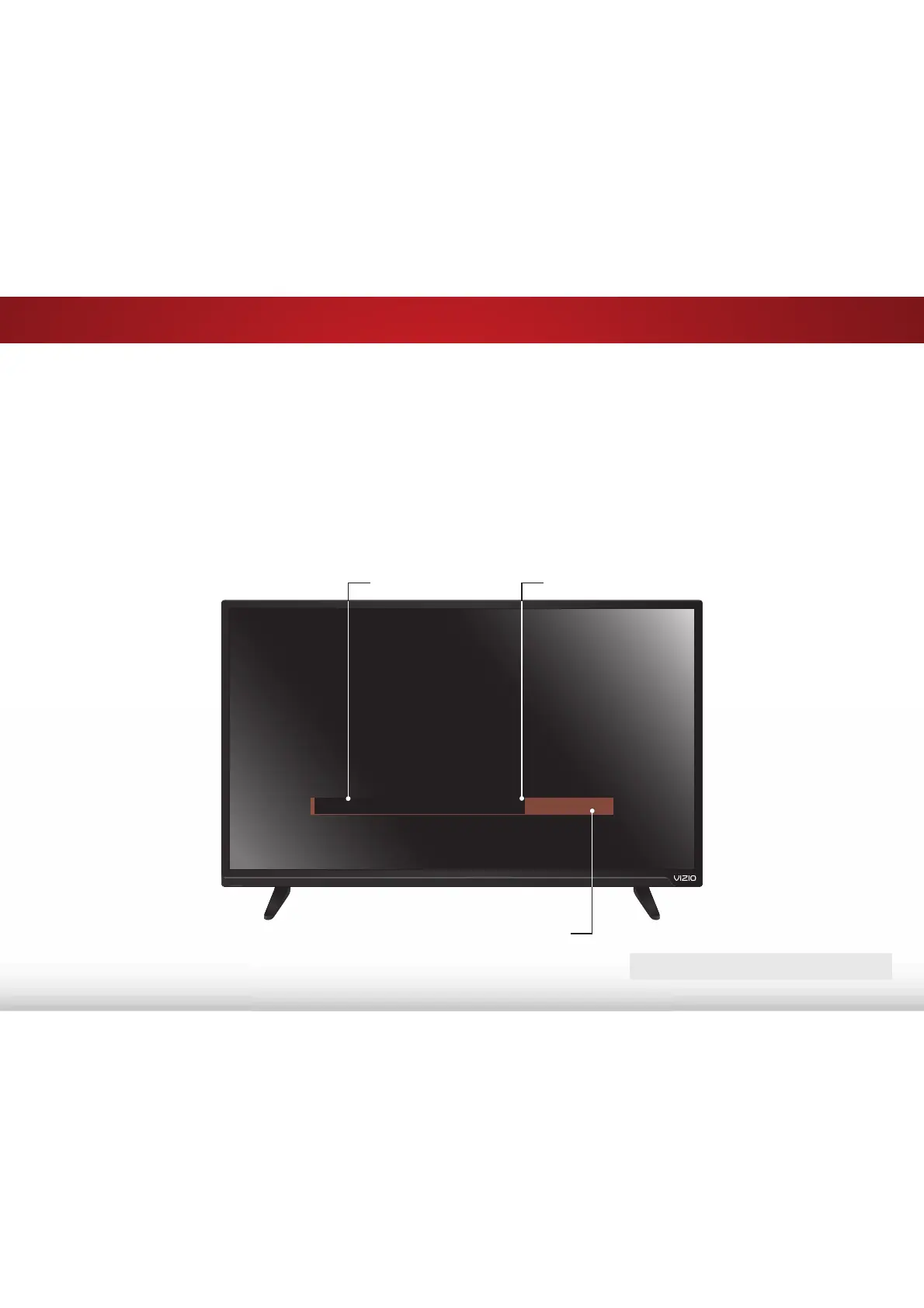
In the example below, the closed caption text is green, the
background is black, and the window is red.
CLOSED CAPTIONS SCREEN
7H[W
:LQGRZ
%DFNJURXQG
CLOSED CAPTION TEXT SAMPLE
Bekijk gratis de handleiding van Vizio E60-C3, stel vragen en lees de antwoorden op veelvoorkomende problemen, of gebruik onze assistent om sneller informatie in de handleiding te vinden of uitleg te krijgen over specifieke functies.
Productinformatie
| Merk | Vizio |
| Model | E60-C3 |
| Categorie | Televisie |
| Taal | Nederlands |
| Grootte | 13880 MB |
Caratteristiche Prodotto
| Kleur van het product | Zwart |
| Gewicht verpakking | 25400 g |
| Breedte verpakking | 1447 mm |
| Diepte verpakking | 172 mm |
| Hoogte verpakking | 902 mm |


