
Handleiding
Je bekijkt pagina 39 van 86
5
33
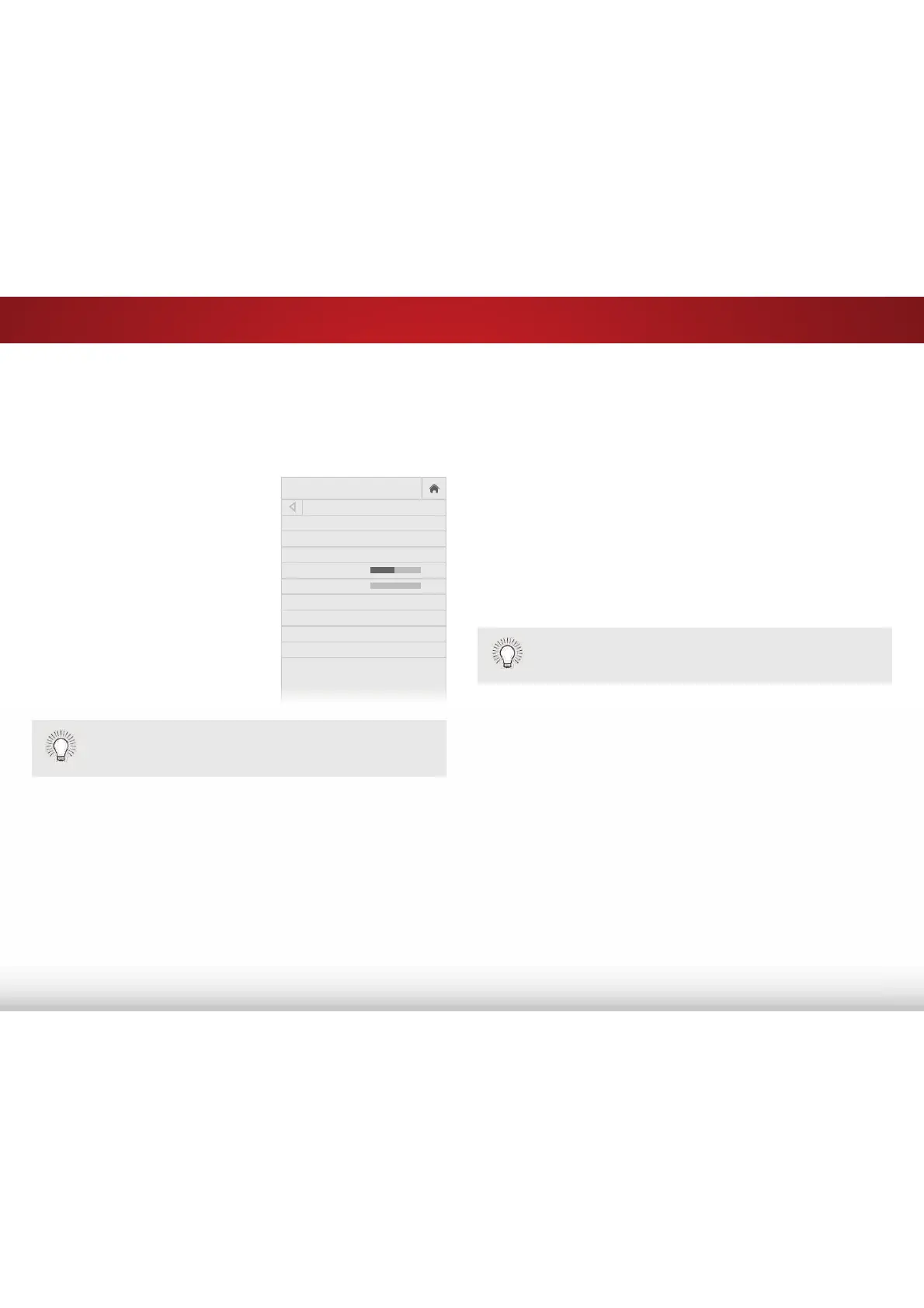
ADJUSTING THE AUDIO SETTINGS
Adjusting audio settings creates a custom audio mode which can be
IXUWKHUPRGLȴHGRUUHVWRUHGWRIDFWRU\GHIDXOWVGHOHWHG
To adjust the audio settings:
1. Press the MENU button on the
remote. The on-screen menu
is displayed.
2. Use the Arrow buttons on the
remote to highlight $XGLR and
press OK. The AUDIO menu
is displayed.
3. Use the Arrow buttons to
highlight the setting you wish
to adjust, then press /HIW5LJKW
Arrow buttons to change
the setting:
• 796SHDNHUV - Turns the
EXLOWLQVSHDNHUVRQRUR
• Surround Sound - Surround sound uses DTS TruSurround
™
to deliver an immersive surround sound experience from
the TV’s internal speakers. TruSurround completes the
entertainment experience by providing deep, rich bass
and by delivering crisp details and clear, intelligible dialog.
Select On or 2.
• 9ROXPH/HYHOLQJ - Volume leveling uses DTS TruVolume
™
to maintain consistent volume levels during transitions
between program content, AV formats, and input sources.
Select On or 2. In a few cases, volume leveling may
DUWLȴFLDOO\VXSSUHVVYROXPHLQFUHDVHVPDNLQJLWGLɝFXOWWR
KHDUGLDORJRUȵDWWHQLQJVXGGHQQRLVHVΖIWKLVRFFXUVWXUQ
VI
ZI
O
AUDIO
TV Speakers On
Surround Sound On
Volume Leveling On
Balance 0
Lip Sync 0
Digital Audio Out PCM
Analog Audio Out Fixed
Equalizer
Delete Audio Mode
-
+
-
+
YROXPHOHYHOLQJR
• Balance - Adjusts the loudness of the audio output from
the left and right speakers.
• /LS6\QF - Adjusts the synchronization between the display
image and the accompanying audio track.
• 'LJLWDO$XGLR2XW - Changes the type of processing for
digital audio out and HDMI ARC output when connected to
a home theater audio system or sound bar. Select PCM or
%LWVWUHDP.
• $QDORJ$XGLR2XW - Sets the volume control properties for
the RCA (red & white) connector when connected to a home
theater audio system. Select 9DULDEOH to control the
external speakers’ volume from the TV’s volume controls, or
select )L[HG to control the external speakers’ volume from
your home theater system controls.
• (TXDOL]HU$GMXVWVWKHERRVWRUDWWHQXDWLRQRIGLHUHQW
frequencies using either preset or custom settings. See
Locking and Unlocking Channels
on page 48.
• 'HOHWH$XGLR0RGH - Restores audio equalizer settings
to the factory defaults by deleting the custom mode
previously created. See
Deleting the Custom Audio Mode
on page 34.
4. :KHQ\RXKDYHȴQLVKHGDGMXVWLQJWKHDXGLRVHWWLQJVSUHVVWKH
EXIT button on the remote.
You must select %LWVWUHDP for audio with more than two
channels (3.0, 5.0, or 5.1, for example).
When the TV speakers are set to On, DTS signals cannot
be passed through digital audio outputs.
Bekijk gratis de handleiding van Vizio E60-C3, stel vragen en lees de antwoorden op veelvoorkomende problemen, of gebruik onze assistent om sneller informatie in de handleiding te vinden of uitleg te krijgen over specifieke functies.
Productinformatie
| Merk | Vizio |
| Model | E60-C3 |
| Categorie | Televisie |
| Taal | Nederlands |
| Grootte | 13880 MB |
Caratteristiche Prodotto
| Kleur van het product | Zwart |
| Gewicht verpakking | 25400 g |
| Breedte verpakking | 1447 mm |
| Diepte verpakking | 172 mm |
| Hoogte verpakking | 902 mm |


