
Handleiding
Je bekijkt pagina 25 van 67
5
19
Using the On-Screen Menu
Your TV features an easy-to-use on-screen menu.
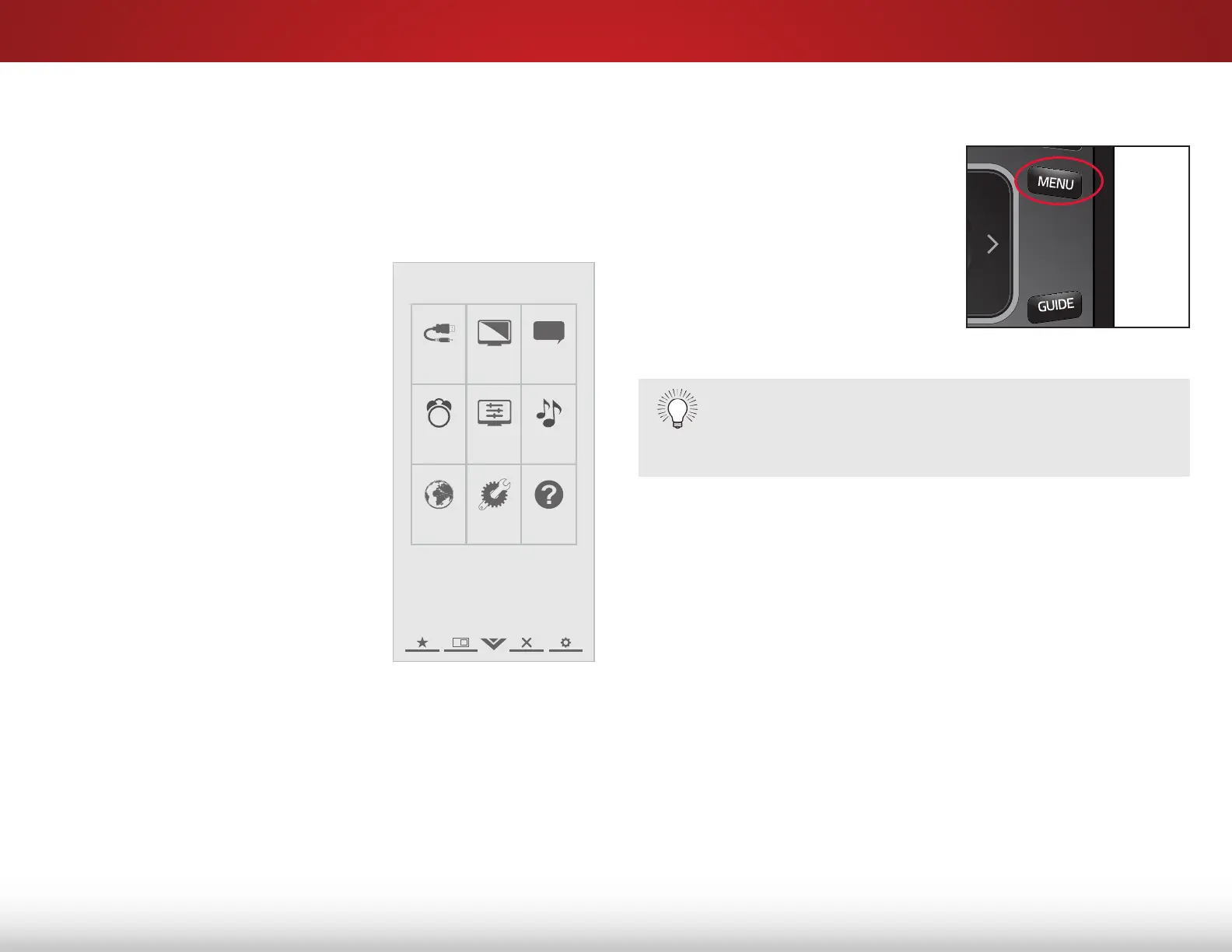
To open the on-screen menu, press the MENU button on the
remote. You can also open the on-screen menu by pressing the
VIA button and selecting HDTV SETTINGS from the VIA Dock, then
pressing OK.
From this menu, you can:
• Change the input source
• Change the screen aspect
ratio
• Set up closed captioning
• Activate the sleep timer
• Adjust the picture settings
• Adjust the audio settings
• Adjust the network settings
• Change TV settings
• Access the help menu
NavigatiNg the ON-ScreeN MeNu
To open the on-screen menu, press
the MENU button on the remote.
Use the Arrow buttons to highlight
a menu option, and press the OK
button to select that option.
While navigating the on-screen menu, you can press
the BACK button at any time to return to the previous
menu screen. The EXIT button will close the on-screen
menu.
Help
VIZIO
Network
Sleep
Timer
Input CC
ABC
Audio
Wide
Normal
Picture
Settings
PanoramicWide Zoom
2D 3DExit
Bekijk gratis de handleiding van Vizio E551i-A2, stel vragen en lees de antwoorden op veelvoorkomende problemen, of gebruik onze assistent om sneller informatie in de handleiding te vinden of uitleg te krijgen over specifieke functies.
Productinformatie
| Merk | Vizio |
| Model | E551i-A2 |
| Categorie | Televisie |
| Taal | Nederlands |
| Grootte | 9150 MB |
Caratteristiche Prodotto
| Kleur van het product | Zwart |
| Gewicht verpakking | 23140 g |
| Breedte verpakking | 1392 mm |
| Diepte verpakking | 147 mm |
| Hoogte verpakking | 838 mm |


