
Handleiding
Je bekijkt pagina 57 van 76
3
57
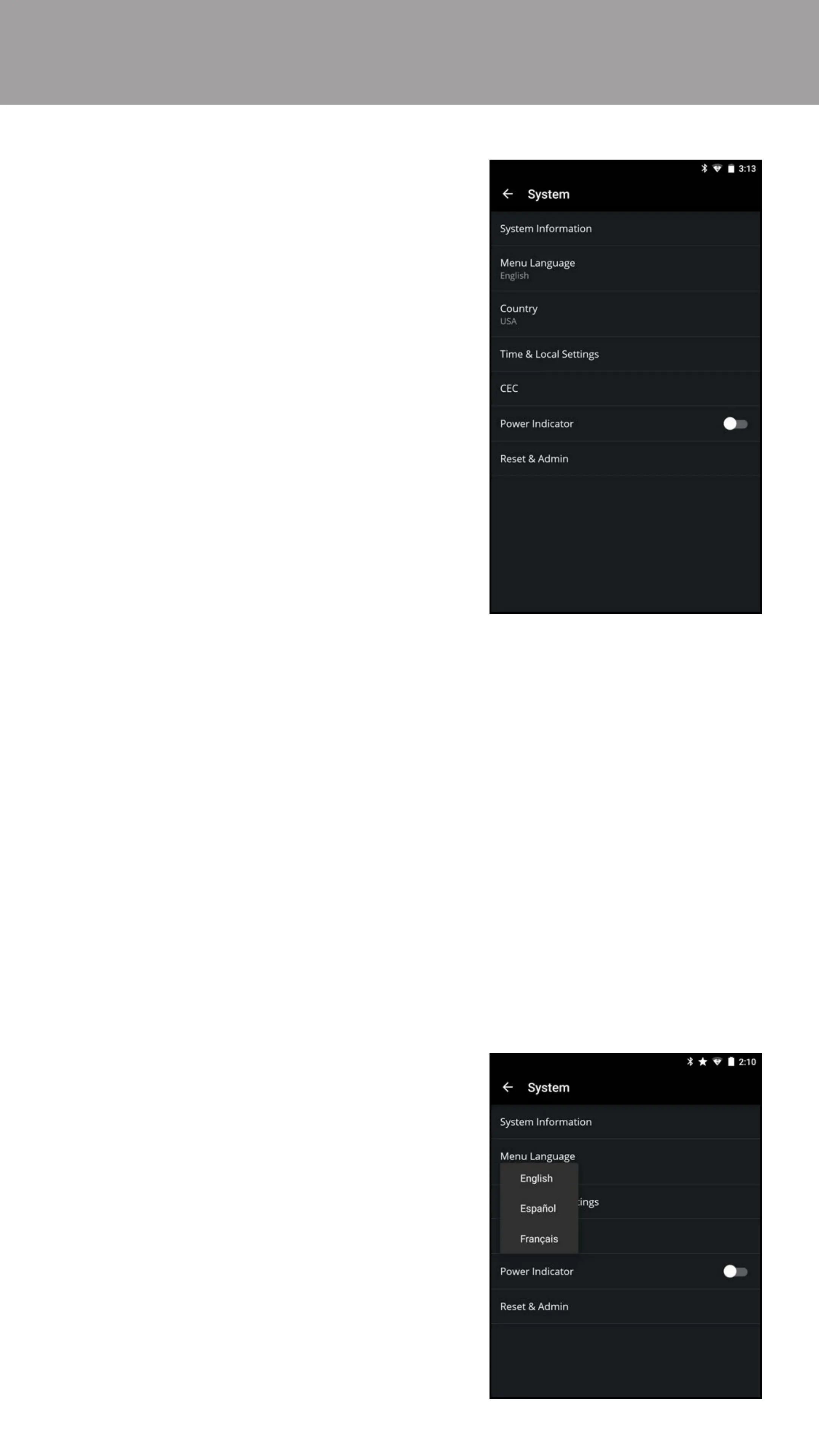
Using the System menu, you can:
• View system information
• Change the on-screen menu
language
• Set country
• Set time zone and local settings
• Adjust CEC settings
• Adjust when the power indicator is
illuminated
• Reset the TV Settings & set up
administrative controls
• From the System menu, tap System Information. The System
Information menu is displayed.
• System Information
• Tuner Information
• Network Information
• ULI Information
• Service Reset - For service technician use only
• Service Check - For service technician use only
Viewing System Information
To view a summary of the TV Settings:
1. From the System menu, tap
Menu Language.
2. Tap on your preferred language
(English, Español, or Français).
Your TV can display the on-screen menu in dierent languages.
Changing the On-Screen Menu Language
To change the on-screen menu language:
Bekijk gratis de handleiding van Vizio E55-D0, stel vragen en lees de antwoorden op veelvoorkomende problemen, of gebruik onze assistent om sneller informatie in de handleiding te vinden of uitleg te krijgen over specifieke functies.
Productinformatie
| Merk | Vizio |
| Model | E55-D0 |
| Categorie | Televisie |
| Taal | Nederlands |
| Grootte | 77325 MB |
Caratteristiche Prodotto
| Kleur van het product | Zwart |
| Omgevingslichtsensor | Ja |
| Aan/uitschakelaar | Ja |
| Afstandsbediening | XRT133 |
| Beeldschermdiagonaal | 54.6 " |


