
Handleiding
Je bekijkt pagina 50 van 68
6
43
Using the USB Media Player
USING THE USB MEDIA PLAYER
The USB Media Player allows you to connect a USB thumb drive to
your TV and play music or photos.
Connecting a USB Thumb Drive to the TV
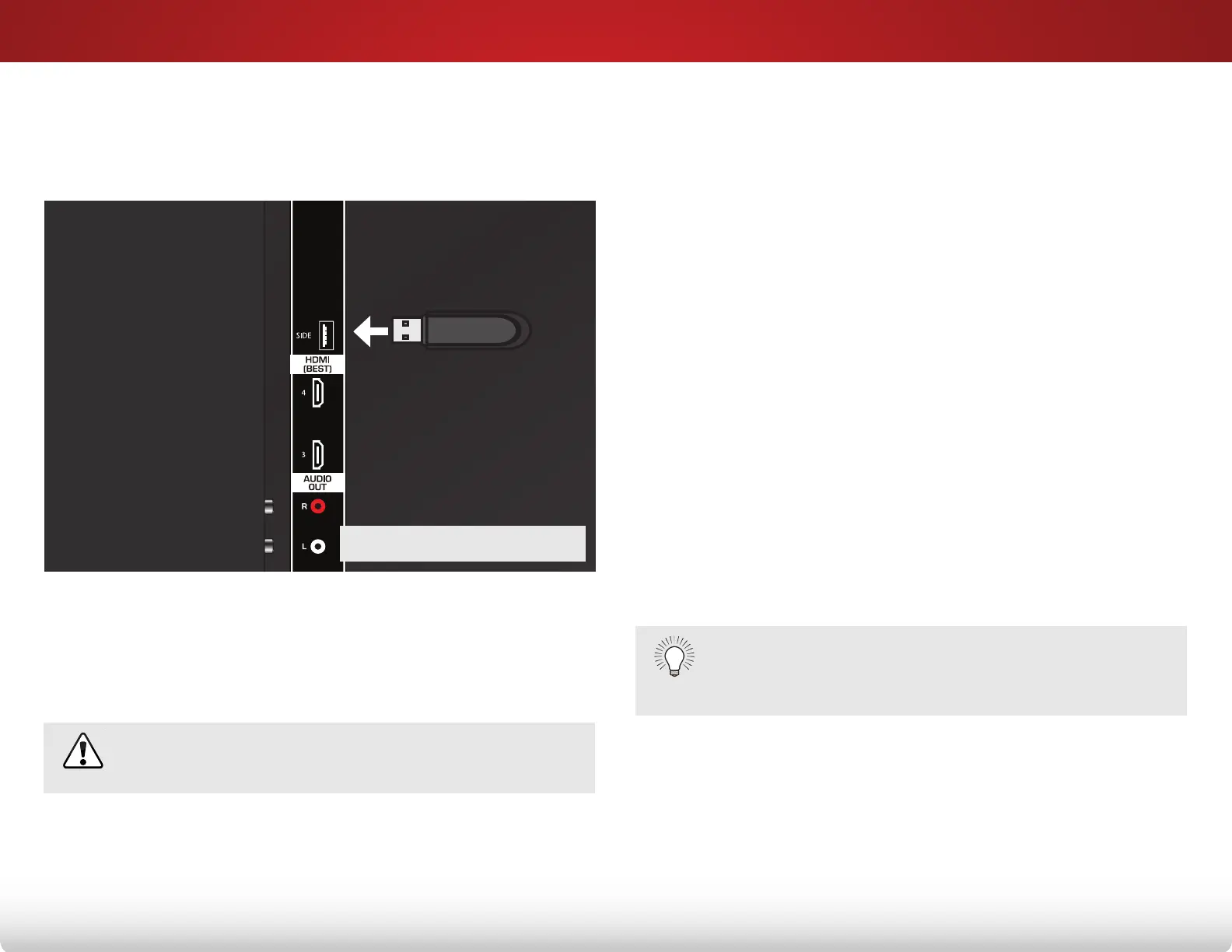
1. Turn the TV off. Connect your USB thumb drive to the USB port
on the back of the TV.
2. Press the Power/Standby button on the remote or touch the
Power control on the side of the TV to turn it on.
Playing USB Media
To play USB media, you must first save your music or images onto
a USB thumb drive.
Remember:
• The USB thumb drive must be formatted as FAT32.
• Files on the USB thumb drive must end in a supported file
extension (.mp3, .jpg, etc).
• The player is not designed to play media from external
hard drives or mp3 players.
To play your USB media:
1. Connect your USB thumb drive to the USB port on the side of
the TV.
2. Highlight the Media App and press OK. The Media App
launches.
3. Highlight your USB device in the list and press OK.
4. Highlight the type of media you wish to display: Audio or
Photo. Press OK.
5. Use the Arrow buttons to highlight the file you want to
display. Press OK. The file plays.
You can display your photos in fullscreen. Select the
photo, press OK, then highlight Fullscreen and press
OK.
USB PORT
Do not remove the USB thumb drive while the TV is on.
Doing so may damage the drive.
Bekijk gratis de handleiding van Vizio E500d-A0, stel vragen en lees de antwoorden op veelvoorkomende problemen, of gebruik onze assistent om sneller informatie in de handleiding te vinden of uitleg te krijgen over specifieke functies.
Productinformatie
| Merk | Vizio |
| Model | E500d-A0 |
| Categorie | Televisie |
| Taal | Nederlands |
| Grootte | 9517 MB |
Caratteristiche Prodotto
| Kleur van het product | Zwart |
| Gewicht verpakking | 16422 g |
| Breedte verpakking | 1189 mm |
| Diepte verpakking | 150 mm |
| Hoogte verpakking | 815 mm |


