
Handleiding
Je bekijkt pagina 16 van 68
2
9
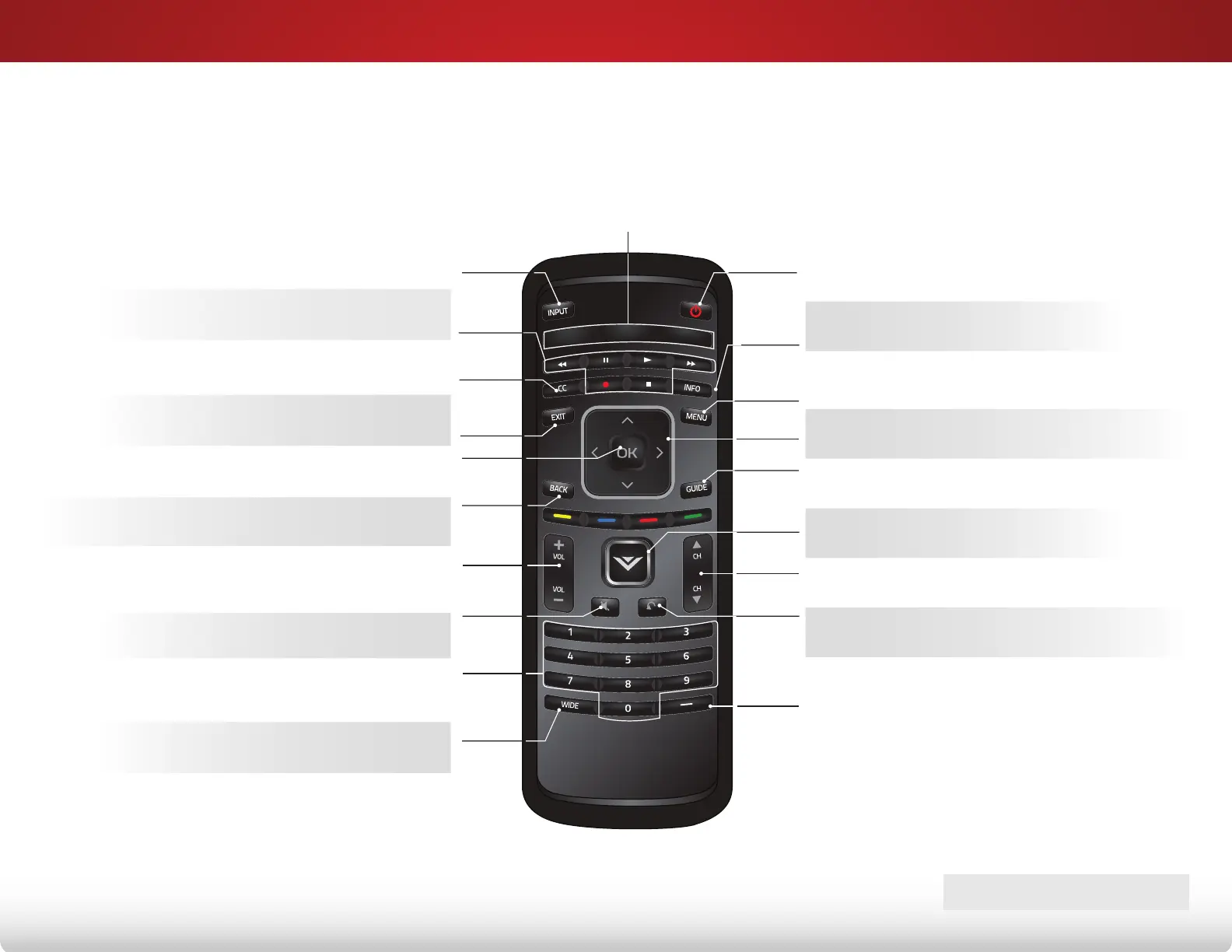
remote Control
InPut
Change the currently-displayed input.
arrow
Navigate the on-screen menu.
exIt
Close the on-screen menu.
Closed CaPtIons
Open the closed caption menu.
a/V Controls
Control USB media player.
wIde
Change the display mode.
mute
Turn the audio off or on.
BaCk
Go to the previous on-screen menu.
Power
Turn TV on or off.
menu
Display the on-screen menu.
InFo
Display the info window.
dash
Use with number pad to manually
enter a digital sub-channel. (For
example, 18-4 or 18-5.)
Channel uP/down
Change the channel.
GuIde
Display the info window.
last
Return to the channel last viewed.
numBer Pad
Manually enter a channel.
Volume uP/down
Increase or decrease loudness of
the audio.
ok
Select the highlighted menu option.
V Button
Open the VIA dock.
aPP launCher
Quickly launch the pictured app.
REMOTE COnTROl
Bekijk gratis de handleiding van Vizio E500d-A0, stel vragen en lees de antwoorden op veelvoorkomende problemen, of gebruik onze assistent om sneller informatie in de handleiding te vinden of uitleg te krijgen over specifieke functies.
Productinformatie
| Merk | Vizio |
| Model | E500d-A0 |
| Categorie | Televisie |
| Taal | Nederlands |
| Grootte | 9517 MB |
Caratteristiche Prodotto
| Kleur van het product | Zwart |
| Gewicht verpakking | 16422 g |
| Breedte verpakking | 1189 mm |
| Diepte verpakking | 150 mm |
| Hoogte verpakking | 815 mm |


