
Handleiding
Je bekijkt pagina 29 van 76
3
29
Note: The images shown here are for illustrative purposes only and may be subject to change. The actual on-screen image and text may vary, depending on the model.
WATCHING LIVE TV
*
If you have a cable, satellite, or over-the-air TV connection, you can use the VIZIO
SmartCast App to search, discover, and browse live TV channels.
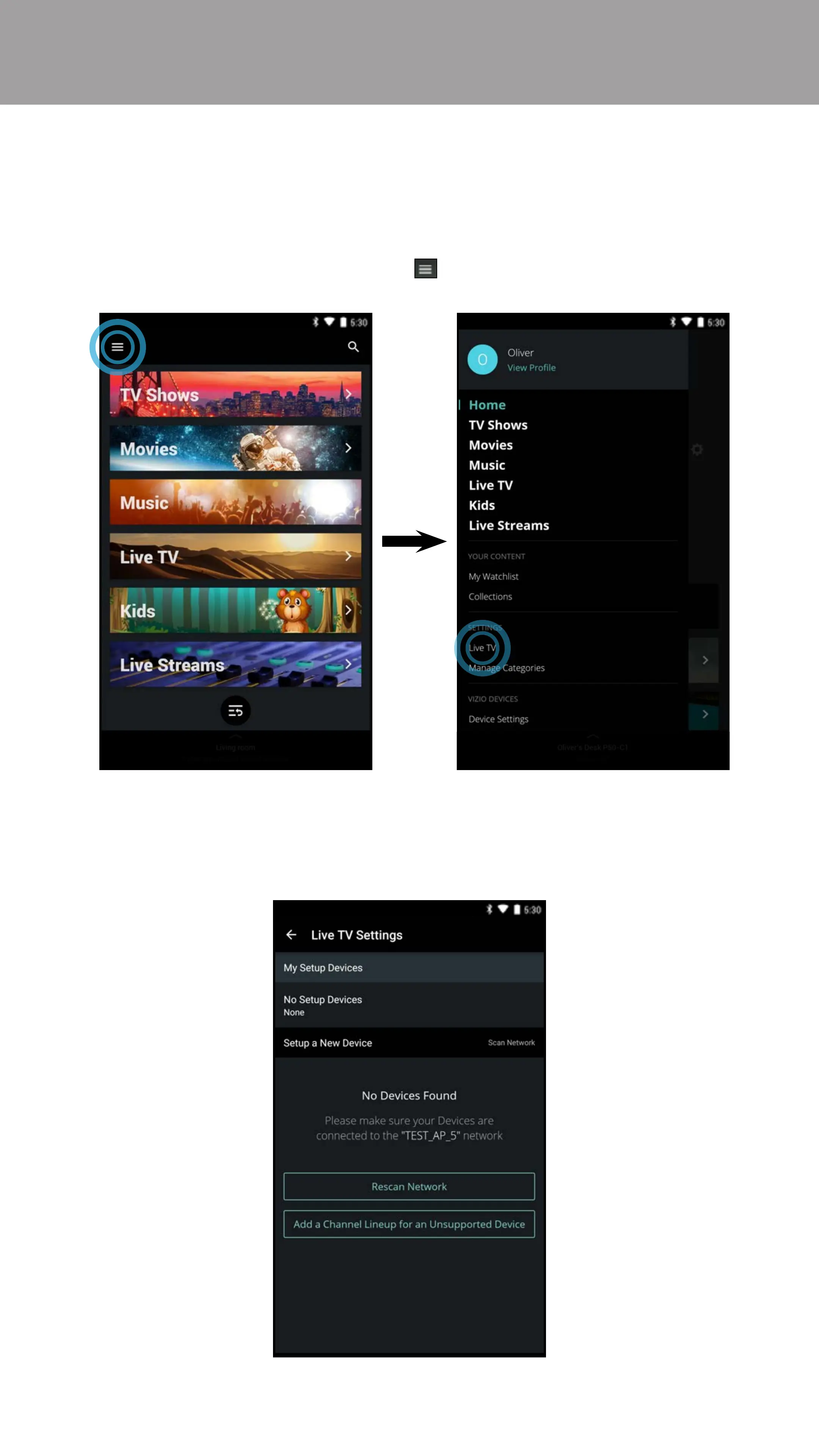
To set up a TV connection to the SmartCast App:
* Live TV listings compatible with IP-based set-top boxes from DirecTV and Dish Network services, with more services to be added.See vizio.com/smartcast for details.
1. From the Home page, tap on the button and select Live TV.
2. The VIZIO SmartCast App automatically scans for any devices on the same
network. Select your device from the list. If your device is not found, try
rescanning by tapping Rescan Network or add your device manually by
tapping Add a Channel Lineup for an Unsupported Device.
Bekijk gratis de handleiding van Vizio E48-D0, stel vragen en lees de antwoorden op veelvoorkomende problemen, of gebruik onze assistent om sneller informatie in de handleiding te vinden of uitleg te krijgen over specifieke functies.
Productinformatie
| Merk | Vizio |
| Model | E48-D0 |
| Categorie | Televisie |
| Taal | Nederlands |
| Grootte | 77325 MB |
Caratteristiche Prodotto
| Kleur van het product | Zwart |
| Gewicht verpakking | 15082 g |
| Breedte verpakking | 1180.08 mm |
| Diepte verpakking | 143 mm |
| Hoogte verpakking | 753.11 mm |


