
Handleiding
Je bekijkt pagina 12 van 45
2
4
Controls and Connections
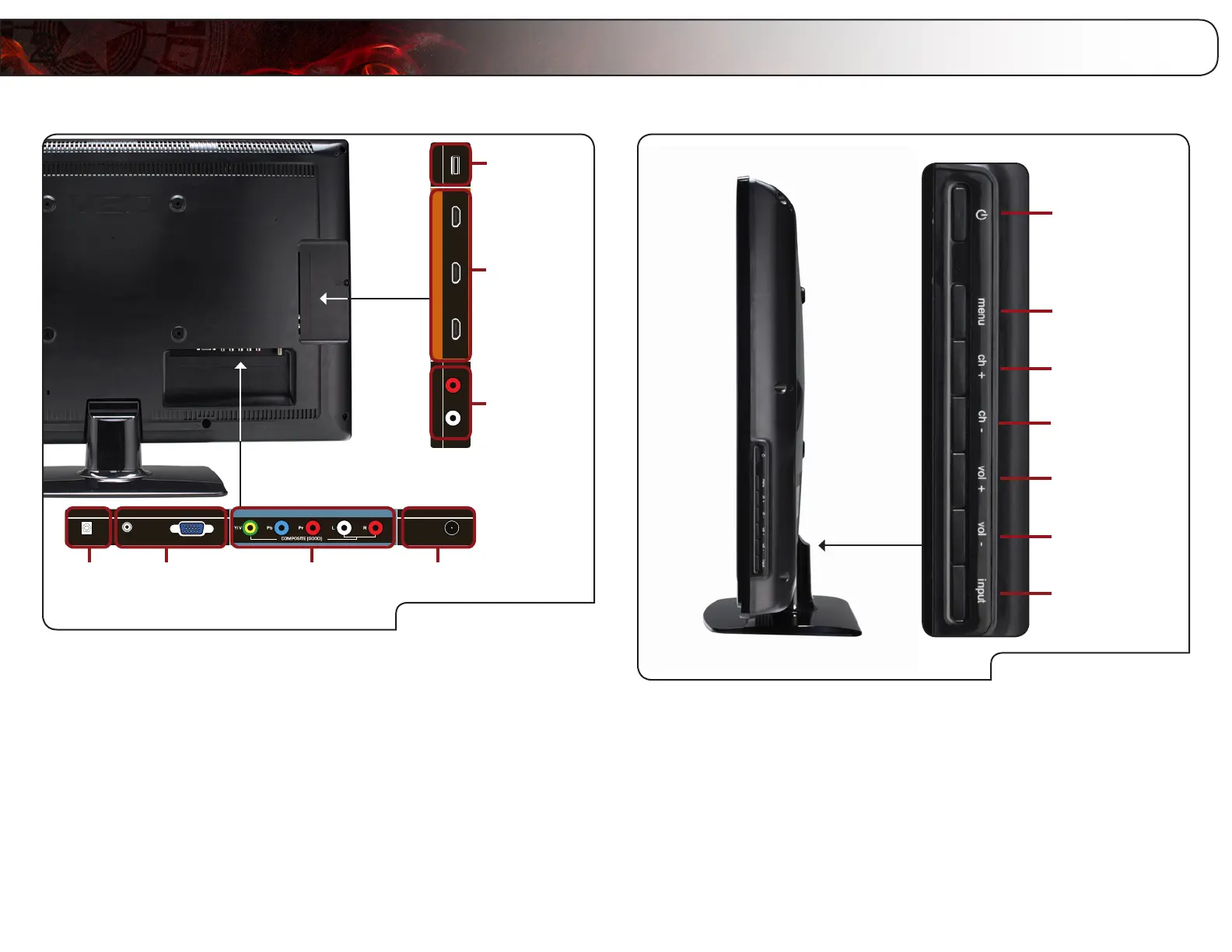
Right Side Panel
Right Side Panel
Power
Menu
Channel Up
Volume Up
Channel Down
Volume Down
Input
Power: Turn the TV on or off.
Menu: Display on-screen menu.
Channel Up/Down: Change the channel.
Volume Up/Down: Increase or decrease the loudness of the TVs audio.
Input: Change the input device. With each press of the
button, the TV will display a different input source.
Rear Panel
Rear Panel
Component/
Composite
Digital
Audio Out
RGB PCOPTICAL
PC
AUDIO CABLE / ANTENNA
COMPONENT(BETTER)
DTV / TV
AUDIO OUT RGB PC
DTV/TVRGB PC
1
3
2
HDMI(BEST)
USB
USBAUDIO OUT
R
L
USB
HDMI (1,2,3)
RCA Audio Out
USB: Connect a USB thumb drive to view photos.
HDMI (1,2,3): Connect HDMI devices.
RCA Audio Out: Connect RCA audio device (soundbar, receiver, etc).
DTV/TV: Connect RF/Coaxial connector from cable, antenna, or
satellite box.
Component/
Composite:
Connect component or composite video/audio device.
When using composite, use only yellow, white, and red
ports.
RGB PC: Connect RGB cable from computer. Use 3.5mm port to
connect PC audio.
Digital Audio Out: Connect SPDIF/Optical audio device (soundbar, re-
ceiver, etc).
Bekijk gratis de handleiding van Vizio E460ME, stel vragen en lees de antwoorden op veelvoorkomende problemen, of gebruik onze assistent om sneller informatie in de handleiding te vinden of uitleg te krijgen over specifieke functies.
Productinformatie
| Merk | Vizio |
| Model | E460ME |
| Categorie | Televisie |
| Taal | Nederlands |
| Grootte | 16914 MB |


