
Handleiding
Je bekijkt pagina 9 van 48
1
1
Installing the TV
Inspecting the Package Contents
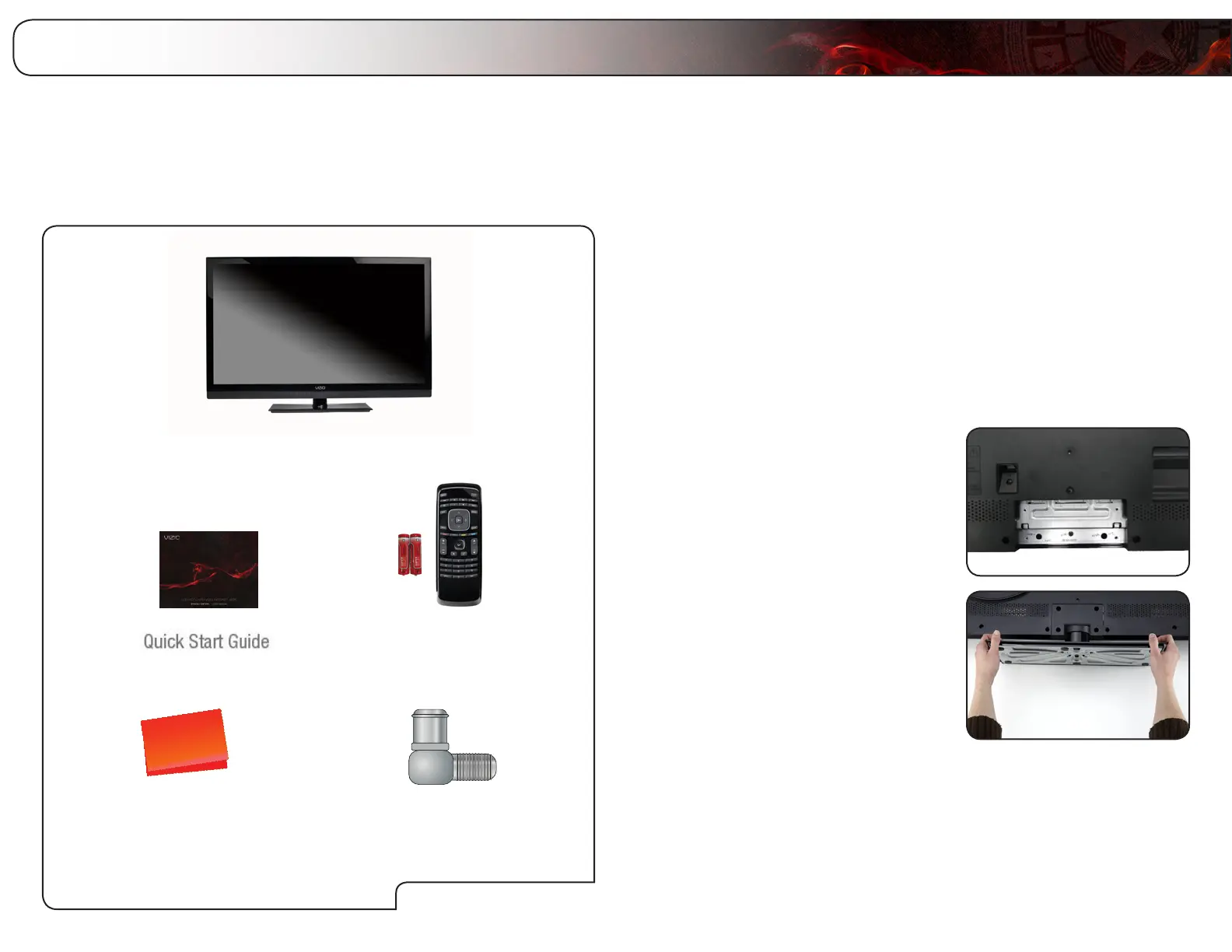
Before installing your new TV, take a moment to inspect the package contents.
Use the images below to ensure nothing is missing or damaged.
When you have completed your inspection, install the TV.
Cleaning Cloth
Remote Control with
Batteries
User Manual and
Quick Start Guide
VIZIO LCD HDTV with Stand
Installing the TV
After removing the TV from the box and inspecting the package contents you can
begin installing the TV. Your TV can be installed in two ways:
• Onaatsurface,usingtheincludedstand
• Onawall,usingaVESA-standardwallmount(notincluded)
Installing the TV Stand
Your TV includes a stand designed to support the weight of the TV and keep it
from falling over. However, the TV can still fall over if:
• Itisplacedonanuneven,unstable,ornon-levelsurface
• Itispushed,pulled,orotherwiseimproperlymoved
• IfanearthquakeoccursandtheTVisnotproperlysecured
To install the TV stand:
1. Place the TV screen-down on a clean,
flat surface. To prevent scratches or
damage to the screen, place the TV on
a soft surface, such as carpet, rug, or
blanket.
2. Place the base against the back of the
TV as shown.
PackageContents
RF Adapter
Bekijk gratis de handleiding van Vizio E420VT, stel vragen en lees de antwoorden op veelvoorkomende problemen, of gebruik onze assistent om sneller informatie in de handleiding te vinden of uitleg te krijgen over specifieke functies.
Productinformatie
| Merk | Vizio |
| Model | E420VT |
| Categorie | Televisie |
| Taal | Nederlands |
| Grootte | 17802 MB |
Caratteristiche Prodotto
| Kleur van het product | Zwart |
| Kinderslot | Nee |
| Gebruikershandleiding | Ja |
| LED-indicatoren | Ja |
| Bluetooth | Nee |


