
Handleiding
Je bekijkt pagina 34 van 48
26
6
E320VT/E370VT/E420VT
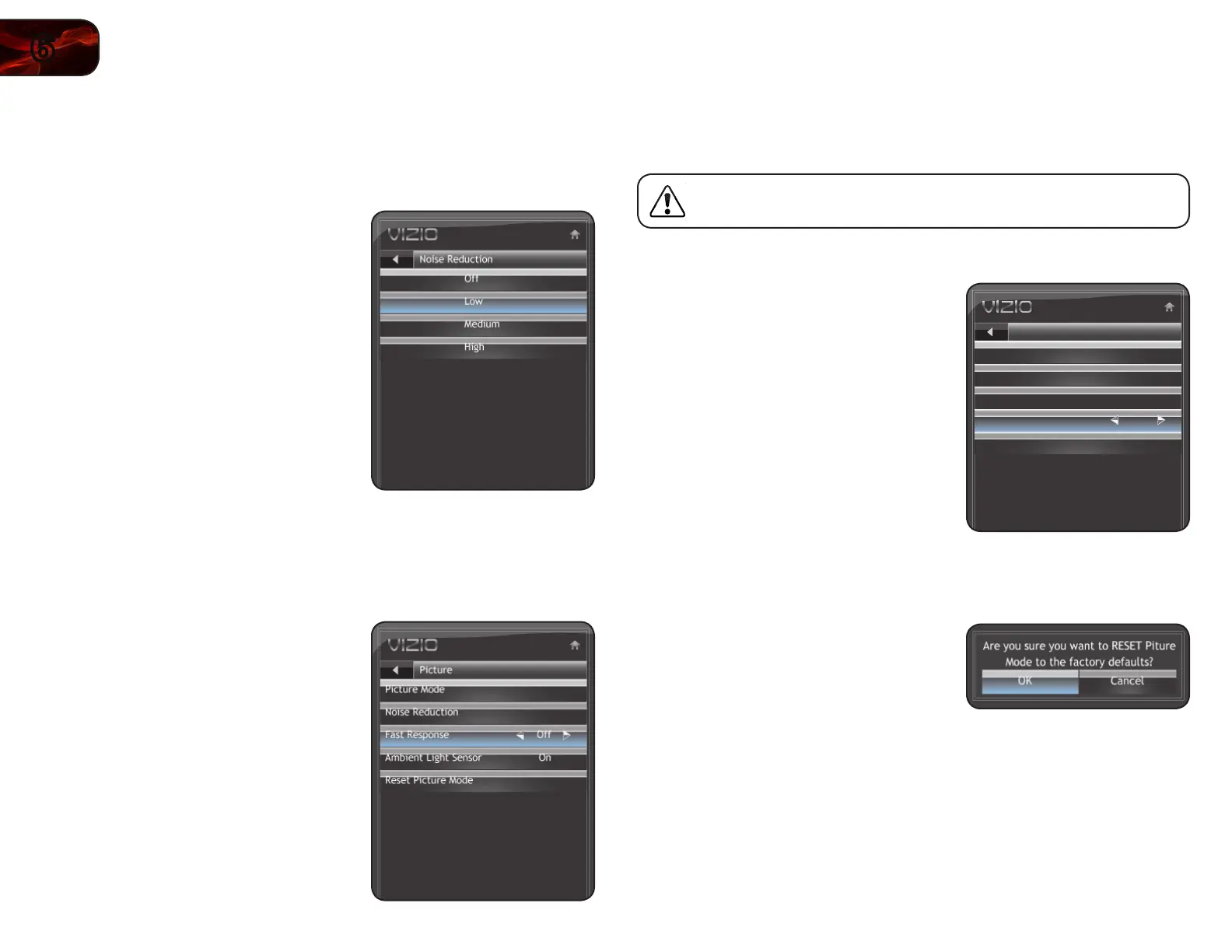
Adjusting the Noise Reduction Setting
Noise reduction diminishes artifacts such as “blockiness” or “pixellation”. When
activated, the resulting picture usually has softer edges.
To adjust the noise reduction setting:
1. Press the OK button on the remote.
The on-screen menu is displayed.
2. Use the Arrow buttons to highlight
Picture and press OK.
3. Use the Arrow buttons to highlight
Noise Reduction and press
OK.
4. Use the Arrow buttons to highlight Off,
Low, Medium, or High, then press
OK.
5. Press EXIT.
Enabling or Disabling Fast Response
Enabling the Fast Response setting can often improve PC and console gaming
experiences.
To enable or disable Fast Response:
1. Press the OK button on the remote.
The on-screen menu is displayed.
2. Use the Arrow buttons to highlight
Picture and press OK.
3. Use the Arrow buttons to highlight
Fast Response.
4. Use the Left/Right Arrow buttons to
change the setting to Off or On.
5. Press EXIT.
Enabling or Disabling the Ambient Light Sensor
When enabled, the ambient light sensor detects the light levels in the room to
optimize the brightness of the TV’s backlight.
When the ambient light sensor is enabled, you will be unable to
manually change the TV’s brightness settings.
To enable or disable the ambient light sensor:
1. Press the OK button on the remote.
The on-screen menu is displayed.
2. Use the Arrow buttons to highlight
Picture and press OK.
3. Use the Arrow buttons to highlight
Ambient Light Sensor.
4. Use the Left/Right Arrow buttons to
change the setting to High, Low, or
Off.
5. Press EXIT.
Resetting the Picture Settings
To restore the TV’s picture settings to the factory defaults:
1. Press the OK button on the remote.
The on-screen menu is displayed.
2. Use the Arrow buttons to highlight
Picture and press OK.
3. Use the Arrow buttons to highlight
Reset Picture Mode, then press OK.
4. Use the Arrow buttons to highlight OK
and press OK.
5. Press EXIT.
Picture
Picture Mode
High
Noise Reduction
Fast Response
Ambient Light Sensor
Reset Picture Mode
EXITLAST
Ambient Light Sensor
Bekijk gratis de handleiding van Vizio E420VT, stel vragen en lees de antwoorden op veelvoorkomende problemen, of gebruik onze assistent om sneller informatie in de handleiding te vinden of uitleg te krijgen over specifieke functies.
Productinformatie
| Merk | Vizio |
| Model | E420VT |
| Categorie | Televisie |
| Taal | Nederlands |
| Grootte | 17802 MB |
Caratteristiche Prodotto
| Kleur van het product | Zwart |
| Kinderslot | Nee |
| Gebruikershandleiding | Ja |
| LED-indicatoren | Ja |
| Bluetooth | Nee |


