
Handleiding
Je bekijkt pagina 15 van 48
3
7
Connecting Your Devices
Your HDTV can be easily connected to an external device:
• DVDorBlu-Rayplayer
• Videogameconsole
• Cablebox
• Externalantenna
• Orotherdevice
Before You Begin
To connect a device to the HDTV:
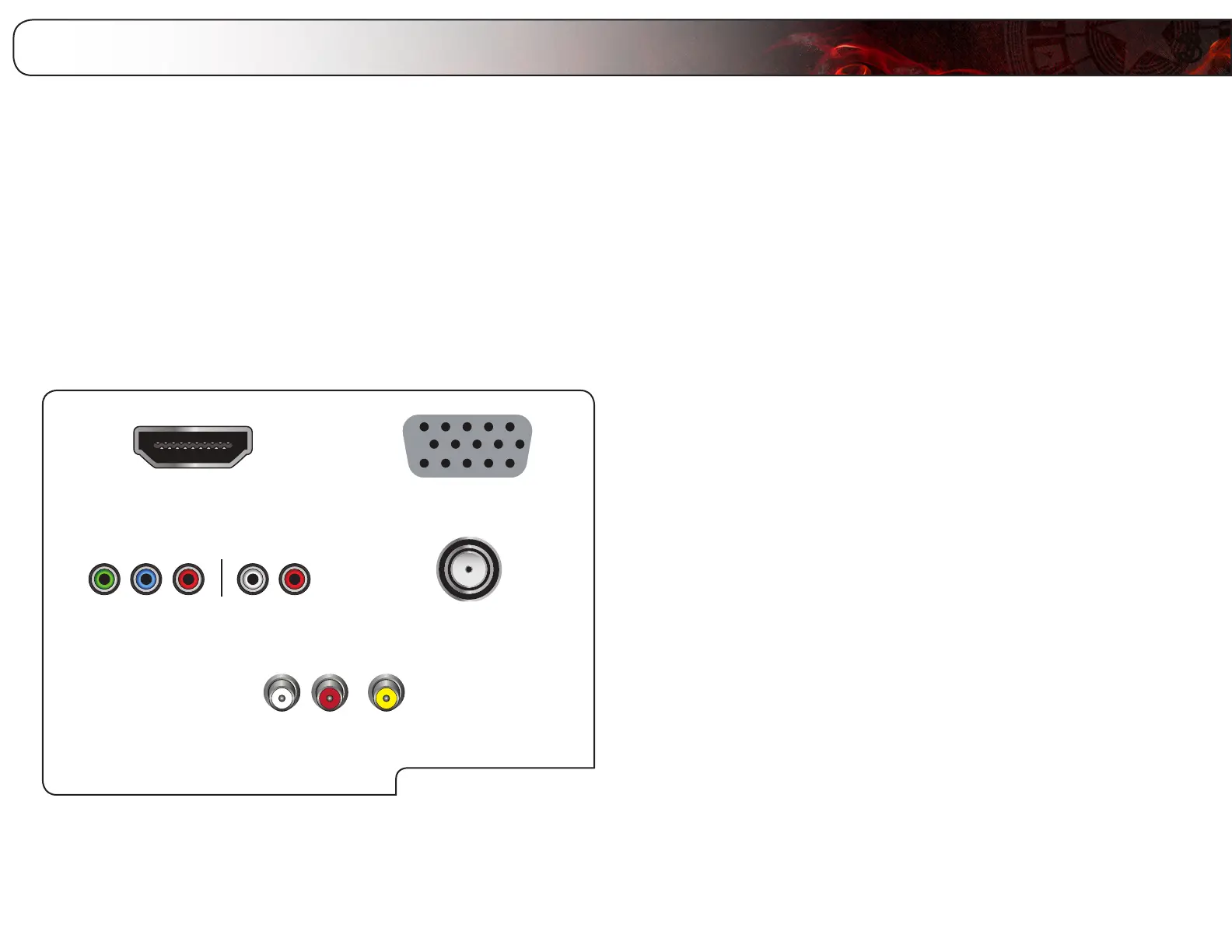
1. Verify that the device has one of the following types of video ports
available:
RequiredDevicePorts
HDMI RGB
RF/AntennaComponent
CompositeAV
2. Ensure the TV has a matching port available.
3. Ensure you have a cable that matches the available port. For example, if
you are connecting a Blu-ray player with an HDMI port, be sure you have
an HDMI cable.
Connecting Your Devices
Once you have determined the best available connection type on both your
device and the TV, ensure you have the corresponding cable.
To connect a device to the TV:
1. Ensure both the TV and your device are off.
2. Connect the device and the TV. Use the best available connection. See the
Device Connection Chart on the next page.
Ensure each end of the cable is securely connected.
3. Turn the TV on by pressing the Power/Standby button on the remote.
4. Turn your device on.
5. When you are ready to use your newly connected device, press the INPUT
button on the remote and select the connection type (HDMI, RGB, etc) from
the on-screen menu. Press OK.
6. Check the list of devices/connection types below for special instructions:
• CableTV(withoutcablebox/directlyfromwall)
Performachannelscan.See
ScanningforChannels
onpage13.
• RGB
MakesurethedesktopresolutiononthePCissetto1920x1080.Set
theScreenModetoNormal.
• DVDPlayerwithDVI
BecauseDVIhasnoaudio,usethe3.5mmorOpticalaudiooutporton
thebackoftheTV.
Bekijk gratis de handleiding van Vizio E420VT, stel vragen en lees de antwoorden op veelvoorkomende problemen, of gebruik onze assistent om sneller informatie in de handleiding te vinden of uitleg te krijgen over specifieke functies.
Productinformatie
| Merk | Vizio |
| Model | E420VT |
| Categorie | Televisie |
| Taal | Nederlands |
| Grootte | 17802 MB |
Caratteristiche Prodotto
| Kleur van het product | Zwart |
| Kinderslot | Nee |
| Gebruikershandleiding | Ja |
| LED-indicatoren | Ja |
| Bluetooth | Nee |


